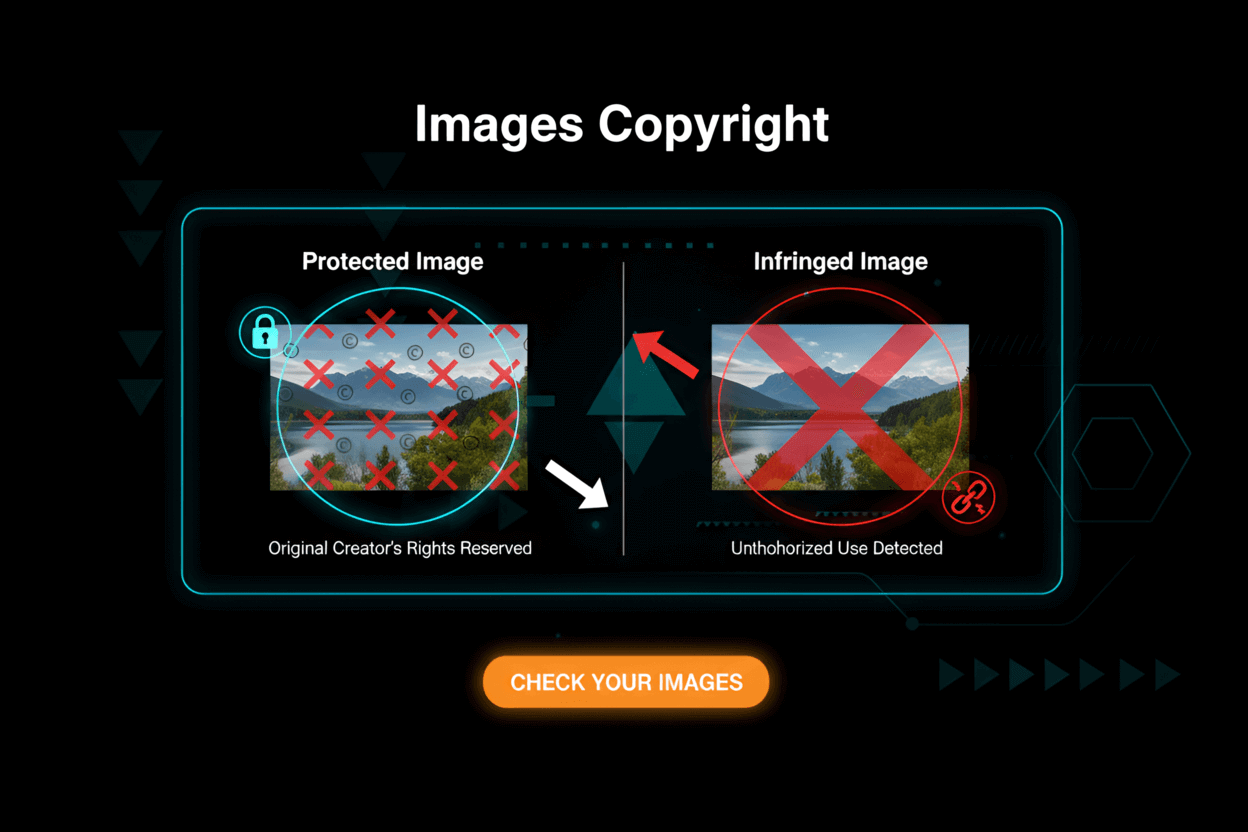
People take screenshots every single day. We grab memes, save digital receipts, or snap a picture of a weird software bug to send to IT. It feels harmless. It feels totally free. But here is the multi-thousand-dollar truth: just because your phone or keyboard has a 'capture' button doesn't mean you actually own what you capture. The second you paste that grabbed image into a public blog post, a YouTube video, or a corporate slide deck, you are stepping onto a massive legal landmine.
Right now, in 2026, automated bots are crawling the internet 24/7 specifically hunting for stolen media. Guessing the copyright rules is a terrible business strategy. If you get this wrong, you aren't just getting a polite warning email. You are looking at brutal DMCA takedowns that rip your website offline, frozen hosting accounts, or actual lawsuits from very well-funded tech companies.
Forget the myths. We need to talk about who actually owns the pixels on your screen, when you can use them without paying a dime (hello, Fair Use), and how to keep aggressive lawyers completely out of your inbox.
The bottom line: Almost every single screenshot you take is protected by someone else's copyright. You do not own it. Period. You have to know the exact legal loopholes to use them safely.
What Is Copyright and How Does It Apply to Digital Content?
Let's keep this simple. Copyright is an automatic legal wall. It protects anything an actual human creates. When a designer finishes drawing a slick app interface, or a coder finishes a website, they own that visual result instantly. No paperwork required. It just happens.
When you look at digital content, here is the harsh reality:
- Every website layout, mobile app screen, video game environment, and Netflix frame? Copyrighted.
- The law protects the ugly backend code and the pretty frontend graphics you see on your monitor.
- Only the creator gets to decide who copies, shares, or alters that specific work.
Therefore, taking a screenshot means you are literally manufacturing an unauthorized copy of someone's protected property.
You didn't draw the icons. You didn't pick the hex colors. You just pressed two buttons on your keyboard to steal a visual replica of it.
Reference: Don't believe me? Read it straight from the U.S. Copyright Office: What Is Copyright?
Are Screenshots Automatically Protected by Copyright?
This is the single most dangerous myth online right now. Taking a screenshot transfers zero ownership to you.
Snapping a photo of a Ferrari parked on the street doesn't put your name on the car's title. The exact same logic applies to your monitor:
- Grab a shot of Apple's homepage? Apple still owns that file.
- Screenshot a cool new fitness app? The app creators own the visual rights.
- Pause a Marvel movie to grab a frame? Disney owns it.
- Screenshot a viral Twitter thread? The person who typed it (and the platform) holds the rights.
Pressing 'Print Screen' doesn't make you an artist. It makes you a copier.
What About Screenshots of Boring, Functional Interfaces?
Now, courts do draw a tiny line here. If you screenshot a brutally boring, purely functional gray settings menu—think a standard Windows file folder with zero creative flair—you are probably safe. You cannot copyright basic, boring functionality.
But the second that interface includes custom icons, a specific brand gradient, or unique artwork? The copyright trap snaps shut. The court looks at creativity. If it took a designer time to make it look unique, the law protects it.
Further reading: Dig into the official rulings at the U.S. Copyright Office.
When Can You Legally Use Screenshots?
So, if everything is locked down, how do tech reviewers survive? How does YouTube even exist? You actually have a handful of legal escape hatches to use these images without begging a CEO for permission:
- Fair Use (U.S.) or Fair Dealing (UK, Canada, Australia): The ultimate cheat code. It lets you use copyrighted stuff if you are actively reviewing, criticizing, or teaching about it.
- Direct License or Permission: The company publicly gives everyone permission to use their shots (usually buried in page 40 of their Terms of Service).
- Public Domain: The thing you captured is ancient, or made by the government, meaning nobody owns it anymore.
- De Minimis Use: The copy is so microscopic that a judge would laugh at the lawsuit. (Seriously, don't rely on this one).
Let’s rip through the details of each one.
1. Fair Use (U.S. Law)
Fair Use is the holy grail for American content creators. It’s a legal defense. You are basically telling a judge, "Yeah, I copied it, but I did it for a highly specific, protected reason." The courts look at four messy factors:
- What is your goal? Criticizing a buggy app? Teaching a dev class? You are usually fine. Slapping their cool interface on your own sales page to make a quick buck? You will lose.
- What exactly did you copy? Snagging a shot of a factual data table is way safer than screenshotting a beautifully illustrated video game level.
- How much did you take? Did you crop it down to just the one broken button you are talking about, or did you blindly screenshot the entire 5,000-pixel landing page? Keep it tight.
- Are you stealing their cash? If your screenshot acts as a substitute for the real thing and hurts their sales, Fair Use goes out the window.
Example: Writing a brutal takedown of a terrible banking app and showing the broken login screen is textbook Fair Use. Stealing a competitor's sleek dashboard to use as the background for your own startup's website is blatant theft.
Reference: Read the exact wording from the U.S. Copyright Office: More Information on Fair Use
2. Fair Dealing (UK, Canada, Australia, etc.)
If you live outside the USA, "Fair Use" is a myth. You deal with "Fair Dealing," and it is way stricter. It is not a flexible, open-ended defense.
In places like the UK or Canada, you generally only get a hall pass if you are doing strict academic research, reporting actual news, or writing a direct review of that exact software.
- You absolutely must provide clear credit to the original creator.
- You cannot just use screenshots to make your blog look pretty.
- Commercial usage without a license is basically a hard "no."
Reference: Don't mess with UK laws. Read the Exceptions to Copyright directly.
3. License, Terms of Service, or Explicit Permission
Big tech companies got so sick of answering permission emails that they just posted blanket rules online. Read their manuals:
- Google: They generally let you use Maps or Search screenshots for a tutorial. Try putting that same screenshot in a paid Facebook ad? Completely illegal. See their Google Brand Usage Guidelines.
- Microsoft: Same deal. Great for educational textbooks, totally banned for commercial advertising. Read the Microsoft Permissions.
- Social Media Platforms: X (Twitter) hates screenshots; they want you to use their official embed codes. Instagram strongly restricts screenshotting private grids for commercial use. Always check the rules.
4. Public Domain Content
If you screenshot a digitized 200-year-old painting or a NASA press release, you are in the clear. Nobody owns it. But remember, 99.9% of the apps and articles you see daily are aggressively protected. They are not public domain.
5. De Minimis Use
This is a desperate lawyer's defense. It claims the copyrighted thing in your screenshot is so blurry or tiny it doesn't matter. Don't bet your business on this. If a brand's logo is recognizable in your image, it isn't De Minimis.
What About Fair Use for Screenshots in Blogs, Reviews, or Education?
So how do bloggers avoid getting sued every single Tuesday? They religiously follow the unwritten rules of digital Fair Use:
- Crop mercilessly: Only show the exact tiny piece of the screen you need to prove your point. Do not grab the whole browser window.
- Add massive context: Never just dump a bare screenshot into a post. Wrap it in heavy, original commentary or analysis to make it "transformative."
- Give credit: Always name the software directly under the image.
- Never use it for ads: The second money changes hands (like running a paid ad using a competitor's screenshot), Fair Use vanishes completely.
Example: A tech blogger showing a screenshot of a new app interface to explain a feature, complete with their own thoughts? Fine. Copying the entire app interface to build a clone? Not fine.
Further reading: Dive into the legal weeds with the Stanford University Libraries' Fair Use Overview
Are Screenshots of Videos or Streams Protected by Copyright?
Let's be perfectly clear: yes. A single, paused frame of a two-hour Netflix documentary, a random YouTube vlog, or a Twitch stream is protected by the exact same copyright as the full video.
Legally speaking, screenshotting a video creates an unauthorized "derivative work."
If you are a movie critic tearing apart a bad scene, Fair Use covers you. If you screenshot a cool anime character from a YouTube clip and print it on a t-shirt to sell on Etsy, the studio's lawyers will ruin your year.
Screenshots of Social Media Posts or Messages
This is where copyright violently crashes into privacy laws:
- Copyright: If someone writes an epic thread on social media, they own the copyright to those words.
- Platform Rules: Almost every platform explicitly bans screenshotting and publishing private DMs without the other person's consent.
- Privacy Laws: If you screenshot a sensitive private message to humiliate someone publicly, you aren't just facing a copyright strike. You are inviting a massive invasion of privacy or defamation lawsuit.
Rule of thumb: if it was posted publicly, screenshotting it for commentary is usually fine. If it was a locked DM, do not touch it.
Screenshots in Software Documentation or Training
If you are writing a user manual on how to use a specific software, the company usually loves the free marketing. But you still play by their rules:
- Don't Photoshop the screenshot to make the app look broken.
- Add a tiny copyright attribution line at the bottom.
- Never use their interface in a way that implies the massive software giant officially endorses your tiny startup.
Screenshots and DMCA Takedowns
Companies rarely bother suing you right out of the gate. Lawyers are expensive. Instead, they weaponize the DMCA.
They shoot a nasty legal email straight to your web host (like AWS or Bluehost). Because your host doesn't want to get sued either, they will instantly yank your website offline or delete your post without even asking for your side of the story.
If you get a DMCA notice, you have to rip the image down immediately unless you have the cash to hire a lawyer and fight back under Fair Use. Get too many of these, and your host will ban your account permanently.
Reference: See how the government handles this at the U.S. Copyright Office DMCA Directory.
How to Avoid Copyright Problems with Screenshots
Keep the legal threats out of your inbox. Follow these rules:
- Can you just recreate it? Instead of screenshotting a data chart, just build your own chart using the same numbers. Data isn't copyrighted.
- Read the room: Check the software's Terms of Service before you blast their interface across your blog.
- Don't be greedy: Use screenshots to teach, not to sell your own stuff.
- Always point back: Attribute the source loudly and clearly.
- Honestly, just ask: If you want to feature another company's app in a major campaign, email their PR team. They say yes more often than you think.
Best Practices for Using Screenshots Legally in 2026
- Caption it: Put "Image credit: [Company Name]" directly under every screenshot. It shows good faith.
- Crop the junk: If you are talking about a specific dropdown menu, cut out the rest of the browser window. Taking the whole screen ruins your defense.
- Add heavy context: Write three paragraphs of original thought for every one screenshot you drop in.
- Blur the personal stuff: Never accidentally dox someone's email or bank balance in a screenshot.
- Document everything: Keep a private folder documenting exactly where you got the image and why you think you have the right to use it.
Pro tip: If you are building a SaaS product and need fake screenshots for your marketing site, do not steal them from a competitor. Pay a designer to make fake mockups, or ask a friendly non-competing brand for permission to feature them.
Copyright and AI-Generated Screenshots
The laws around AI are an absolute trainwreck right now. But here is the hard truth for 2026: If you ask an AI tool to generate a "screenshot of a Spotify menu," and it spits out something that looks exactly like Spotify, you are still on the hook for copyright infringement.
You cannot use AI to launder stolen layouts. If the final image clearly rips off a real, protected interface, the original creator will still come after you.
International Perspectives on Screenshot Copyright
The internet has no borders, but lawsuits definitely do. Remember:
- Almost every developed nation protects original digital interfaces and videos under copyright.
- The U.S. has the incredibly flexible "Fair Use" defense. Europe, the UK, and Canada rely on the insanely rigid "Fair Dealing" defense.
- If you are running a massive international ad campaign, you have to assume the strictest possible laws apply to your images.
FAQ: Does Copyright Apply to Screenshot Images?
Can I safely use screenshots in my daily blog or YouTube video?
Yes, but only if you are actively reviewing, criticizing, or teaching about the exact thing in the screenshot. Crop it hard, talk over it, and give clear credit. Using it just to make your page look pretty is illegal.
If a website is free and public, are the screenshots free?
Absolutely not. Publicly accessible does not mean "Public Domain." A website is a private, copyrighted creation that just happens to be sitting on a public street corner. You still can't steal it.
Can I publish a screenshot of a crazy private DM I received?
Do not do this. Publishing a private, locked conversation without consent is a fast track to both a copyright strike (they own the words they typed) and a massive invasion of privacy lawsuit.
Does editing the screenshot or adding meme text make it legal?
No. Slapping a red circle or a funny caption over a stolen screenshot does not magically erase the original copyright. It creates a "derivative work," which still requires permission unless it heavily qualifies as parody or Fair Use.
Can I screenshot a bug for customer support?
Yes, 100%. Sending a private screenshot to the company to help them fix a bug is completely fine. Just don't publish that bug publicly on social media to mock them unless you want to lean heavily on a Fair Use defense.
Conclusion: Understanding Copyright for Screenshots in 2026
Listen, screenshots are the absolute lifeblood of how we talk on the modern internet. But they are not a lawless, copyright-free free-for-all. In almost every single scenario, the image you just captured belongs to the person who originally designed the screen.
If you want to survive 2026 without a lawyer breathing down your neck, assume everything is copyrighted right out of the gate. Only lean on Fair Use when you are genuinely adding massive educational or critical value to the image. Never use someone else's screenshot to sell your own commercial product. Attribute the source like your business depends on it.
Play by the rules, crop your images, and stop stealing layouts for your own ads.
If you want to make sure the rest of your digital empire is legally bulletproof, dig into our brutal breakdowns on plagiarism detection and how to properly format your backend with schema markup for articles.