Let's be honest: hunting for the perfect background track is easily one of the most soul-crushing parts of making videos. You spend hours editing a masterpiece, you finally hit publish, and then—bam—within minutes, you're slapped with that dreaded "YouTube Content ID claim." It's frustrating, it kills your monetization, and it can even put your whole channel at risk if you're not careful. If you actually want to keep your hard-earned cash and stay in YouTube’s good graces, you need a bulletproof source for your audio. That’s exactly why knowing the Top 5 Royalty-Free Music Sites for YouTube Creators is a complete game-changer for your channel’s safety and growth.
In this guide, we are going to dig into the absolute best spots on the web to find high-quality, safe, and actually catchy music for your content. We’re covering everything from massive community libraries to the latest AI-generated beats. Whether you’re a vlogger, a gamer, or a filmmaker, I've got a source for you.
Pro tip: Always, and I mean *always*, double-check the license terms before you hit download. YouTube’s automated system is ruthless, and "royalty-free" doesn't always mean you can just do whatever you want with the track.
What Does Royalty-Free Music Actually Mean?
Before we get to the list, we have to clear up some confusion. A lot of new creators think "royalty-free" is just a fancy way of saying "totally free of charge and no copyright." I wish it were that simple, but it’s not quite.
Royalty-free music basically just means that once you get the right to use a song (either by downloading it for free under a specific license or paying a one-time fee), you don’t have to keep paying the artist every time your video gets more views or streams. You're "free" from paying ongoing "royalties."
Here are a few other terms you'll definitely see:
Copyright-Free / No Copyright: This is the "gold standard" for YouTubers. It means the creator hasn't registered the track with a Content ID system, making it the safest option for avoiding claims.
Creative Commons (CC): This is a public license. Usually, it lets you use the music for free, but you *must* give the artist a shoutout (attribution) in your video description. If you forget, you get flagged.
Public Domain: These are the "vintage" tracks where the copyright has expired or been given up. It’s free for everyone.
Now that the legal boring stuff is out of the way, let’s look at the platforms where you can actually find great tunes without worrying about a copyright strike lurking around every corner.
Further reading: If you want to dive deeper into the technicalities of the law, check out YouTube’s official copyright guide.
Let's check out the top picks for 2026.
The Top 5 Royalty-Free Music Sites for YouTube Creators
Whether you need a high-energy electronic beat for a travel vlog, something spooky for a mystery video, or a quick 30-second intro, these five sites are the best of the best.
1. Gemini Music Generator (The AI Pioneer)
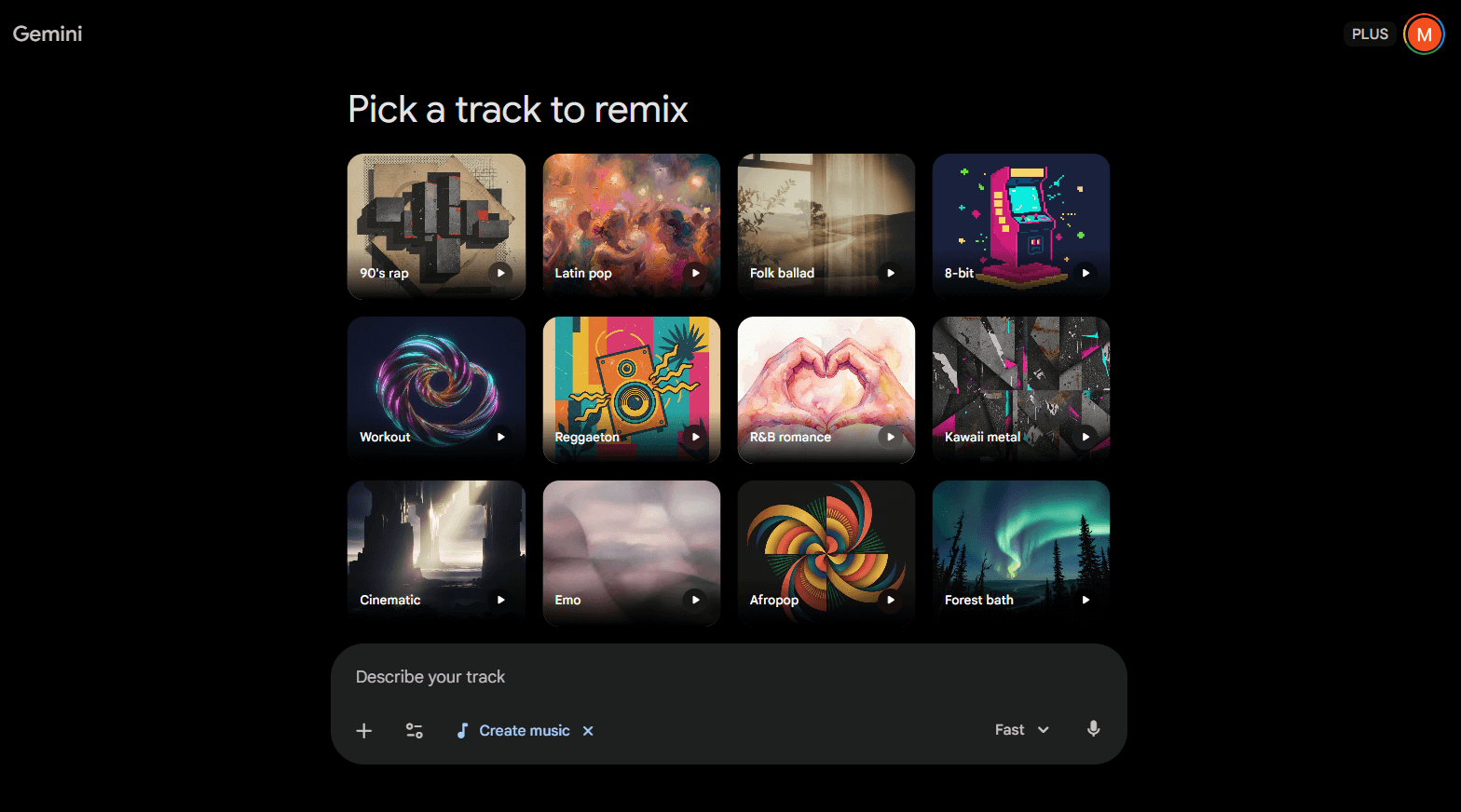
The world of music is changing fast, and Google’s Gemini is leading the charge with its Lyria 3 model. If you are tired of spending four hours scrolling through libraries just to find "something that sounds kind of like a cozy morning," the Gemini music generator is about to become your new best friend. You literally just type in what you want, and it makes it for you.
Instead of hunting, you are creating. It’s a complete shift in how we think about soundtracks.
How it Works: Inside the Gemini app, you just hit the "Create Music" tool and type something like: "Give me an upbeat, lo-fi hip-hop track for a morning routine vlog with a bouncy bassline." You can even feed it a photo for inspiration, and it’ll spit out a polished track (and even lyrics if you're feeling brave) in seconds.
Best For:Intro and Outro Music: Right now, it generates 30-second clips, which is the perfect length for a YouTube intro, a quick transition, or an end-screen card.
Highly Specific Vibes: Need "dramatic circus music for a cat video"? Gemini can actually do that without you having to search through 10,000 bad tracks.
Licensing & Monetization: The music you make with Gemini is free to use. Google built the Lyria 3 model specifically to avoid ripping off real artists. Plus, everything has a "SynthID" watermark, which basically tells YouTube's system, "This is AI-made," keeping you safe from those annoying record label claims.
2. Pixabay Music (The Massive Free Library)
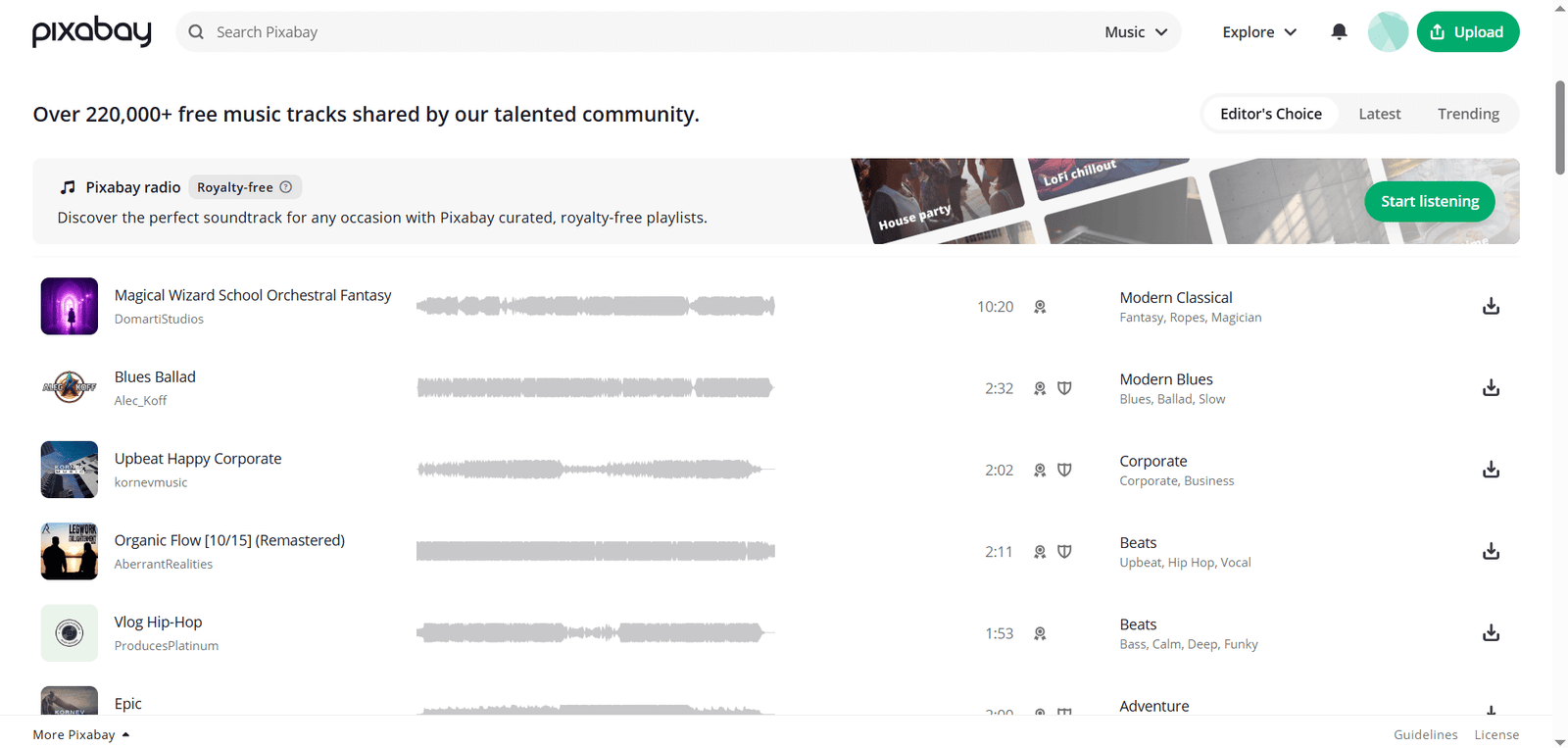
Most people know Pixabay for free photos, but their audio section at Pixabay Music is a massive hidden gem. It is one of the most generous sites on this entire list.
Everything on Pixabay uses their own custom license, which means you can use the tracks for commercial projects (like monetized YouTube videos) without having to credit the artist (though it's still a nice thing to do!).
Platform Features:
Great Filters: You can sort by genre, mood, or even movement. Looking for something "quirky" or "uplifting"? Just click the tag.
No Friction: You don't even have to make an account to download high-quality MP3s. You just find it and grab it.
Vast Variety: It’s a community-driven site, so you get a mix of everything from professional corporate tracks to experimental electronic beats from artists all over the globe.
Best For:
The "General" YouTuber: If you just need a clean, safe background track for a tech review or an educational video and you need it *now*, Pixabay is hard to beat.
Licensing & Monetization: 100% free for commercial use. You rarely see Content ID claims with Pixabay music, and if you do, they’re almost always "fake" claims that you can easily dispute and win.
3. Fesliyan Studios (The Mood Master)
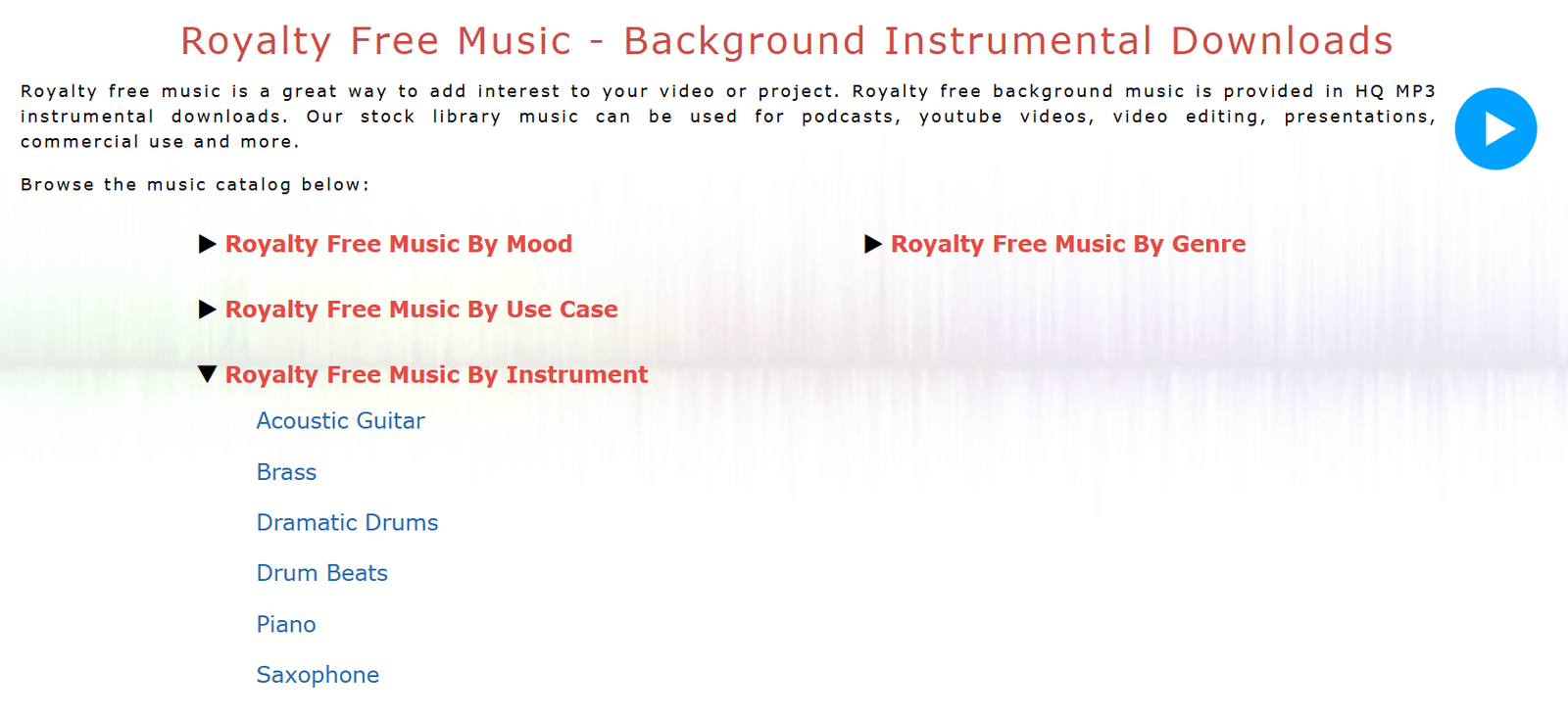
If you're a filmmaker or a storyteller, you need to bookmark Fesliyan Studios immediately. Created by composer David Fesliyan, this site is built around *emotions* rather than just genres. It is an absolute goldmine for high-quality audio.
Instead of just searching for "Rock," you can browse through categories like "Sneaky & Mischievous," "Sad & Emotional," or "Funny & Quirky." It saves you so much time during the editing process.
Platform Features:
Flexible Files: A lot of their tracks come with different versions—like a loopable cut or an instrumental-only version. This is a lifesaver for editors.
SFX Library: They also have a killer library of sound effects (whooshes, pops, UI clicks) that can really elevate your editing game.
Human Touch: The music is made by a small team of real musicians, so it doesn't have that "plastic" stock music feel that you find on other cheap sites.
Licensing & Monetization (Pay Attention!): They have a very specific, "honor-system" policy that I really respect.
Non-Monetized Channels: If your channel isn't making money yet, or you're just making a video for fun or school, it is 100% free.
Monetized Channels: If you're running ads or doing brand deals, you have to make a donation to get the commercial license. The cool part? You decide the amount based on your budget. Once you donate, you're licensed for life.
4. SoundCloud: Royalty Free Music - No Copyright Music
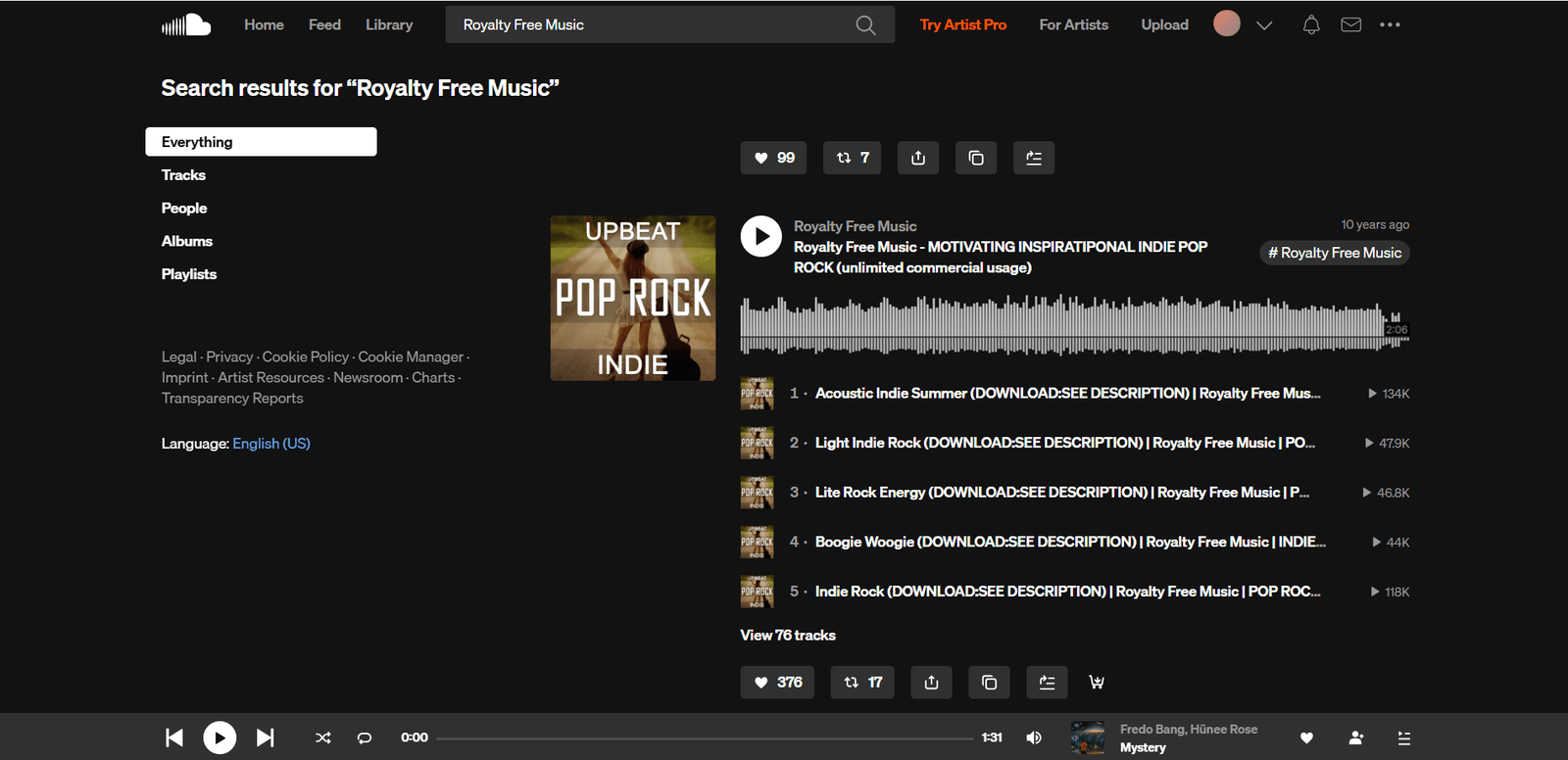
SoundCloud is like the "Wild West" of music, but if you know where to look, it’s where you’ll find the coolest, most modern beats. You just have to follow specific curators like Soundcloud Royalty Free Music who do the vetting for you.
These accounts find undiscovered producers who want to grow their names by letting YouTubers use their tracks for free.
Platform Features:
Trendy Audio: This is where you'll find those smooth "Casey Neistat-style" vlogging beats, heavy 808s, and pristine tropical house that feels fresh and current.
Real Feedback: You can see comments right on the waveform, which is a great way to see which part of a song really "hits" before you drop it into your timeline.
Best For:
Vloggers and Gaming Channels: If you want your videos to sound like what’s popular on TikTok or modern YouTube, this is the place to go.
Licensing & Monetization: These tracks are usually free to monetize, but you MUST give credit. The artists usually have a specific block of text in the description that you have to copy-paste into your video description. If you forget, you’ll get a claim—no exceptions.
5. YouTube Audio Library (The Ultimate Safe Bet)
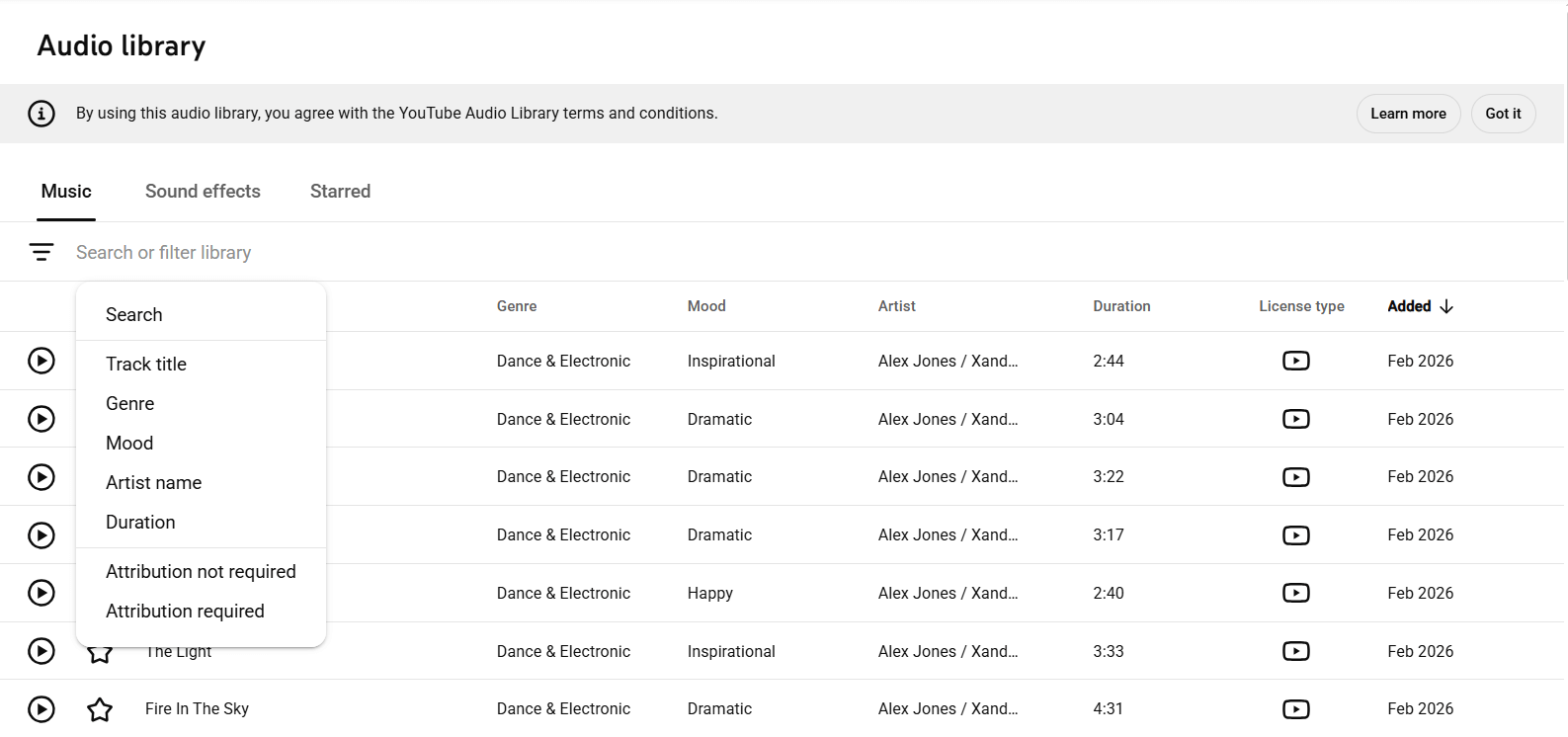
I couldn't make this list without including the tool built right into the platform: the YouTube Audio Library. It's right there in your YouTube Studio dashboard, and it is the safest, most bulletproof option on earth.
Because YouTube owns or cleared the rights to everything here, you have zero risk of getting a strike or a claim.
Platform Features:
Zero Stress: You don't have to worry about changing licenses or rogue labels. If it's in the library, it's safe to use on the platform.
One-Click Apply: You don't even have to download the files; you can add them to your video directly through the YouTube online editor if you need a quick fix.
Foley & SFX: They have a massive database of sound effects that are great for adding that extra layer of polish to your edits.
Best For:
Absolute Beginners: If you just want to make videos without ever worrying about copyright law, attribution formats, or "license receipts," just stay inside the YouTube Audio Library.
Licensing & Monetization: 100% free for YouTube videos. Some tracks require attribution (look for the "CC" icon), but most are totally "credit-free." Just remember: these tracks are technically only for use *on YouTube*. If you're uploading to Facebook or TV, use one of the other sites.
How to Choose the Perfect Track for Your Video
Having the tracks is only half the battle. Picking the *right* one is what makes you look like a pro. Music is what drives the pacing and emotion of your content. Here are a few "pro-editor" tips:
1. Match the Tempo to Your Pacing
If you're doing a fast-paced "how-to" with quick cuts, don't use a slow, acoustic guitar track—it'll feel weird. If you're showing a beautiful cinematic sunset, don't use aggressive dubstep. Look for the "BPM" filter. 110+ BPM is for high energy; 60-90 is for relaxing vibes.
2. Vocals Can Kill Your Message
Here is a rule I live by: Avoid lyrics if you are talking. If you're doing a voiceover or talking to the camera, and the music has a singer, the viewer's brain will get confused trying to listen to both. It’s exhausting to watch. Use instrumentals while you speak, and save the vocal tracks for your montages or intros.
3. Master the "J-Cut"
Don't just have the music start right on a visual cut. Bring the audio in quietly a couple of seconds *before* the scene changes. It subconsciously prepares the viewer for a shift in energy, making your video feel way more professional than the average vlogger.
4. Audio Ducking is Not Optional
If your music is too loud, people will click away. Use "audio ducking" in your editor to make the music automatically get quieter whenever you start talking. Your voice should always be the star of the show.
How to Avoid Fake YouTube Copyright Strikes
Look, the automated Content ID system isn't perfect. Sometimes a random company will claim a track that is 100% royalty-free. Here is how you protect yourself:
Keep Your Receipts. If you donated to Fesliyan Studios or downloaded a license from Pixabay, save it in a folder. If you get a claim, you'll need it to prove you have the right to use the music.
Screenshot Everything. Artists on SoundCloud sometimes change their minds about their music being free. Take a screenshot of the "No Copyright" description the day you download it as a backup.
Don't Panic—Dispute It. If you get a claim on a track you know is safe, don't just accept it. Hit the "Dispute" button in YouTube Studio, provide your license info or the URL where you got the track, and usually, the claim is dropped in a few days.
Further reading: For a full breakdown of how the automated system works, see YouTube’s Content ID overview.
Royalty-Free Music Bonus Sites Worth Exploring
Still want more? These paid sites are also huge favorites for professional creators:
- Artlist: A subscription service that gives you "universal" licenses. It’s great if you’re a pro filmmaker who doesn't want to worry about anything legal, ever.
- Epidemic Sound: Probably the most famous paid library. They have an incredible search engine and integrate directly with your YouTube channel to "whitelist" you.
- Soundstripe: Very polished, commercial-ready music. It’s a bit more "corporate" but very high quality.
- Uppbeat: A newer site that has a great free tier for YouTubers. Very trendy music selection.
- AudioJungle: A massive marketplace where you pay per track. It’s a bit old-school, but you can find almost anything there.
Frequently Asked Questions (FAQ)
1. Can I actually make money using these tracks? Yes! That's the whole point. All five of these sources are safe for monetized videos as long as you follow their specific rules (like giving credit or making a donation for a commercial license).
2. What if I forget to give the artist credit? If a track requires attribution and you leave it out, you're technically breaking the law. The artist can (and probably will) claim your video’s revenue. Always double-check your description before you hit "Public."
3. Is "Royalty-Free" the same as "Copyright-Free"? Nope. "Royalty-free" means you don't have to keep paying the artist. "Copyright-free" means nobody owns the rights at all. Most music you use will be royalty-free, not copyright-free.
4. Can I use the Gemini generator for long background tracks? Right now, Gemini is optimized for 30-second clips. It’s perfect for intros and outros, but if you need a 10-minute background loop, you're better off with Pixabay or the YouTube Audio Library.
5. Why did I get a claim on a "free" track? It’s usually a mistake in the automated system, or you forgot to add the required attribution. Just dispute the claim with your proof of where you got the music, and you should be fine.
Ready to Soundtrack Your YouTube Channel?
Music is the "secret sauce" of a great video. With the right library, you can finally focus on being creative instead of worrying about lawyers and copyright strikes. You'll keep your monetization, grow your audience, and honestly, your videos will just sound a hundred times better.
To recap: Use Gemini for those quick, custom intros. Hit Pixabay Music for a massive, truly free library. Use Fesliyan Studios for cinematic moods. Check SoundCloud for modern beats, and when in doubt, use the YouTube Audio Library for absolute safety.
Stop letting fear of a copyright claim hold back your channel. Bookmark these sites, start building your personal folder of "favorite tracks," and take your content to the next level. You've got this!
Further reading: Once your audio sounds great, focus on the other half of the battle. Check out our guides on YouTube monetization and audience retention strategies.
Your next hit video is just one perfect track away.