
Let's stop pretending that selling on Amazon is some magical passive income machine where you list a random product and wake up a millionaire. In 2026, the "get-rich-quick" drop-shipping gurus are dead. Amazon is a brutal, highly optimized, hyper-competitive bloodbath. If you walk in blind, their fees and your cutthroat competitors will eat your bank account alive.
But here is the flip side: if you actually know what you are doing, Amazon is the most powerful wealth-generation engine in human history. They have hundreds of millions of buyers with their credit cards already on file, just blindly trusting the platform and clicking "Buy Now."
If you want to survive and actually build a scalable brand in this ecosystem, you have to treat it like a serious operation. You need to master the data, understand the ruthless algorithms, and avoid the amateur mistakes that get seller accounts permanently banned.
This is your unfiltered, step-by-step reality check on how to actually launch, scale, and defend an Amazon business.
Want to compare fulfillment models first? Stop guessing. Read our brutal breakdown on Amazon FBA vs. Dropshipping to see which model actually fits your budget.
Why Sell on Amazon in 2026?
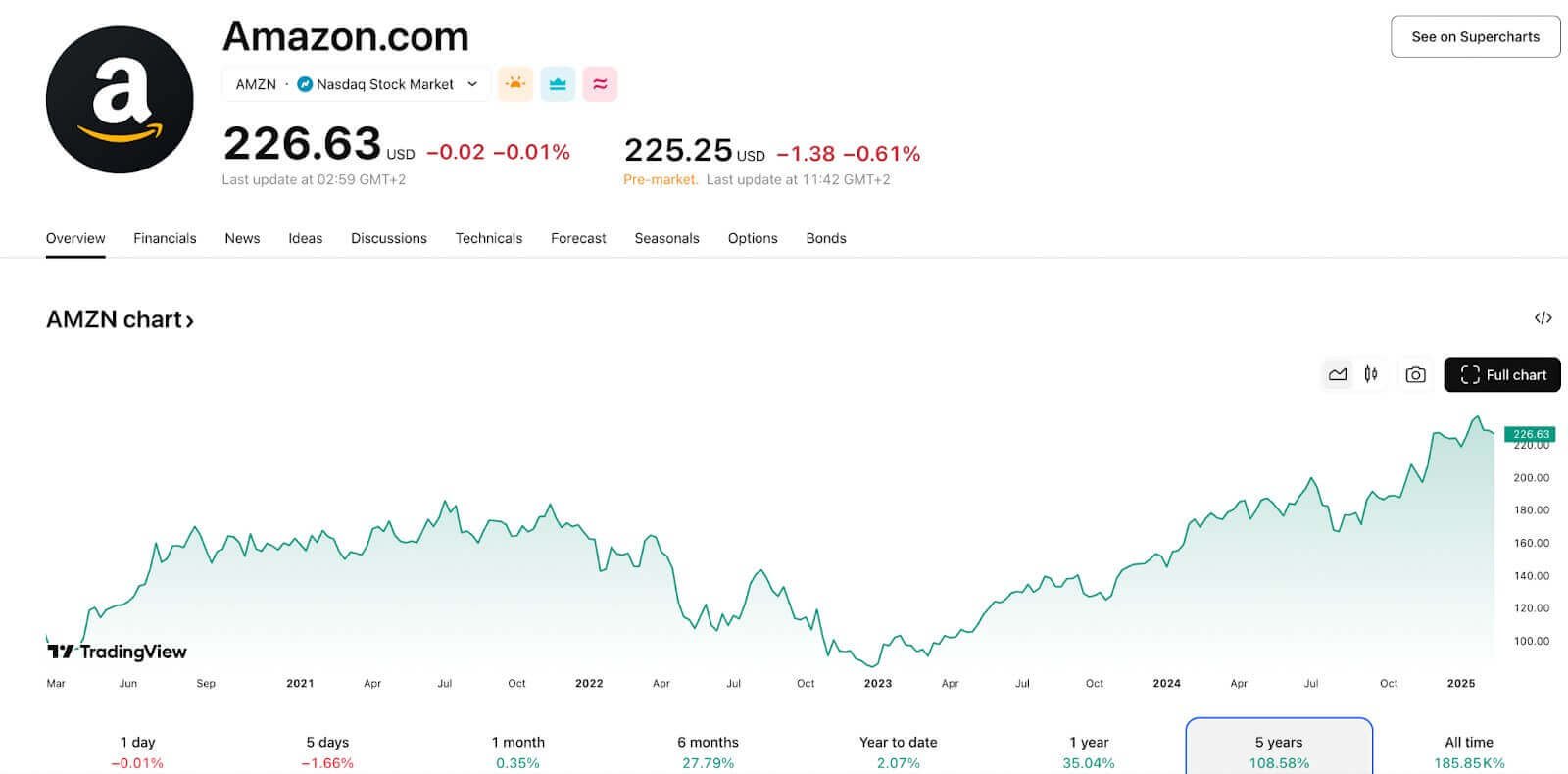
You don't sell on Amazon because it's fun. You sell there because that is literally where all the money is. Right now, well over 60% of all online product searches start directly on Amazon. They skip Google entirely.
If your physical product is not on Amazon, you are practically invisible to 200 million Prime members who refuse to wait more than 48 hours for shipping. It gives you:
- Instant trust: People don't trust your random Shopify store. They trust Jeff Bezos.
- Built-in traffic: You don't have to desperately beg for Facebook clicks. The buyers are already there searching for what you sell.
- Elite logistics: With FBA, they literally handle the warehouses, the shipping, and the angry customers for you.
Did you know? Independent third-party sellers now account for roughly 60% of all paid units sold on the platform. Amazon needs you just as much as you need them.
How Does Selling on Amazon Work?
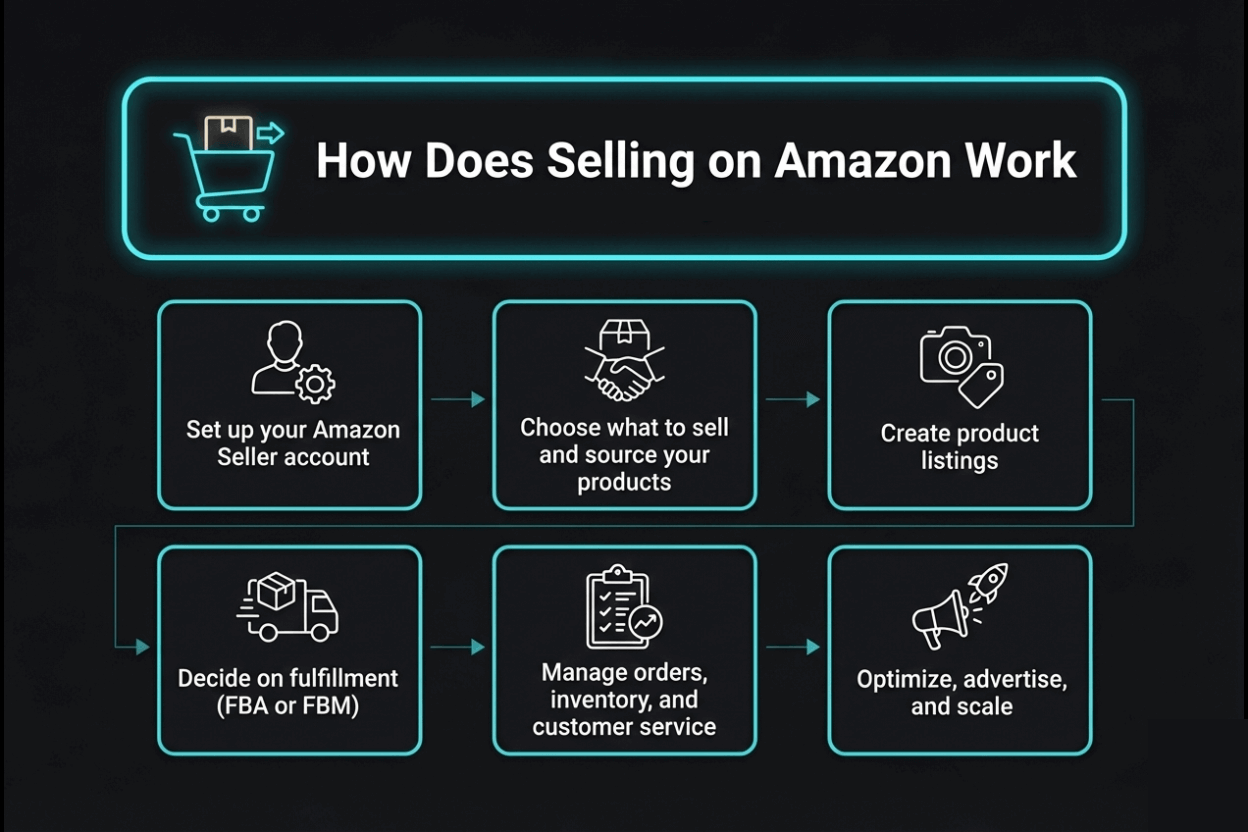
At its core, this is a logistics and ranking game. You find a product, get it listed, and trick the A9 search algorithm into putting you on page one. You can pack the boxes in your garage (FBM) or you can pay Amazon to do it (FBA).
Here is the exact, non-negotiable workflow:
- Force your way through Amazon's strict Seller verification process.
- Use hard data to source a product that isn't completely saturated.
- Write a listing that heavily manipulates search keywords and human psychology.
- Choose your fulfillment infrastructure (FBA or FBM).
- Protect your account health while managing inventory.
- Burn cash on Amazon PPC to violently scale your ranking.
Let's tear down every single step.
Step 1: Decide What to Sell on Amazon

Do not sell what you "like." Sell what the data proves people are buying. Choosing a product based on your gut feeling is how you end up with 500 units of unsellable garbage sitting in your garage.
How to Find Profitable Products
- Stop guessing, use software: You absolutely must pay for a tool like Jungle Scout or Helium 10. You need to see the exact estimated monthly sales of your competitors.
- Check the margin math: If your profit margin is under 30% after you factor in manufacturing, shipping, Amazon's 15% cut, and FBA fees, walk away. You will bleed out the second you start running ads.
- Look for the weak targets: Find products on page one that have terrible photos, horrible reviews, and lazy descriptions. Make a better version of that exact product and steal their spot.
- Avoid legal nightmares: Don't sell anything that goes in a human body or plugs into a wall unless you want to be sued.
Pro tip: Do not mess with gated or hazmat categories as a beginner. Check the official Prohibited Product List before you wire money to a factory.
Private Label, Wholesale, or Arbitrage?
- Private Label: You slap your own brand on a factory product. High risk, heavy upfront cash, but you own the asset and the margins are massive.
- Wholesale: You buy 1,000 units of name-brand shampoo and resell it. Lower risk, but you are fighting for pennies in margin against 10 other sellers.
- Retail Arbitrage: You scan clearance aisles at Walmart with your phone. It's a great hustle for a teenager, but it is not a scalable business model.
Step 2: Create Your Amazon Seller Account
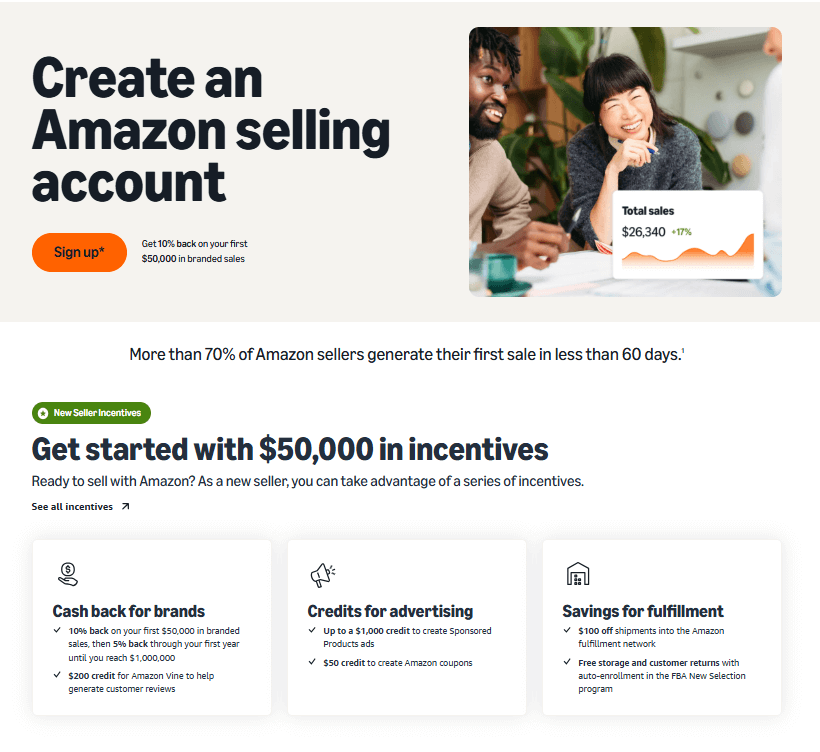
Head over to Amazon Seller Central. Stop being cheap and just pay for the Professional Plan ($39.99/month). If you use the free Individual plan, you get hit with a 99-cent fee on every single sale, and you are locked out of the crucial advertising tools. You aren't playing a game; pay the overhead.
What You Will Actually Need:
- A legitimate business address and a credit card that won't decline.
- Your SSN or an official EIN from the IRS.
- A government-issued ID that perfectly matches your bank statements.
Amazon's automated bots are ruthless. If your billing address has a typo and doesn't exactly match your bank PDF, they will instantly suspend your account before you even start.
Further reading: Account verification bots are standard across the web now. Read our brutal guide on how to get AdSense approval to understand how strict these automated compliance checks really are.
Step 3: Choose Your Fulfillment Method (FBA vs. FBM)
You have to decide who does the heavy lifting.
- FBA (Fulfillment by Amazon): You palletize your stuff and ship it to Amazon. They handle the storage, the Prime delivery, and the returns.
- FBM (Fulfillment by Merchant): You print the labels, buy the boxes, and go to the post office yourself.
FBA Pros and Cons
| Pros | Cons |
|---|---|
| You get the Prime badge. Your conversion rate explodes. | The fees are heavy. They charge you just for stuff sitting on the shelf. |
| You do zero physical labor after sending the inventory. | Amazon handles returns and they will refund buyers instantly, no questions asked. |
| Mathematically scales to infinity without hiring employees. | You are at the mercy of their strict packaging and barcode rules. |
FBM Pros and Cons
| Pros | Cons |
|---|---|
| You control your inventory and avoid long-term storage fees. | No Prime badge. Customers will actively avoid your listing. |
| Better margins for massive, oversized items like furniture. | You have to answer angry customer service emails all day. |
| Perfect if you make custom, handcrafted products to order. | You literally can't take a vacation without putting your store on pause. |
Want the full brutal truth? Dive into our breakdown of Amazon FBA vs. Dropshipping before you pick a path.
Step 4: Create and Optimize Your Product Listings
Your listing is your only salesperson. If your photos look like they were taken on a dirty carpet in 2008, nobody will buy your product. Ever.
Key Elements of a Bulletproof Listing
- Title: Stuff it with your absolute best keywords, but make it readable. Don't sound like a spam bot.
- Images: This is where you win or lose. You need pure white backgrounds, heavy infographic text explaining the benefits, and lifestyle shots. Pay a professional.
- Bullet Points: Nobody reads the massive description at the bottom. The 5 bullet points next to the price are where you handle objections and sell the dream.
- Backend Keywords: Stuff the invisible backend field in Seller Central with all the ugly, misspelled keywords you couldn't fit in your title.
Pro tip: Get Brand Registered immediately. It unlocks A+ Content, which lets you put massive, beautiful graphics in your description instead of a boring wall of text.
How to Actually Do Amazon Keyword Research
Stop guessing what people type. Use a reverse ASIN tool in Helium 10 to rip apart your competitor's listing and see the exact 15 keywords driving 90% of their sales. If you need a crash course in how semantic search actually works, read our keyword research guide.
Step 5: Set Pricing and Manage Inventory
Pricing on Amazon is a psychological war. You are fighting to win the "Buy Box"—that little button on the right side of the screen.
- If you are running Wholesale, you need an automated repricer tool. If your competitor drops their price by 2 cents, your tool needs to drop yours by 3 cents instantly so you steal the sale.
- Don't forget the hidden costs. If you sell a product for $20, Amazon takes $3 for a referral fee, and $5 for FBA picking. You better know your math.
And never, ever run out of stock. If you go out of stock, Amazon's algorithm assumes you are a dead business, tanks your ranking, and you have to start the climb all over again.
Step 6: Launch and Promote Your Products
If you just hit "Publish" and wait, you will sell zero units. You are starting on Page 50. You have to buy your way to Page 1.
Amazon Launch Strategies
- Amazon PPC: You have to run Pay-Per-Click ads. You bid on keywords so your product shows up at the top with a "Sponsored" tag. It will eat your profits for the first month, but it forces sales velocity, which naturally boosts your organic rank.
- Aggressive Coupons: Put a massive 20% off green coupon badge on your listing. Humans are biologically wired to click on bright green discount tags.
- The Vine Program: Reviews are mandatory. Enroll in Amazon Vine to legally give away up to 30 products in exchange for honest, verified reviews.
Warning: Do not buy fake reviews from shady Facebook groups. Amazon's fraud bots are terrifyingly smart. They will nuke your account, freeze your money, and keep your inventory.
Step 7: Manage Orders, Customer Service, and Returns
If you use FBA, Amazon handles the heavy lifting, but you are still the CEO. You have to monitor your Account Health dashboard like a hawk.
- If your "Order Defect Rate" hits 1%, you are in danger of suspension.
- If a customer messages you, you have exactly 24 hours to reply. Amazon literally runs a countdown timer on your dashboard.
- Accept the fact that Amazon buyers will return items for completely ridiculous reasons, and Amazon will always refund them out of your pocket. Bake a 5% return rate into your financial models and move on.
Step 8: Optimize and Scale Your Amazon Business
Once you are profitable, you don't relax. You press the gas pedal.
- Split Testing: Stop guessing if your main photo is good. Run an A/B test changing only the main image and let the data tell you which one gets more clicks.
- Expand the Catalog: Launch a variation. If the black spatula is crushing it, launch a red one. It requires almost zero extra ranking effort.
- Brand Defense: Register your trademark and use Amazon's Transparency program to crush cheap counterfeiters who try to hijack your listing.
Want to build a moat around your brand? Build an external website and drive your own traffic. Learn exactly How To Get Backlinks For Your Website so you aren't completely a hostage to Amazon's internal algorithm.
Amazon Fees and Costs: What to Expect
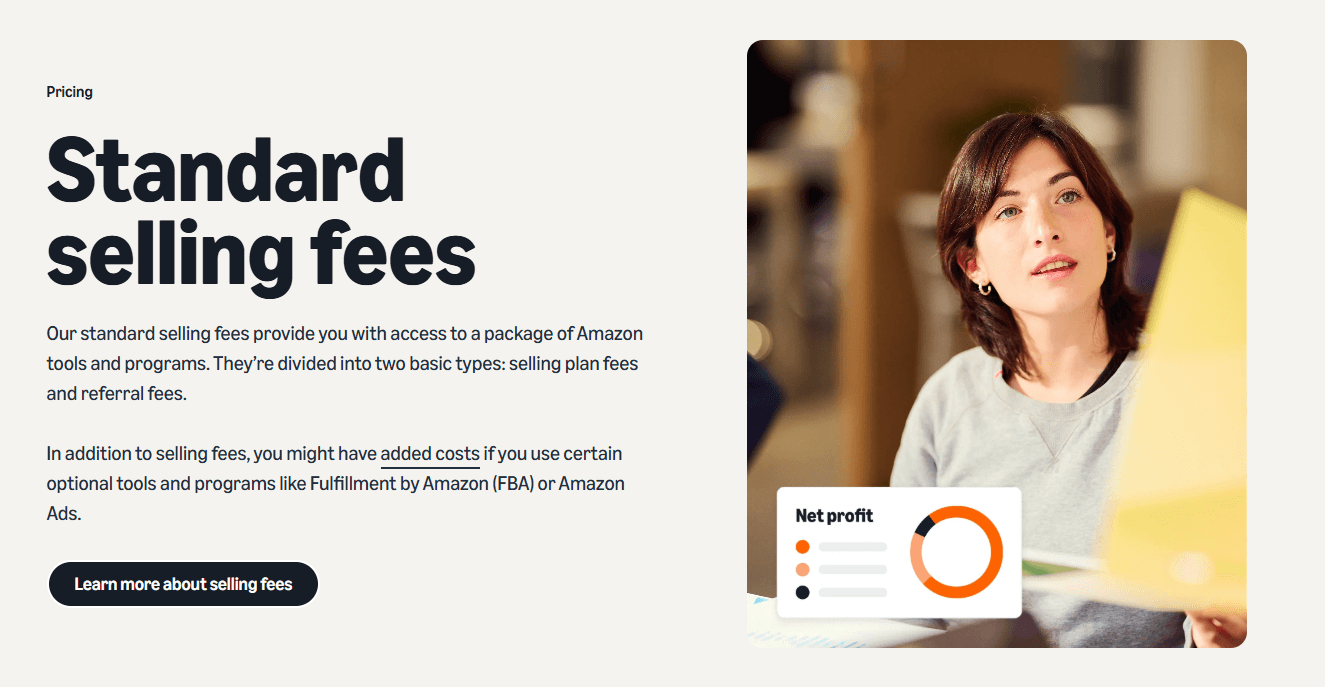
Amazon is essentially a toll booth. You pay to play. Know these numbers cold:
- Referral Fee: They take a flat percentage off the top of the gross sale price (usually 15% for most categories).
- FBA Pick & Pack Fee: The cost for a robot and a human to grab your item, put it in a box, and mail it. It scales based entirely on the weight and physical dimensions of your product.
- Storage Fees: You pay rent for shelf space. If your stuff sits there for over 365 days, they hit you with crushing Long-Term Storage Fees.
Run your exact dimensions through the FBA Revenue Calculator before you ever commit to a product.
Common Challenges and How to Overcome Them
- Hijackers: Other sellers will jump on your listing and sell cheap knockoffs. Getting Brand Registry is your only real weapon to kick them off.
- Suspensions: Amazon acts as judge, jury, and executioner. If you get suspended, hire a professional appeal agency. Don't write emotional emails to Jeff Bezos; the bots don't care.
- Cash Flow Crunch: You have to pay factories upfront, but Amazon holds your money for two weeks. You need a cash buffer or your growth will violently stall.
Advanced Tips for Successful Amazon Selling
- Dominate PPC: Don't just run auto-campaigns. Mine your search term reports and bid aggressively on exactly the words that convert.
- Video Ads: Sponsored Video ads convert like crazy right now because nobody wants to read text anymore. Shoot a 15-second TikTok-style video of your product in action.
- Off-Amazon Traffic: Google loves Amazon URLs. Run aggressive SEO campaigns to push external traffic directly to your storefront.
Frequently Asked Questions About Selling on Amazon
How much actual cash do I need to start?
Stop listening to people who say you can start with $100. If you are doing Private Label, you need $3,000 to $5,000 minimum to cover minimum order quantities from China, shipping, branding, and a PPC launch budget. Arbitrage can be done with a few hundred, but it doesn't scale.
Do I absolutely need an LLC?
You can start as a sole proprietor under your own name. But the second you start moving serious volume, get an LLC and business insurance. If a customer chokes on your product and sues, you do not want your personal house on the line.
When does Amazon actually pay me?
They drop the cash into your checking account every 14 days, minus all their fees and refunds. They act as the bank, and they hold the float.
Is it too late to start selling? Is it oversaturated?
Garbage products with no differentiation are oversaturated. If you just slap your logo on a generic yoga mat, you will fail. If you actually look at the data, read bad reviews, and engineer a product that solves a real complaint, there is infinite money to be made.
Ready to Start Selling on Amazon?
Amazon is not a hobby. It is an aggressive, high-speed retail environment. But if you stop looking for shortcuts, respect the math, and obsess over your conversion rates, it is the most reliable way to build a multi-million dollar asset in 2026.
Find your niche, lock down your margins, and get your first shipment in the air.
Want to build an absolute fortress around your new brand? You need to own your own digital real estate too. Read up on our hardcore SEO Onpage vs Offpage Optimization strategies and stop relying on cheap servers by checking out the Best WordPress Hosting Providers so your external site doesn't crash during a launch.
Stop researching. Start executing.