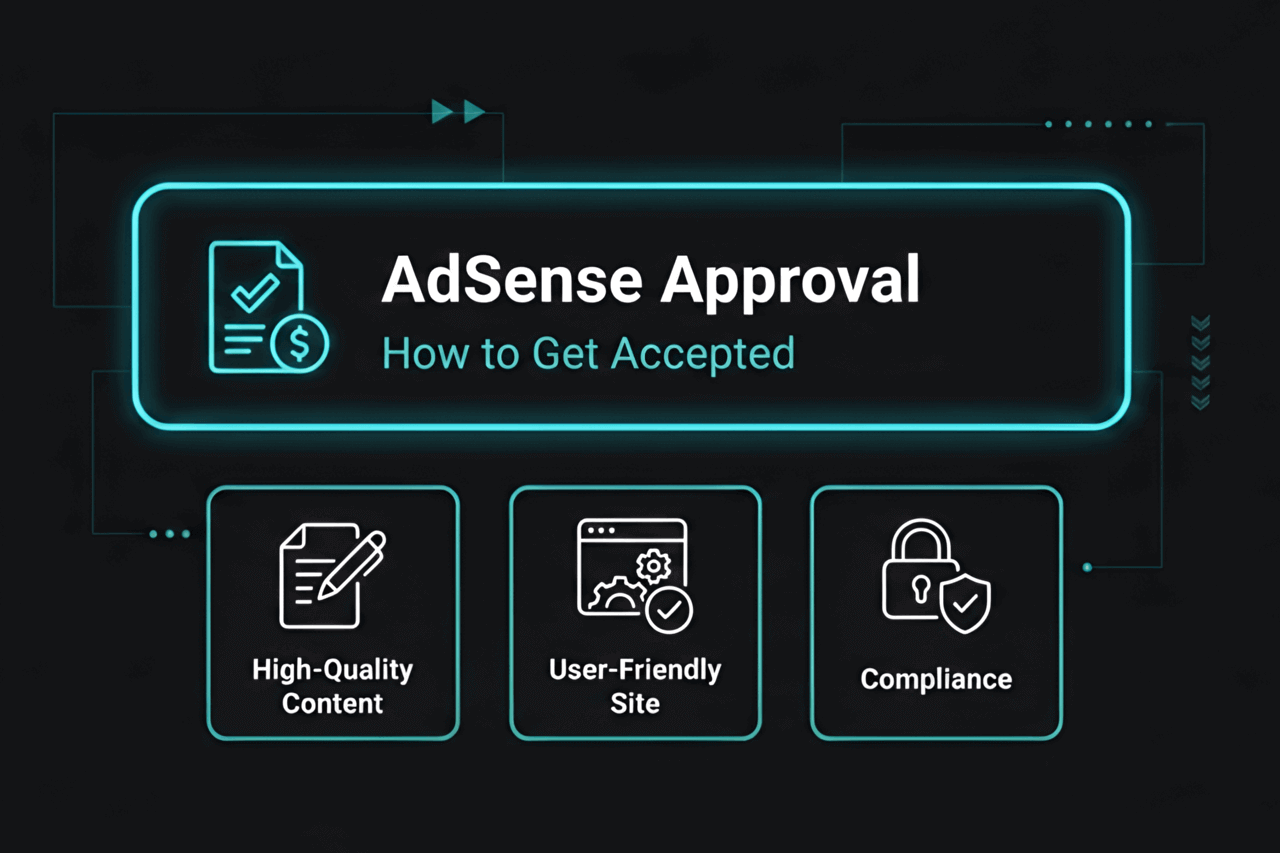
Let's be completely real for a second: getting that golden Google AdSense approval email in 2026 is brutally hard compared to a few years ago. You can't just spin up a quick WordPress site over the weekend, paste five generic articles, and expect to start printing money anymore. Those days are officially over.
Here is the unfiltered reality:
Google has completely lost its patience. Their algorithms are actively purging low-effort sites, and their manual reviewers will instantly reject anything that looks like scraped AI garbage or offers a terrible user experience. If you actually want access to their premium ad network, you have to prove you are building a legitimate, trustworthy brand.
Consider this your ultimate, no-nonsense battle plan. We are going to rip apart the exact, step-by-step process to force Google to take your site seriously. We will cover the silent requirements nobody talks about, decode those frustrating rejection emails, and show you exactly how to fix your blog so you can finally start monetizing your hard-earned traffic.
Ready to turn that website into an actual cash-flowing asset? Let’s get to work.
Tip: Please, whatever you do, do not rush this. Spending one extra week polishing your site before hitting that "Apply" button will literally save you months of agonizing waiting periods and automated rejections.
What Is Google AdSense and Why Does Approval Matter?
In the simplest terms possible, Google AdSense is the undisputed heavyweight champion of website monetization. It is the massive, intelligent engine that lets you slap highly targeted banner ads onto your articles. Every time a reader looks at them or clicks them, you get paid real cash.
But Google doesn't just let anyone plug into their bank account. You have to survive their strict approval gauntlet first. This is essentially Google's way of doing a deep background check to ensure you aren't scamming people, posting illegal stuff, or stealing content.
Why should you care so much about getting that green light?
- It is the ultimate digital trust signal. If Google approves you, it means their incredibly strict algorithm mathematically views your website as highly valuable.
- It unlocks the holy grail of true passive income. Once you are approved, the ads literally optimize themselves. You just focus on writing.
- It acts as your VIP pass. Dozens of other elite ad networks and premium affiliate programs will instantly reject your application if you don't already have a working AdSense account to prove your worth.
Further reading: Trying to figure out how to maximize your cash once you actually get approved? Take a hard look at our breakdown on Affiliate vs Referral Marketing.
How Does AdSense Approval Work in 2026?

The era of instant, overnight approvals is dead. In 2026, Google puts your blog through an absolute meat grinder. Here is exactly what happens behind the curtain:
- Application Submission: You build your account, type in your URL, and bury a tiny snippet of tracking code deep into your website's header.
- The Bot Invasion: Google unleashes its crawlers. They aggressively scan your entire site in milliseconds, hunting for stolen text, broken links, and blatant policy violations.
- Manual Review: If the bots get confused, or if your blog is in a "high-risk" money niche (like investing or health advice), an actual human sitting at a desk at Google will open your website and judge it ruthlessly.
- The Verdict: You finally get the email. If they like you, the ads go live immediately. If they hate it, they hand you a frustratingly vague rejection reason.
This whole agonizing process usually takes anywhere from three days to a full two weeks. The cleaner and faster your site is, the quicker the bots wave you through.
Pro tip: Whatever you do, do not panic and delete the AdSense code from your site while you are waiting. If the bots circle back and can't find that code, you get an automatic rejection.
AdSense Approval Requirements: The 2026 Checklist
Stop trying to guess what Google wants. If you want to get approved on the very first try, your website must flawlessly execute every single item on this list:
1. High-Quality, Original Content
- You need actual bulk. Do not apply with 4 lonely articles. Have at least 20 to 30 heavily researched, deeply helpful posts published (aiming for 800+ words each).
- It must be 100% yours. No copy-pasting from Wikipedia, no sneaky article spinners, and absolutely no straight scraping.
- Pick a lane. Google despises confusing, "everything" blogs. Stick to one specific niche. And please, avoid publishing lazy, unedited AI fluff that offers zero unique value to the reader.
- Keep a steady publishing schedule leading up to your application so the site looks like an active business, not an abandoned project.
Resource: Seriously, double-check your own work before you ruin your chances. Run your drafts through a plagiarism checker before hitting publish to ensure you don't accidentally trip the bot alarms.
2. Essential Pages
- About Page: Google desperately wants to know a real human owns this site. Write a genuine, transparent page explaining who you are and why you built the blog.
- Contact Page: You must have a working contact form or a highly visible email address. Don't hide.
- Privacy Policy: This is a massive, non-negotiable legal requirement. You absolutely must have a page explaining exactly how you handle user data and cookies.
- Terms of Service: Highly recommended to protect yourself, especially if you let users leave comments or create accounts.
If you don't have these four pages visibly linked in your website's footer, do not even bother applying.
3. Clean, Professional Website Design
- Ditch the ugly, bloated WordPress themes from 2015. Use something heavily modern, radically clean, and fiercely mobile-responsive.
- Your site needs to be blazing fast. If your homepage takes 6 seconds to load, the reviewer will literally close the tab and reject you.
- Your top navigation menu needs to actually make sense. Don't leave empty "Category 2" links lying around.
- Zero annoying pop-ups covering the screen, and absolutely no auto-playing videos screaming at the user.
Further reading: Want your site to instantly look like a massive corporate brand? Read How To Add A WordPress Custom Font?
4. Policy Compliance
- Keep it incredibly clean. No adult content, no violence, no hate speech, and absolutely nothing remotely illegal.
- Do not use stolen, copyrighted photos you right-clicked from Google Images. Use free stock sites or snap your own photos.
- No scammy clickbait titles that trick users into clicking broken links.
- Stop linking out to sketchy, spam-filled websites. Google actively judges you by the company you keep.
- Never, ever buy fake traffic from a bot farm, and never click your own ads. They will catch you instantly and ban your name for life.
Tip: Panicking about the screenshots you used in your last post? Read Does Copyright Apply To Screenshot Images? to make sure you aren't quietly breaking the law.
5. Domain Age and Ownership

- In certain parts of the world, Google aggressively filters out brand-new domains to fight spam. It is always significantly safer to let your site age and gather organic traffic for 3 to 6 months before pulling the trigger.
- You have to actually own the domain name. Do not apply using a cheap free host (like yoursite.blogspot.com). Go buy a real .com.
6. Sufficient Organic Traffic
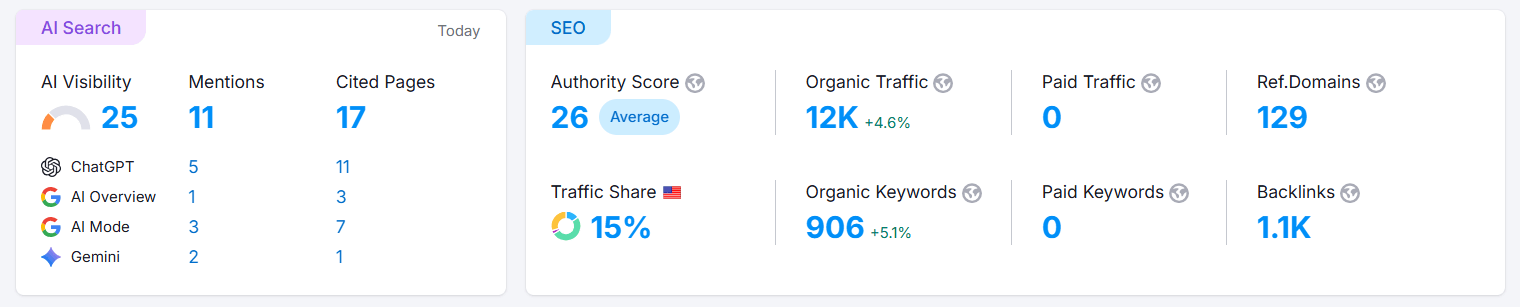
- Google claims publicly that there is no "official" minimum traffic number. Let's be real: applying with zero daily visitors is just asking for a rejection. Try to hit a baseline of at least 100+ organic visitors a day to prove the site is viable.
- That traffic needs to be legitimate (from Google search, Pinterest, or Twitter). Buying cheap, garbage traffic will destroy your account's reputation.
7. Technical Readiness
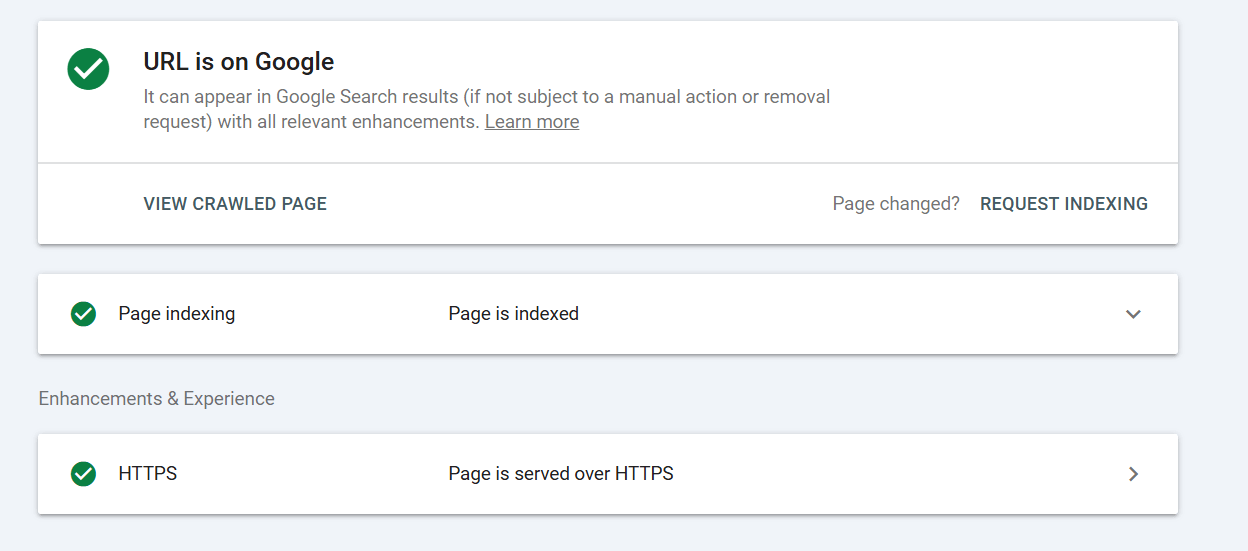
- Google actually has to be able to read your site. Remove any passwords, and definitely take down that lazy "Under Construction" plugin.
- Click every single link on your homepage right now. If any of them lead to a dead 404 error page, fix it immediately.
- If your site doesn't have an active SSL certificate (HTTPS), Google Chrome will flag it as "Not Secure," and AdSense will reject you instantly.
Do not skim this list. Missing a single bullet point is enough to land you in the dreaded rejection pile.
Step-by-Step: How To Get AdSense Approval
Alright, let’s stop talking theory and map out the exact, actionable steps you need to take right now:
Step 1: Build a High-Quality Website
Don't cut corners on your hosting provider. Buy a real domain, install a lightning-fast, premium-looking theme, and make absolutely sure it looks flawless on a smartphone. If it looks like a scam site, Google will treat it like one.
Step 2: Publish Sufficient Original Content
Lock yourself in a room and grind out 20 to 30 massive, incredibly helpful articles. Don't just write fluff to hit a word count. Actually solve a painful problem for your reader. Make sure your grammar is tight, your paragraphs are short, and your formatting is easy to digest.
Tip: Stop guessing what people want to read. Use professional tools like Keyword Research to hunt down the exact phrases your audience is desperately typing into the search bar.
Step 3: Add Essential Pages
Draft your About page so you sound like a human, build a clean Contact form, and use a free generator online to build your Privacy Policy and Terms of Service. Slap all four of those links clearly in your website's footer menu.
Step 4: Ensure Policy Compliance
Take 10 minutes to actually read Google’s AdSense Program Policies. Scour your blog and ruthlessly delete any sketchy images, broken YouTube embeds, or aggressive topics that cross the line.
Step 5: Improve User Experience
Run your URL through Google PageSpeed Insights. If you are scoring in the red, compress your massive images and delete heavy plugins you don't use. Click around your site like a frustrated user would and make sure nothing is broken.
Step 6: Apply for AdSense
Head over to Google AdSense, log in with your primary Google account, and submit your URL. They will hand you a tiny snippet of code. Paste it exactly where they tell you to in your website's header tag.
Step 7: Wait for Review and Respond to Feedback
Now, you just wait. Keep writing articles while you do. If you get the magical approval email, the ads will turn on automatically. If you get a rejection email, don't throw your laptop. Read their vague excuse, fix the exact problem they complained about, and try again.
Pro tip: If you get rejected, do not smash the "Reapply" button 10 seconds later. They will just auto-reject you again. Wait a few weeks, make massive, obvious improvements to the site's layout or content, and then try again.
Common Reasons for AdSense Rejection (and How to Fix Them)

Getting a rejection email is a total rite of passage. Almost everyone fails on their first try. Here is what their cryptic emails actually mean and how to fix them:
- "Low Value Content": The most dreaded email of all. It means your articles are either way too short, entirely copied from somewhere else, or just plain useless to the internet. Fix it by writing much longer, deeper, and vastly more original content.
- "Site Behavior / Navigation": The human reviewer couldn't figure out how to use your site. Fix your messy menus, stop linking to empty categories, and make sure your homepage actually works.
- "Under Construction": You applied way too early. Remove the "Coming Soon" banners, finish your homepage, and make sure the site looks like a completed business.
- "Copyright Violations": You got caught stealing photos or text. Rip them out and replace them immediately.
- "Policy Violations": You wrote about something banned (like gambling, hacking, or weapons). Delete the offending posts entirely.
Advanced Tips to Increase Your Approval Chances
Want to completely bypass the headache and force an approval on day one? Use these heavy-hitter strategies:
1. Build Intense Topical Authority
Don't write one post about dogs, one about cars, and one about bitcoin. Google's bots will have no idea what your site is actually about. Write 30 incredibly detailed posts about one specific breed of dog. The tighter your niche, the faster you get approved.
2. Use Structured Data
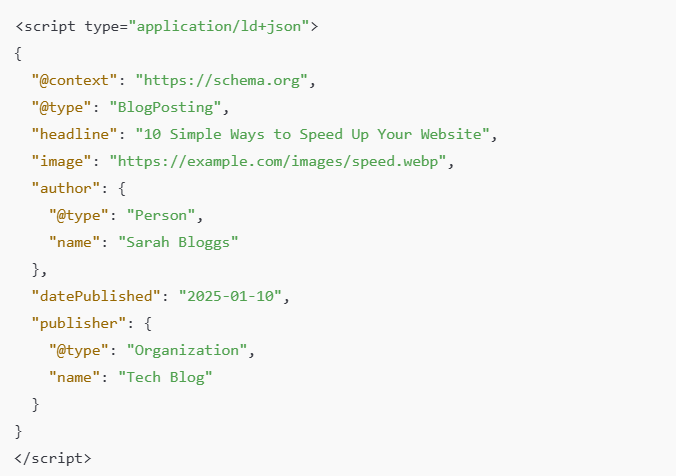
Inject schema markup deeply into your website's code. It's basically a secret language that spoon-feeds data directly to Google's bots, making your site look highly professional, organized, and easy to index.
Further reading: Don't know how to code? Learn how to do this easily with our guide on Article and BlogPosting Schema Markup.
3. Optimize for Real SEO
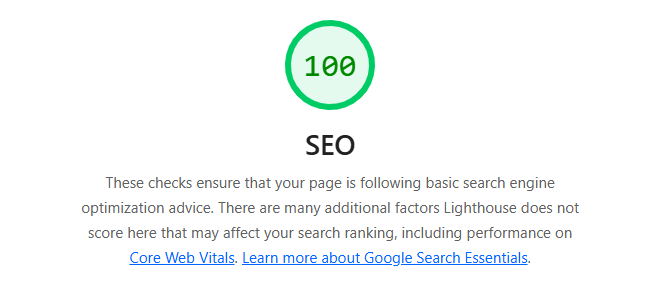
Do the actual hard work. Target low-competition keywords, write killer meta descriptions, and build an aggressive internal linking structure. If Google sees real, organic search traffic actively flowing to your site, they are way more likely to approve you.
4. Avoid Over-Monetization Before Approval
If your site is already plastered with cheap affiliate banners, Amazon links, and flashy pop-ups before you even apply to AdSense, the reviewer is going to assume you are just a greedy spammer. Keep the site totally clean of ads until Google says yes.
5. Build High-Quality Backlinks
If big, powerful, established websites are linking to your blog, Google automatically assumes you are trustworthy. Need to know how to hustle for those links? Read How To Get Backlinks For Your Website.
6. Engage Your Audience
If Google sees users leaving long comments and sharing your posts on Facebook, it proves you have a real community. Engage with them.
What To Do After AdSense Approval
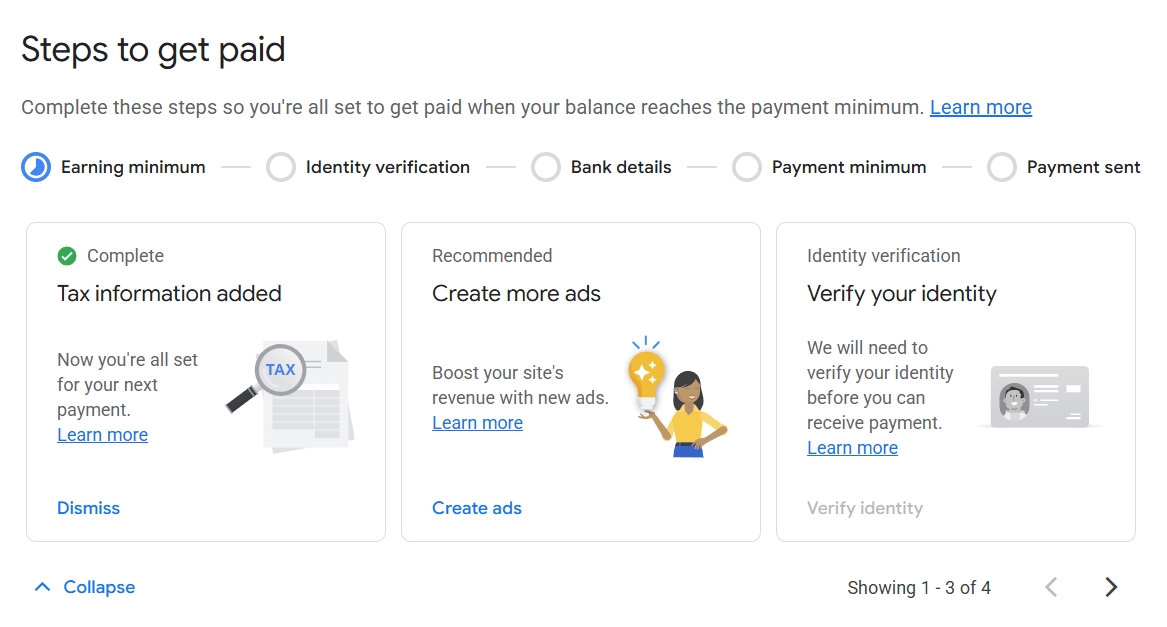
You did it. The golden email finally arrived. Now what? Don't ruin it by getting greedy.
- Don't spam your own site: Do not turn on "Auto Ads" and let Google slap 15 banners on a single page. It completely ruins the reading experience and your users will leave. Place your ads manually and strategically.
- Watch the dashboard like a hawk: Pay close attention to which articles are getting the highest RPMs (revenue per thousand impressions), and write more content exactly like that.
- Never click your own ads: Seriously, not even once "just to test it." They will permanently ban your account and keep all your money without warning.
- Keep publishing: AdSense is purely a numbers game. More traffic equals more money. Don't stop writing just because you finally got approved.
Troubleshooting AdSense Approval Problems
If you are stuck in an endless, depressing loop of rejections and you feel like pulling your hair out, take a deep breath and try this:
- Stop reapplying immediately. Go through the checklist in this article line by line. Be brutally honest with yourself about your site's actual quality.
- Jump into the official AdSense community forums. Sometimes a veteran user will look at your URL and instantly spot the fatal flaw you completely missed.
- If your site is incredibly slow or constantly crashing, Google's bots will just give up and fail you. Make sure your server isn't the problem.
Resource: Stop using terrible, $1/month shared hosting. Upgrade your setup by checking out our Best WordPress Hosting Providers guide.
FAQ: Getting AdSense Approval
How long is this actually going to take?
It's a waiting game. Most people hear back within 7 to 14 days. If your site is heavily trafficked and beautifully designed, it might happen in 48 hours. If it's a borderline case, you might be waiting weeks.
They rejected me for "Low Value Content." What does that even mean?
It means your blog posts are either too short, incredibly boring, or just re-hashed versions of stuff already on Wikipedia. You need to write longer, vastly more original content that actually helps a reader solve a real problem.
Can I apply again if I got denied?
Yes, absolutely. But please, actually fix the website before you hit submit again. If you just reapply without changing anything, you will stay in the automated rejection loop forever.
Do I seriously need a ton of traffic to get approved?
Officially, no. Google says traffic doesn't matter. Unofficially, yes. If a manual reviewer looks at your analytics and sees zero humans visiting your site, they are highly likely to reject you. Aim for a healthy baseline of 100+ visitors a day.
Can I use other ad networks with AdSense?
Yes, but keep it incredibly clean before you get approved. Once you are in, you can stack networks, as long as your site doesn't turn into a chaotic, unreadable mess.
Your AdSense Approval Roadmap
Look, securing AdSense approval in 2026 isn't a dark art or a secret trick. It is simply about proving to Google that you run a legitimate, high-effort, user-friendly operation.
Here is your final battle plan:
- Stop cutting corners. Buy a real domain and use a premium, lightning-fast, mobile-ready theme.
- Lock yourself in a room and write 30 epic, highly original articles for a specific niche.
- Build out your legal pages (Privacy, TOS, Contact, About) so you look like a real, accountable business.
- Scrub your site clean of any copyrighted images or banned, sketchy topics.
- Hustle to get some real organic traffic flowing through the door.
- Drop the code in your header and submit your application.
- If they say no, fix the exact problem they complained about, wait a few weeks, and hit them again.
Stop stressing over the bots. Focus entirely on building a website that actual humans want to read, and the AdSense approval will inevitably follow. Good luck, and get to writing.