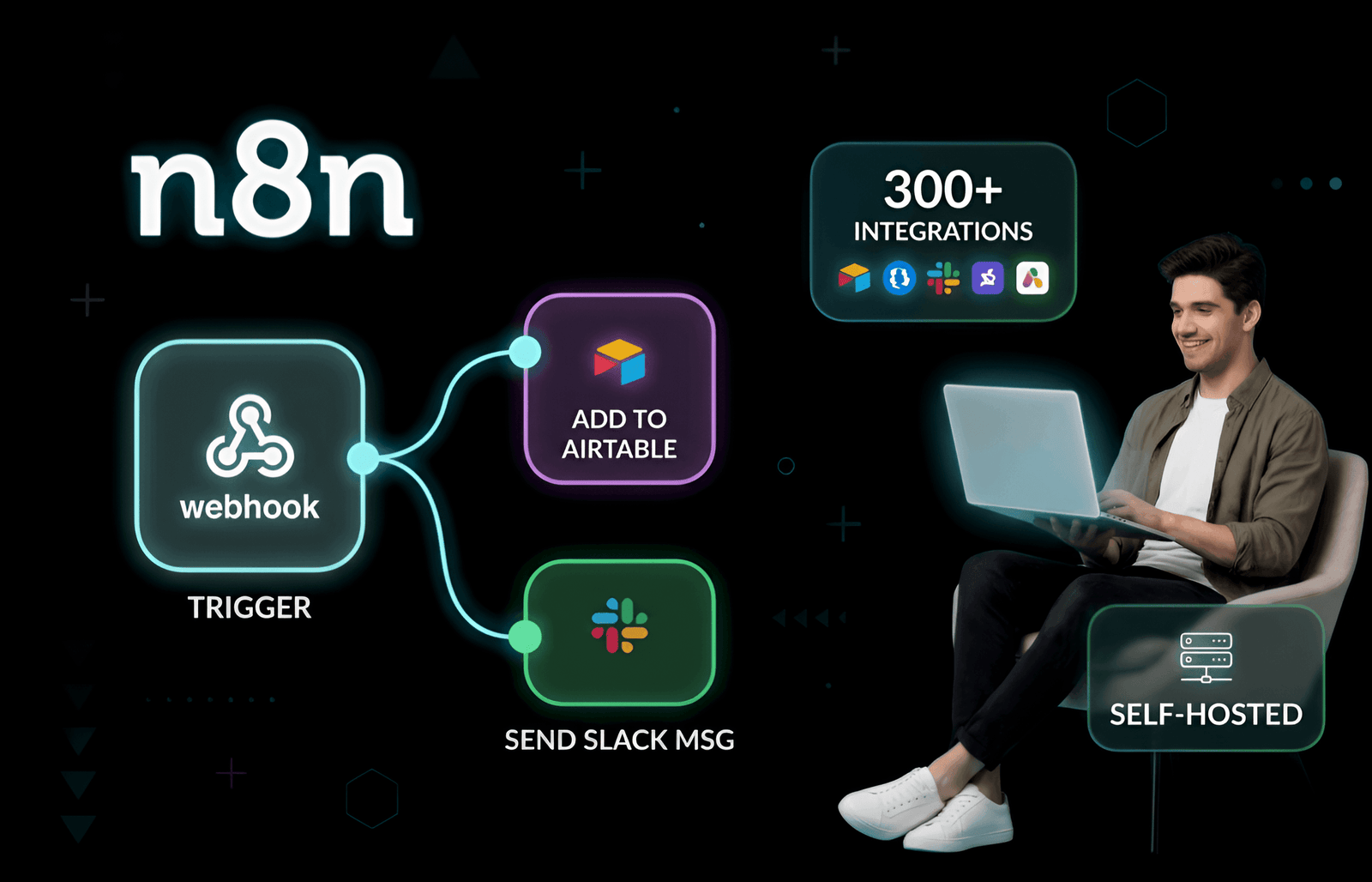
Alright, let’s just lay it all out on the table. Trying to run literally *any* type of business right now without automating the boring stuff? You're basically choosing the hard mode for no reason. We all get it. You need digital workflows to take out the digital trash, handle the mind-numbing repetitive tasks, and, honestly, just keep you sane. But while everyone is out there blindly gluing fifty different apps together, they are completely ignoring a massive, terrifying elephant in the room. Where the heck is all your highly sensitive company data actually going?
And that is exactly where self-hosted n8n comes to the rescue.
If you haven't tripped over this absolute gem yet, n8n (yeah, you pronounce it “n-eight-n”) is a monster of an open-source tool. It lets you stitch random apps together to crush tedious tasks without trapping you inside some closed-off SaaS walled garden that charges you a premium every single time a tiny script runs. You literally get the keys to the kingdom. Spin it up on your own server, toss it onto a private cloud, or just run it off a dusty old laptop sitting under your desk. Zero vendor lock-in. Absolutely zero arbitrary limits.
In this breakdown, we’re going to look at exactly why pulling n8n in-house is such a massive, game-changing deal. We'll see how it actively fights back against greedy cloud giants, and why dev teams are happily tossing their expensive subscriptions in the trash for raw, open-source power.
What Is n8n and Why Does Self-Hosting Matter?
Imagine digital duct tape. But, like, military-grade and supercharged. That’s n8n. It’s this incredibly visual, node-based playground where you can just drag, drop, and wire together hundreds of apps and services. Because the whole thing is open-source and actually lets you inject your own raw code right into the workflow if you want to, IT teams are completely losing their minds over it.
But the real kicker? The self-hosting part. Instead of crossing your fingers and blindly trusting some random cloud provider with your company’s sensitive data, you just install n8n on your own setup. You control the data. You control the integrations. You control exactly who gets to peek behind the curtain.
Did you know? n8n stands for “nodemation,” a blend of “node” and “automation.” It’s built with Node.js and supports over 400 integrations out of the box, plus custom code and community-contributed nodes.
How Does n8n Work?
At its core, it's just a visual canvas. You build "flows" by simply clicking nodes together. A node is just a step like catching a random webhook, yanking a row from a database, or pinging a Slack channel. Tie them together, slap on some "if/then" logic, and suddenly you've got a seriously complex automated process. No heavy coding required. It just works.
n8n handles a ridiculous amount of stuff, including:
- Event-based triggers (webhooks, daily cron jobs, random app events)
- Deep API integrations (REST, GraphQL, SOAP, literally whatever you throw at it)
- Data wrangling and deeply complex conditional logic
- Running your own JavaScript or TypeScript right in the middle of a flow
- A totally locked-down vault for your API keys and passwords
- A massive, ever-growing library of official and community-built nodes
When you self-host, you are the boss. You decide where the server lives and exactly how tightly that data is encrypted. Simple as that.
Key Benefits of Self-Hosted n8n Automation
So why are massive enterprises and solo devs alike suddenly ditching the cloud for a self-hosted n8n setup? Let’s look at what is actually driving this massive shift:
1. Real Data Privacy and Security
When you host it yourself, your data literally never leaves your servers. Period. Full stop. If you touch medical files, financial records, or anything even remotely sketchy, this isn't just a 'nice to have', it's an absolute necessity.
- Total isolation: Throw it safely behind your company firewall, hide it in a private VPC, or run it on a physical server sitting in your office.
- You own the storage: You decide exactly where the messy logs and credentials live. Hook it straight into your own encrypted databases and sleep easy.
- Compliance made easy: Trying to survive a GDPR, HIPAA, or SOC 2 audit? It's infinitely less stressful when the data processing never leaves your building. Trust me on this one.
- Your security rules: Force your own VPNs, mandate SSO, and build strict access controls that fit your exact level of paranoia.
Case study: A European fintech company used self-hosted n8n to automate KYC (Know Your Customer) checks, ensuring all sensitive data remained within their EU-based infrastructure for GDPR compliance.
2. Unlimited Customization and Extensibility
Open source means you have the ultimate freedom to break things and fix them. You aren't sitting around waiting for some corporate board to vote on releasing a feature you needed yesterday.
- Roll your own nodes: Got a weird, ancient internal tool? Build a custom integration for it using plain JavaScript or TypeScript. Easy.
- Hack the core: You can literally fork the entire n8n codebase to change how the UI looks or completely adapt the engine.
- DevOps friendly: Bake your workflows right into your CI/CD pipelines for fully automated testing and deployment.
- Community power: If you need a hyper-specific node, chances are some genius in the community has already built it and shared it for free.
Good luck getting that kind of raw access with a locked-down, paid SaaS tool.
3. Cost Savings and Predictable Pricing
Saving serious cash is obviously a massive draw here. Most of these automation giants hit you with a ridiculous "per-task" fee. Think about that for a second. The better you actually get at automating your work, the more they punish your bank account. It’s insane. With a self-hosted n8n setup:
- No task limits: Run ten workflows or ten million. It doesn't cost you a single penny more in software fees.
- Just pay for the server: You only pay for the AWS, DigitalOcean, or Hetzner server running it, which is usually pocket change compared to bloated enterprise SaaS bills.
- Fair licensing: The source-available license means it’s totally free to self-host for individuals and most internal business uses. (Yeah, they do have Enterprise features if you're a massive corporation with a budget to blow).
Pro tip: Many teams deploy n8n on affordable VPS providers or even Raspberry Pi devices for small-scale automation, making it accessible for startups and hobbyists.
4. No Vendor Lock-In
Your workflows belong to you. You aren't held hostage by a company that might decide to double their pricing overnight just because they feel like it.
- Easy exports: Workflows are saved as dead-simple JSON files. Back them up, move them around, or just share them on GitHub.
- Update when you want: You control the version. Test a sketchy new update in a sandbox before pushing it to your main server.
- Standard protocols: It speaks the normal language of the web (HTTP, OAuth2, Webhooks), no weird, proprietary formats designed to trap your data forever.
5. Scalability and Performance
As your business explodes, n8n scales right along with you without breaking a sweat. It just scales.
- Go wide: Spin up multiple n8n instances behind a load balancer so the whole thing never crashes under pressure.
- Beef up the specs: Just slide the RAM or CPU slider up on your cloud server when things start getting heavy.
- Pro-level queuing: Hook it up to a message broker (like Redis or RabbitMQ) to handle massive backlogs of parallel jobs like a pro.
- Bring your own monitoring: Plug it straight into your existing Prometheus, Grafana, or ELK dashboards to keep a watchful eye on performance.
Further reading: For a technical deep dive, see the official n8n scaling documentation.
6. Advanced Integration Capabilities
Because it's totally open, you can wire it into ancient legacy systems or brand-new cloud apps. It honestly doesn't care.
- API freedom: Hit any REST, SOAP, or GraphQL endpoint effortlessly. No more "API not supported" errors.
- Direct database ties: Query your MySQL, PostgreSQL, or MongoDB directly without a clunky middleman getting in the way.
- Heavy data lifting: Process incoming files, parse messy automated emails, and trigger actions based on attachments.
- Code it out: Drop a Code node into the flow and write custom scripts to mangle and format data exactly how you need it to look.
This kind of raw flexibility is exactly why seasoned devs completely refuse to use anything else.
Self-Hosted n8n vs. Cloud Automation Platforms
Alright, so how does spinning up your own n8n server actually compare to blindly swiping a credit card for Zapier, Make, or Power Automate? Let's break down the reality:
| Feature | Self-Hosted n8n | Cloud SaaS (e.g., Zapier) |
|---|---|---|
| Data Privacy | You hold the keys; data stays firmly on your server | Data is processed, stored, and analyzed by the vendor |
| Customization | Unlimited (hack the core, build weird custom nodes) | You get exactly what they give you. Nothing more. |
| Pricing | You just pay your hosting provider | Insanely expensive per-task or per-user fees |
| Integrations | 400+ built-in, plus infinite custom options | Thousands, but very rigid custom options |
| Compliance | You build it to meet your own strict internal rules | You are entirely at the mercy of their compliance team |
| Scalability | Scale hardware as needed; zero imposed limits | Hard capped by your monthly subscription plan |
| Vendor Lock-In | None. It's open source and easily exportable | High. Proprietary formats and closed APIs keep you trapped |
Look, cloud platforms are honestly great if you just want to connect Gmail to Slack in two minutes flat. But if you need serious privacy, total control, and no arbitrary paywalls? Self-hosted n8n wins that fight every single time. Hands down.
Further reading: For a detailed comparison, see n8n’s official n8n vs Zapier guide.
Real-World Use Cases for Self-Hosted n8n
What are people actually building with this beast? Here are a few common plays you see all the time:
- Internal IT Ops: Automatically onboarding new hires, managing Slack access, and triaging an endless sea of support tickets.
- Marketing Magic: Shoving lead data from a landing page straight into a CRM and firing off highly targeted welcome emails while you sleep.
- Data Pipelines: Extracting daily sales numbers, transforming the formatting, and loading them into a data warehouse (ETL) automatically.
- DevOps Workflows: Pinging the on-call dev at 3 AM when a server crashes or automating messy deployment alerts.
- Custom Approvals: Building multi-step Slack approval chains for expense reports or vacation time. No more lost emails.
- IoT and Edge Automation: Catching webhook data from local temperature sensors and triggering alarms without routing traffic through the public cloud.
Case study: A healthcare provider uses self-hosted n8n to automate appointment scheduling, securely integrating with their EHR system and SMS gateway without exposing patient data to third-party clouds.
Best Practices for Self-Hosted n8n Automation
If you're going to take on hosting it yourself, please don't be lazy about it. Follow these unwritten rules to keep your server from going up in flames:
- Lock the front door: Use HTTPS, enforce ridiculously strong authentication, and restrict access to trusted office IPs if possible.
- Keep it fresh: Don't ignore those little update notifications. Security patches and new nodes are crucial for keeping things running.
- Backup everything: Automate your database backups so you never lose a massive, complex workflow to a random server crash. That hurts. A lot.
- Watch the dials: Hook up proper logging to catch failing workflows before your boss comes over and notices something is broken.
- Write stuff down: Maintain clear documentation for each flow. Use the sticky notes in the UI to explain why a workflow exists so your team isn't left guessing.
- Test in a sandbox: NEVER edit a live, mission-critical workflow on a Friday afternoon. Have a staging server to play around on.
- Talk to people: Join the n8n community forum. It's absolutely packed with people sharing brilliant tips and troubleshooting advice.
Pro tip: For advanced deployments, consider container orchestration (like Kubernetes) to manage scaling, updates, and high availability.
Who Should Use Self-Hosted n8n?
Honestly, going the self-hosted route is basically a perfect match if:
- Your company has terrifyingly strict compliance or data privacy rules that you can't bypass.
- You're an IT pro who is entirely sick of SaaS tools saying "sorry, we don't support that API right now."
- You have massive data volumes and Zapier's tiered pricing is slowly bankrupting your department.
- You are a dev who just wants the freedom to write custom scripts right inside your automations.
- You're an enterprise trying to standardize automation across fifty different departments safely.
- You just genuinely hate the idea of vendor lock-in.
If you only need a couple of low-volume automations and you truly don't care where the data lives, regular SaaS tools are fine. But the second you need scale, privacy, and true flexibility, self-hosting is the only smart way to fly.
Getting Started with Self-Hosted n8n: Step-by-Step
Ready to actually get your hands dirty? Here is the basic playbook:
- Pick your hardware: A cheap $5 VPS, a dedicated beast of a server, or a full Kubernetes cluster.
- Install the engine: Follow the official installation guide (spinning it up in Docker is usually the easiest and fastest route).
- Lock it down: Set your environment variables, generate an SSL cert for HTTPS, and secure your underlying database.
- Plug in your keys: Load up your OAuth tokens and API keys for the apps you actually plan to use.
- Build something cool: Drag your first few nodes onto the canvas, hit execute, and watch the magic happen.
- Maintain it: Set a calendar reminder to check your server logs and run software updates once a month.
Further reading: See the official n8n self-hosting documentation for detailed instructions and best practices.
FAQs About Self-Hosted n8n Automation
Is it actually free?
Yep! n8n is totally free to self-host for individuals and the vast majority of internal business uses. You just pay for your server. If you want fancy corporate features (like SAML SSO and advanced logging), you can pull the trigger and upgrade to their paid Enterprise edition.
What kind of server do I actually need?
It's surprisingly lightweight. A basic VPS with 1-2 CPU cores and 2GB of RAM is plenty to get started. Just allocate more power when your workflows start doing heavy data lifting or image processing.
Can I move my cloud workflows to my own server?
Absolutely. Just hit export on n8n Cloud, import the JSON file into your self-hosted instance, and re-enter your passwords and API keys. It's incredibly painless and takes five minutes.
Is self-hosting safe?
It’s as safe as you make it. n8n is highly secure out of the box, but if you leave your server exposed to the public internet with a weak password, that’s entirely on you. Follow standard server security best practices.
Can my whole team use it?
Yes. You can set up multiple users. The Enterprise edition gets way deeper into granular, role-based access control, but the community version handles basic team collaboration just fine for smaller crews.
Conclusion: Why Self-Hosted n8n Is the Future of Automation
Bottom line? Paying a cloud vendor every single time a script fires is getting really old, really fast. As automation basically turns into a mandatory survival skill for businesses, self-hosted n8n is the perfect antidote. It hands you the raw power to wire literally anything to anything else, all while keeping your data locked safely inside your own walls.
Whether you are hacking away in a basement startup or managing IT for a Fortune 500 company, n8n’s open architecture means you are never trapped. You own the flows, you own the data, and you own the future of your infrastructure.
Ready to build? Go explore the official n8n website, grab a cheap server, and start automating your life today.
If you're looking to optimize your digital presence even further, check out our guides on SEO Onpage VS Offpage Optimization, grabbing a SEMrush Free Trial, and mastering How To Get Backlinks For Your Website.