Let’s get one thing brutally straight right out of the gate: sitting through a meandering, two-hour Zoom recording, a fluffy, unedited YouTube tutorial, or a chaotic client presentation in 2026 is an absolute, unforgivable waste of your professional time. In a business landscape that moves this aggressively fast, manually watching raw video content just to hunt down one specific piece of information is a prehistoric workflow. If you are still doing this, you are actively choosing to work slower and surrender your competitive edge.
With the explosive, relentless evolution of highly advanced, multimodal AI models like GPT-4o, ChatGPT is no longer just a glorified text generator that writes your emails. It has evolved into a lethal, aggressive data-extraction machine. It can now literally "see" your screen recordings, process incredibly dense audio tracks in a matter of seconds, and mathematically dissect massive video files to hand you the exact summaries, code snippets, or action items you need. However, if you think you can just blindly paste a random URL into the chat box and expect magic, you are going to be deeply frustrated and severely disappointed.
Consider this your unfiltered, hardcore technical briefing. We are going to rip apart exactly how ChatGPT interacts with heavy video content, expose the strict workarounds you absolutely need to bypass its corporate copyright guardrails, and reveal the elite prompting strategies that power users are deploying right now to save dozens of hours a week. Stop watching videos on 1x speed. It’s time to automate your workflow and feed the machine.
The Reality Check: ChatGPT is not a human watching a movie with a bucket of popcorn. It is a cold, mathematical engine that slices your video into thousands of data points and tokens. If you do not understand how it technically processes these files, you will never extract accurate, high-level answers out of it.
The Short Answer: Can ChatGPT Actually Watch Videos?
If you ask the AI directly, "Can ChatGPT watch videos?", the answer completely depends on the exact, specific method you use to feed it the raw data.
Just a couple of years ago, the answer was a hard, undeniable "no." Early iterations of Large Language Models (LLMs) were strictly confined to processing raw text. You had to manually transcribe everything. But with the massive global deployment of the native multimodal GPT-4o architecture, ChatGPT has officially gained sophisticated "vision" and highly accurate audio processing capabilities built directly into its core engine.
Here is the absolute, no-nonsense breakdown of its current 2026 capabilities:
Native Video File Uploads (The Absolute Gold Standard):Yes. If you physically possess the raw video file (like an MP4, MOV, or AVI) on your hard drive, you can upload it directly into ChatGPT Plus, Team, or Enterprise. The AI aggressively strips the audio to create a flawless transcript while simultaneously sampling specific visual frames to build a complete, 360-degree contextual understanding of the scene.
YouTube Links (The Walled Garden):Sort of. ChatGPT will absolutely refuse to "watch" a YouTube video by browsing the live link and hitting play. Google protects YouTube heavily against unauthorized AI scraping. However, you can violently bypass this restriction by scraping the video's hidden captions and transcripts using specialized "Custom GPTs" specifically engineered for YouTube data extraction.
Live Streaming Events:Absolutely No. ChatGPT cannot plug into a live Twitch stream, an ongoing Zoom call, or a real-time news broadcast to analyze it on the fly. It fundamentally requires a completed, static file or a finalized transcript to process the data safely and accurately.
Under the Hood: Exactly How ChatGPT "Sees" Video Content
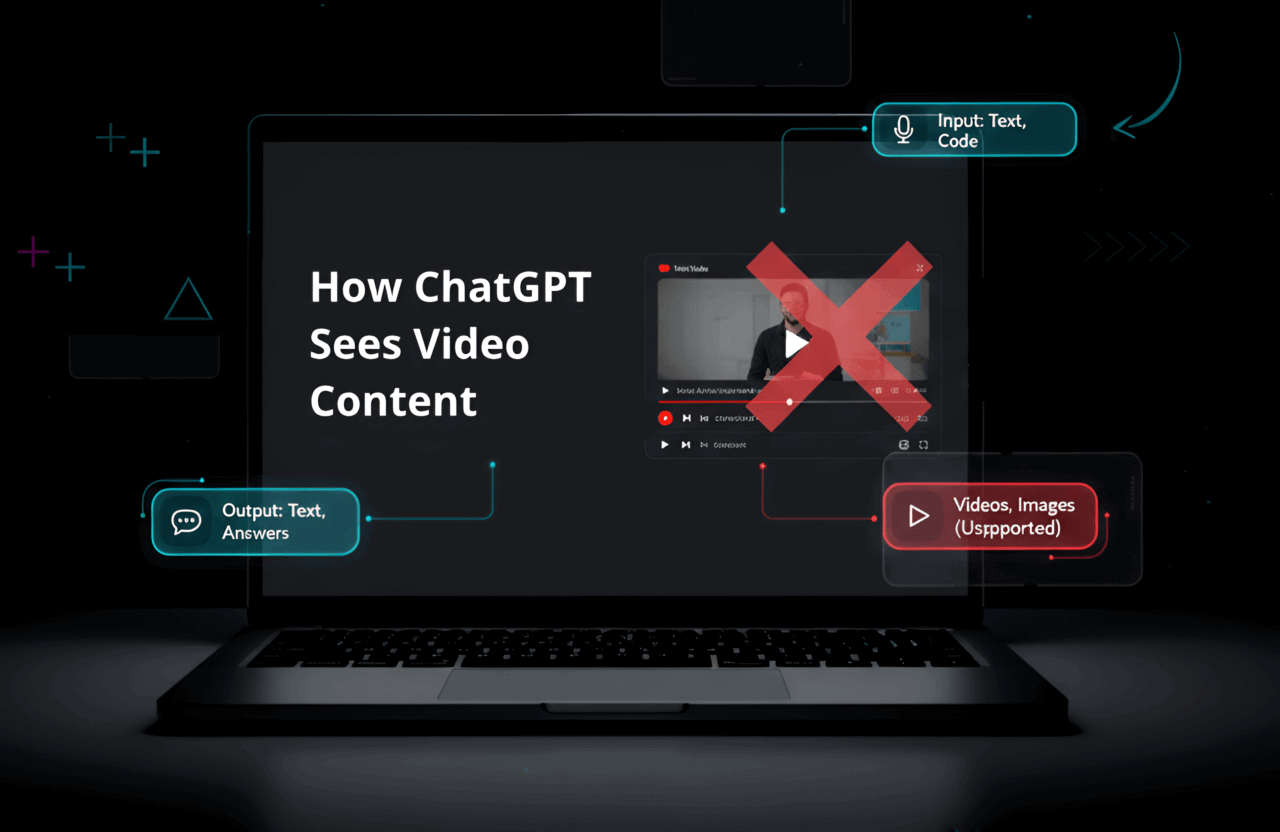
If you want to weaponize this tool effectively, you have to understand the underlying mechanics of what happens the second you hit the upload button. ChatGPT does not watch a video linearly from start to finish like a human. Instead, it deploys a highly efficient, heavily optimized, two-pronged process called multimodal sampling.
1. Deep Audio Processing (The Whisper v3 Architecture)
The very first thing the AI does is rip the audio track entirely out of the video file. It then feeds that raw audio into OpenAI’s state-of-the-art neural net for speech recognition (Whisper). It flawlessly translates thick accents, filters out background static, and converts the spoken words into a highly accurate, time-stamped text transcript. This transcript acts as the foundational backbone for 90% of the answers and summaries the AI will ultimately give you.
2. High-Frequency Visual Frame Sampling (The Vision Matrix)
While Whisper handles the audio, the vision model goes to work on the visual data. It does not process all 60 frames per second (that would instantly crash their servers and burn through your token limits). Instead, it extracts keyframes at specific intervals (typically 1 frame per second). It runs these individual images through its computer vision matrix to identify specific physical objects, read messy text written on a whiteboard (using advanced Optical Character Recognition - OCR), and understand the physical actions taking place on screen.
By violently smashing the audio transcript together with the sampled visual frames, ChatGPT essentially reverse-engineers a massive, searchable database of your video's content, allowing you to query it instantly.
Pro tip: If the audio in your video is completely garbled by wind, heavy machinery, or overlapping voices, ChatGPT will hallucinate wildly. Do yourself a massive favor and run terrible audio through an AI cleanup tool, or generate a clean transcript using Otter.ai or Rev before feeding it to ChatGPT.
The Execution: Step-by-Step Methods to Analyze Videos
Stop guessing how the interface works. Depending on your ultimate goal, your technical setup, and what tier of ChatGPT you are paying for, here are the exact, foolproof deployment methods.
Method 1: Uploading Raw Video Files Directly (The Native Way)
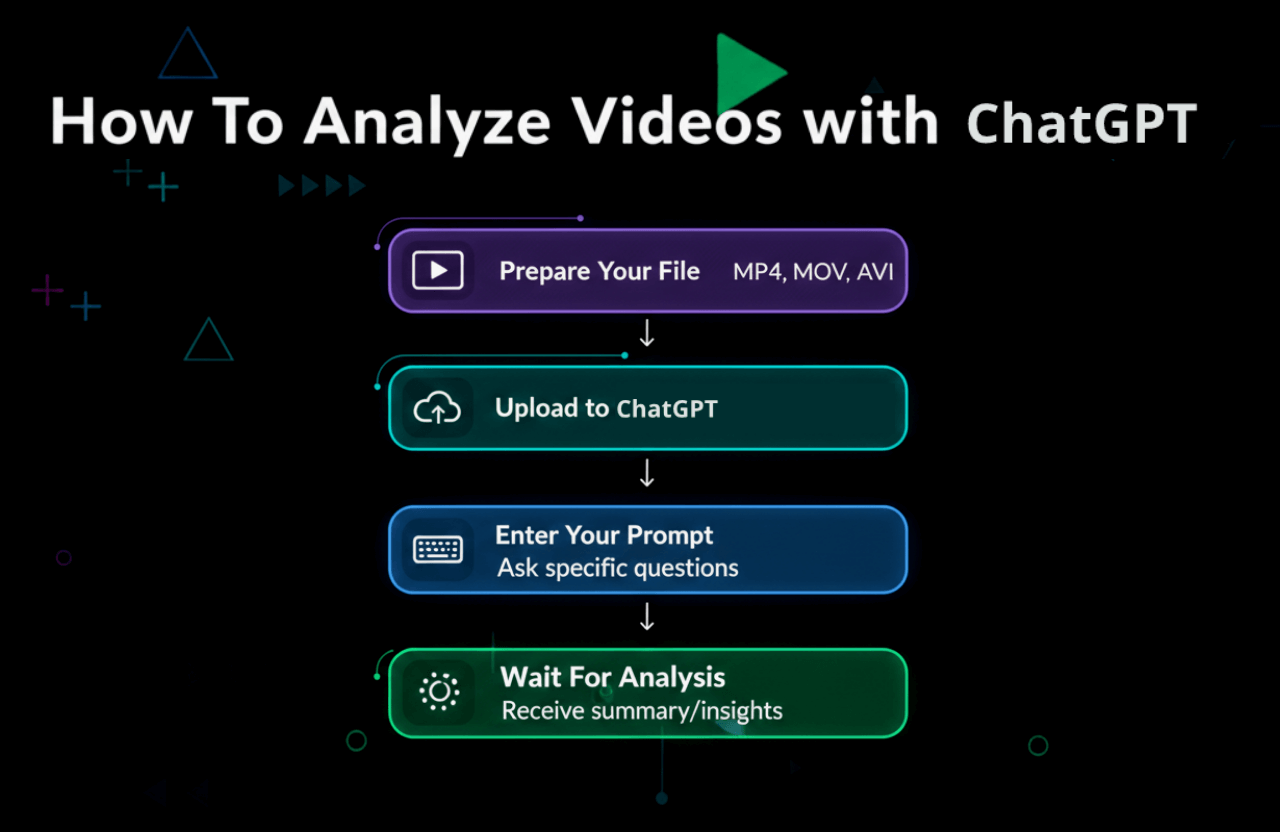
This is the most secure, robust, and powerful method available. You must be a paying user (Plus, Team, or Enterprise) utilizing the GPT-4o model to access these deep vision capabilities.
Prepare and Compress the Asset: Locate your raw video file. The system heavily prefers standard formats like MP4 or MOV. Be brutally aware of your file limits; as of 2026, you are generally capped around 512MB per upload. If you have a massive 4GB 4K file, do not waste time trying to upload it. Compress it down to 720p using a free tool like Handbrake first. The AI does not need 4K resolution to read a slide deck.
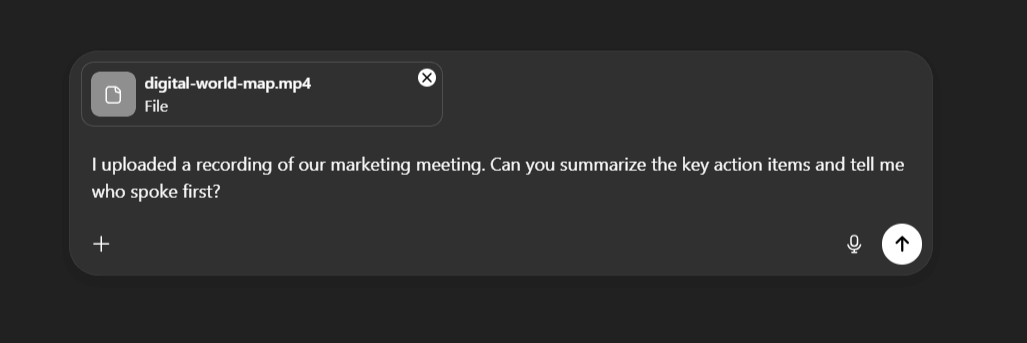
Initiate the Upload: Inside the ChatGPT interface, click the paperclip attachment icon located directly in the prompt bar. Select "Upload from computer" and drop your compressed video into the chat.
Deploy a Hardcore Prompt: Do not just say "summarize this." Give it a direct, aggressive, forensic command. Example: "I just uploaded a raw screen recording of our Q3 financial software test. Analyze the visual frames exclusively from 02:15 to 04:30. Identify the exact error code that pops up on the screen, and cross-reference it with the audio explanation the developer gives at that exact timestamp."
Wait for the Matrix: Allow the system 30 to 60 seconds to fully extract the frames and transcribe the audio before it spits out your highly detailed forensic report.
Method 2: Ripping Data from YouTube Videos (The Link Method)
Because OpenAI refuses to let ChatGPT natively scrape YouTube to avoid massive copyright lawsuits from Google, you have to use intelligent, API-driven workarounds to pull data from public links.
Option A: Weaponize a Custom GPT (For Paid Users)
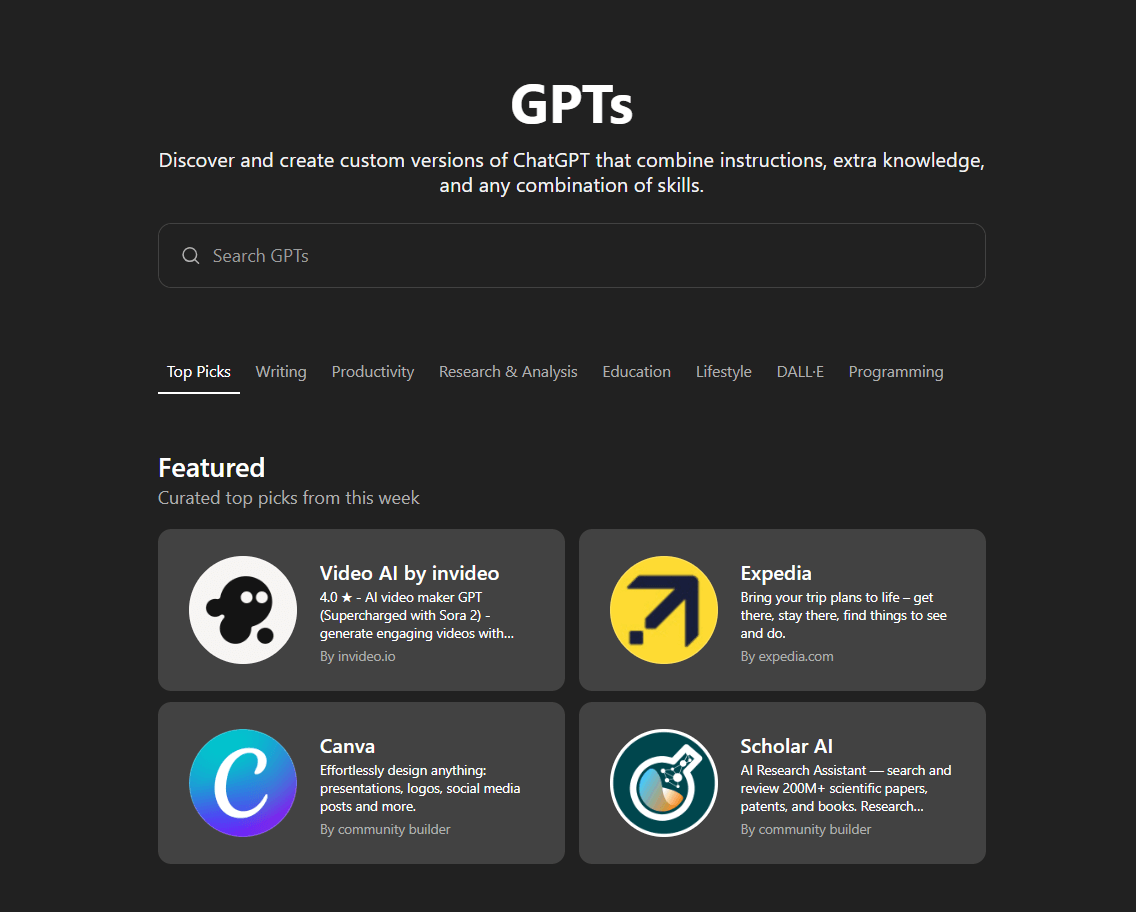
The GPT Store is an absolute goldmine of third-party bots specifically engineered to bypass these exact limitations via backend API calls.
- Click aggressively on "Explore GPTs" in your left-hand sidebar.
- Search for specific, high-utility keywords like "YouTube Summarizer," "Video Analyzer," or "Transcript Fetcher."
- Select a bot that has thousands of reviews and a high rating to ensure its API isn't broken.
- Drop the raw YouTube URL directly into the chat box.
- The Custom GPT will instantly bypass the video player, steal the hidden transcript file and video metadata, and feed it directly into the GPT-4o engine to generate your summary in seconds.
Option B: The Manual Transcript Hack (For Free Users)
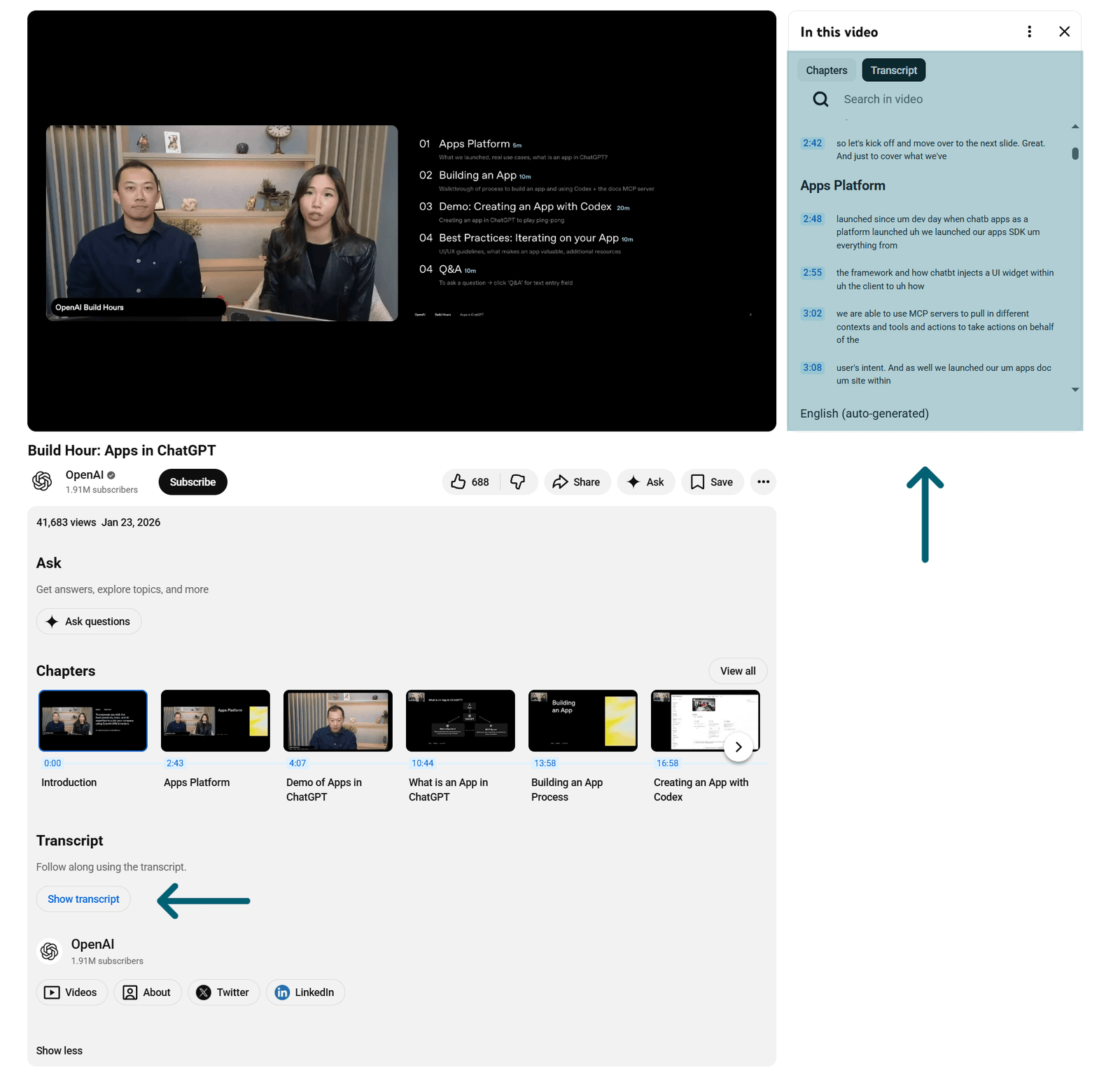
If you refuse to pay $20 a month for ChatGPT Plus, you can still brute-force this process manually. It takes slightly more effort, but the analytical results are identical.
- Open your target video on YouTube.
- Look directly below the video player, click the description box to expand it, and click the Show Transcript button.
- Disable the timestamps (if the option is available) so the text is clean, highlight the entire wall of text, and hit copy (Ctrl+C).
- Dump that massive block of text into ChatGPT with a strict command: "You are a senior analyst. Read the following raw video transcript. Ignore the intro fluff, the sponsor reads for VPNs, and the outro. Extract the 5 core technical arguments the speaker makes and format them into a bulleted executive summary."
5 Hardcore Use Cases for AI Video Analysis
Now that you know exactly how to feed the machine, let’s talk about how to actually make money and save massive amounts of time with it. These aren't cute parlor tricks; these are highly scalable professional workflows used by top agencies.
1. Corporate Meeting Extraction & Task Assignment
Stop forcing a junior employee to take manual notes during your 90-minute Zoom calls. Record the meeting, upload the compressed MP4 directly to ChatGPT, and command it to act as your ruthless chief of staff:
- "Identify every single action item discussed in this recording. Create a table listing the exact task, the name of the employee assigned to complete it, and the stated deadline."
- "Summarize the heated debate regarding the Q4 budget. List the objections raised by the marketing team and the final consensus reached at the end of the meeting."
2. The Omnichannel Content Machine for Creators
If you are a YouTuber, a podcaster, or a digital marketer, uploading a single video should instantly generate your entire week's worth of marketing collateral. Never write from scratch again.
- SEO Blog Posts: "Take this video transcript and rewrite it into a highly engaging, 1,500-word blog post optimized for the keyword 'best mechanical keyboards 2026'. Use H2 and H3 tags."
- Social Media Domination: "Analyze this video and generate 5 aggressive Twitter hooks, a detailed LinkedIn thought-leadership post, and 3 short Instagram captions based on the core arguments."
- Viral Short Clipping: "Based on the transcript's emotional pacing and tone shifts, identify the three specific 45-second windows that are most likely to go viral on TikTok. Give me the exact timestamps."
3. Brutal Educational Summarization
If you are a student staring down a massive, 3-hour recorded university lecture, you can cut your study time in half and guarantee better retention.
- "Extract every single historical date, mathematical formula, or key figure mentioned in this video and organize them into a chronological study table."
- "Act as a ruthless, highly critical professor. Based entirely on the content of this uploaded lecture, generate a 20-question multiple-choice exam to test my knowledge, and provide an answer key at the bottom."
4. Instant Technical Troubleshooting
Software developers and IT professionals can use the visual frame sampling to kill bugs instantly. Upload a raw screen recording of a software crash.
- "Watch this screen recording. Freeze at the 0:14 mark. Read the exact terminal error code that flashes on the screen. Cross-reference that error code with standard database errors and give me the exact Python script needed to fix the memory leak."
5. Automating Web Accessibility Compliance
If you manage a massive corporate website, creating descriptive Alt Text and Audio Descriptions for hundreds of video assets is a mind-numbing legal requirement. Upload your videos and ask ChatGPT to generate incredibly detailed, legally compliant visual descriptions of the scenes for screen readers.
The Limitations: When ChatGPT Fails Miserably
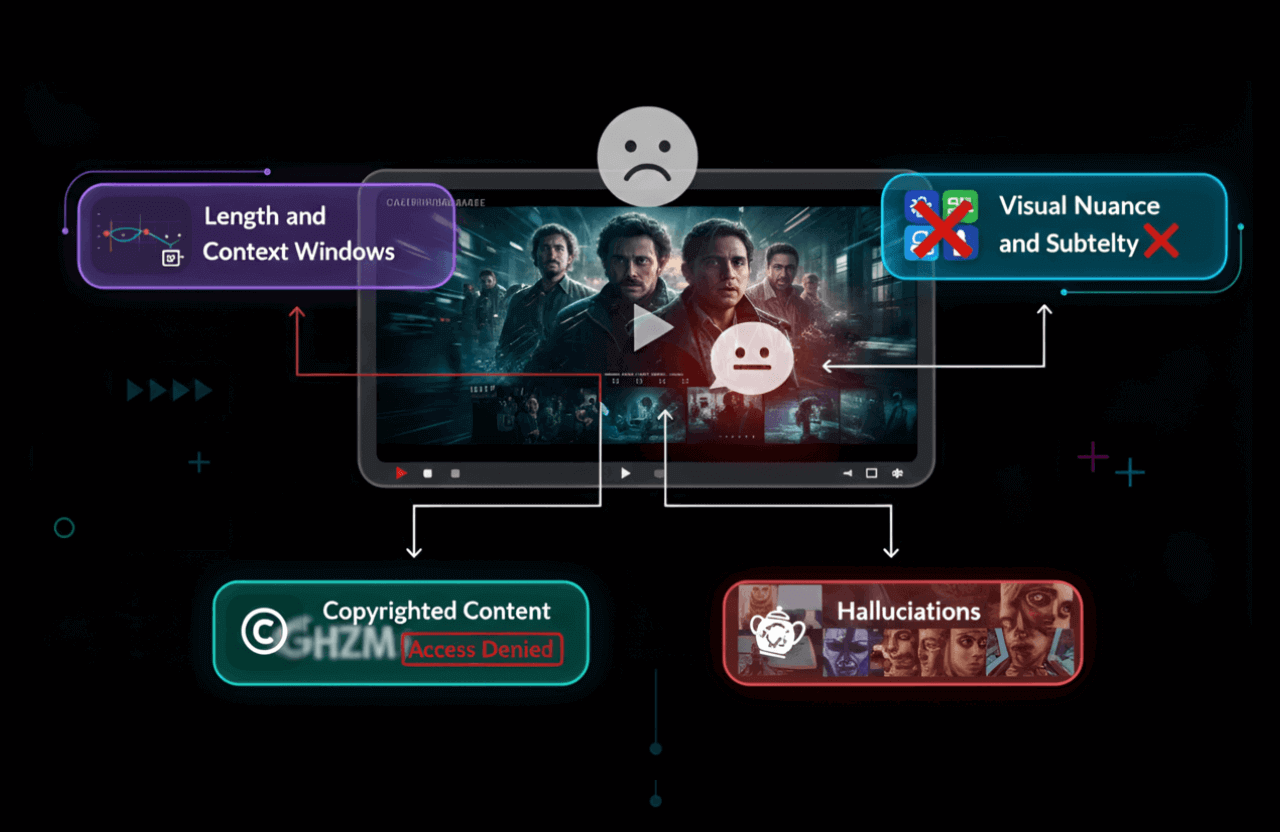
Do not blindly trust the AI. It is an unbelievably powerful tool, but it has massive, glaring blind spots that will completely ruin your data and embarrass you if you aren't paying attention.
1. The Context Window Nightmare (Token Limits)
ChatGPT has a strict "context window"—which is basically its short-term memory limit (currently around 128k tokens for GPT-4o). If you upload a massive 2-hour documentary, the AI will literally "forget" what happened in the first 20 minutes by the time it finishes processing the ending.
- The Fix: Never upload massive files. Use a video editor to chop your 2-hour video into focused, 15-minute chapters, and feed them to the AI one at a time.
2. Total Blindness to Visual Nuance and Emotion
ChatGPT is incredible at identifying obvious physical objects (like a car or a whiteboard). It is completely useless at reading human emotion, subtle body language, micro-expressions, or complex cinematic symbolism. If an actor is being deeply sarcastic but smiling, the AI will document that the actor was "happy and agreeable." It does not understand subtext.
3. The Copyright Iron Curtain
OpenAI is terrified of getting sued by Hollywood and major studios. If you upload a pirated clip of a Disney movie or link to protected commercial assets, the system will instantly trigger its safety guardrails and refuse to process the file. Do not use it for copyrighted entertainment analysis.
4. Dangerous Hallucinations
AI models lie. Confidently. If the audio is slightly muffled, or a visual frame is blurry, ChatGPT might confidently claim that your CEO promised a "$5 million bonus" when he actually said "$5 thousand bonus." Never use AI summaries for legally binding documents, medical advice, or financial planning without a human manually verifying the timestamps.
Further reading: Want to know exactly how OpenAI is attempting to fix these massive technical flaws? Dig into the highly technical roadmaps at OpenAI Research.
The Heavyweights: ChatGPT vs. Gemini vs. Specialized Tools
Let's be completely objective: ChatGPT is not the only player in this game. If you are handling massive video archives, you need to know exactly which tool actually deserves your money in 2026. The landscape is fiercely competitive.
Feature / Capability | ChatGPT (GPT-4o) | Google Gemini 1.5 Pro | Specialized Tools (e.g., Descript) |
|---|---|---|---|
Visual & Audio Understanding | Elite (Flawless Multimodal Integration & Logic) | Elite (Incredible at cross-referencing massive datasets) | Moderate (Heavily focused on audio & text editing only) |
YouTube Native Integration | Requires 3rd-Party Custom GPTs or plugins | Flawless. It is built natively into the Google Ecosystem. | No native link scraping. |
Short-Term Memory (Context Window) | ~128,000 Tokens (Struggles with long movies) | 1 Million to 2 Million Tokens. (Absolute beast for huge, unedited files) | N/A (Uses raw local files on your machine) |
Actual Video Editing | Zero editing capabilities. Strictly analysis. | Zero editing capabilities. Strictly analysis. | High. You can actually edit the video by deleting text. |
The Final Verdict... | Best for deep Q&A, logical formatting, and complex writing tasks based on video. | Best for feeding it 3 hours of raw, chaotic footage at once and finding a needle in a haystack. | Best for actual podcast producers and video editors. |
The Pro Strategy: If you are dealing with a 10-minute marketing video and you need to write a brilliant blog post about it, use ChatGPT. Its logical reasoning and writing skills are unmatched. But if you have 4 hours of raw, unedited security footage or a massive conference recording and need to find the exact minute a specific topic was mentioned, Google's Gemini 1.5 Pro will absolutely crush ChatGPT because of its massive, unrivaled token context window.
Optimization Tips: Stop Writing Garbage Prompts
The number one reason your AI summaries look like absolute trash is because your prompts are lazy. If you ask a generic, weak question, the machine will hand you a generic, useless answer. You must constrain the AI and give it a strict persona.
The Rookie Prompt (Do not use this - it wastes your tokens):
"What is this video about?"
The Forensic Prompt (Use this for visual data extraction):
"I have uploaded a raw UX testing video of a user navigating our new app. Act as a senior UX researcher. Analyze the visual frames exclusively between 01:20 and 03:00. Identify the exact screen where the user physically hesitates. Cross-reference that hesitation with their spoken audio, and give me a 3-point hypothesis on why the UI failed them."
The "Mega-Prompt" Extraction Strategy (Use this for content creation):
"You are a ruthless technical editor. Watch this 15-minute coding tutorial. Completely ignore the YouTuber's intro, the sponsor read for NordVPN, and the outro. Extract only the raw Python code snippets shown on screen. Format them into clean, copy-pasteable markdown code blocks, and write a 1-sentence, highly technical explanation of what each function does based on the audio."
Frequently Asked Questions (FAQ)
1. Can ChatGPT actively watch a live stream on Twitch or YouTube?
Absolutely not. ChatGPT does not process live, continuous data streams. The system requires a finalized, static file (like an MP4) or a completed transcript to run its mathematical analysis. You must record the stream first, save it, and upload it.
2. If I am on the free tier, am I completely locked out?
Mostly, yes. While OpenAI occasionally rolls out limited multimodal features to free users (like GPT-4o-mini), you will be heavily throttled by tight file size limits and severe daily request caps. If you are serious about video analysis for business, the free tier is a waste of time. Rely on the "Transcript Hack" method mentioned above instead.
3. Can it actually read the text shown inside the video?
Yes. The GPT-4o vision model is equipped with highly aggressive Optical Character Recognition (OCR). If a slide deck, a messy whiteboard, or a street sign is clearly visible in one of the sampled frames, ChatGPT can extract that text flawlessly and include it in your summary.
4. Will OpenAI use my private corporate videos to train their future models?
This is a massive security concern. By default, if you are using the standard consumer version of ChatGPT (Even Plus), OpenAI absolutely can and will use your chat data to train their future models. If you are uploading sensitive corporate meeting recordings or unreleased products, you must go into your settings and toggle "Data Controls" off, or upgrade to the Enterprise/Team tier where data training is legally disabled by default.
The Final Verdict on AI Video Analysis
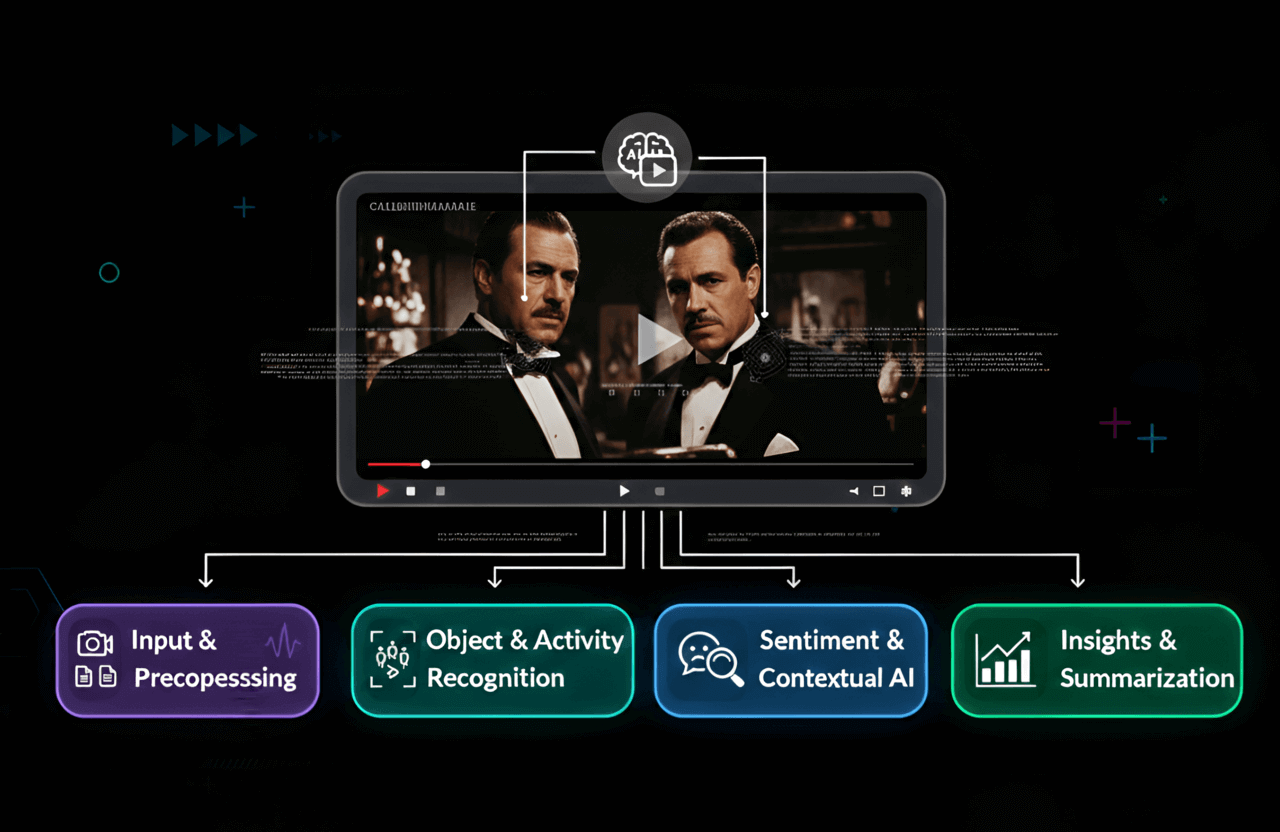
So, can ChatGPT watch videos? Yes. It has completely transcended its origins as a basic text chatbot to become a lethal, multimodal data extractor that can see, hear, and dissect massive media files in seconds.
Whether you are a corporate executive refusing to sit through another useless Zoom recording, a content creator trying to squeeze 10 pieces of content out of one vlog, or a student trying to survive finals week, uploading your video files directly to ChatGPT is the ultimate productivity cheat code of 2026.
Stop doing manual data entry. Understand the token limits, weaponize your prompts, protect your corporate privacy, and let the machine do the heavy lifting.
If you want to ensure the rest of your digital workflow is just as ruthlessly efficient, you need to master the foundational mechanics of the AI landscape. Dig into our aggressive breakdowns on the ChatGPT Language Model Explained, learn the dark art of the Best way to write a prompt, and see how the big players are abandoning Google in our guide to the Best Search Engines Other Than Google.
The wall between raw video and searchable text no longer exists. Build your automated workflows today, or get left behind.