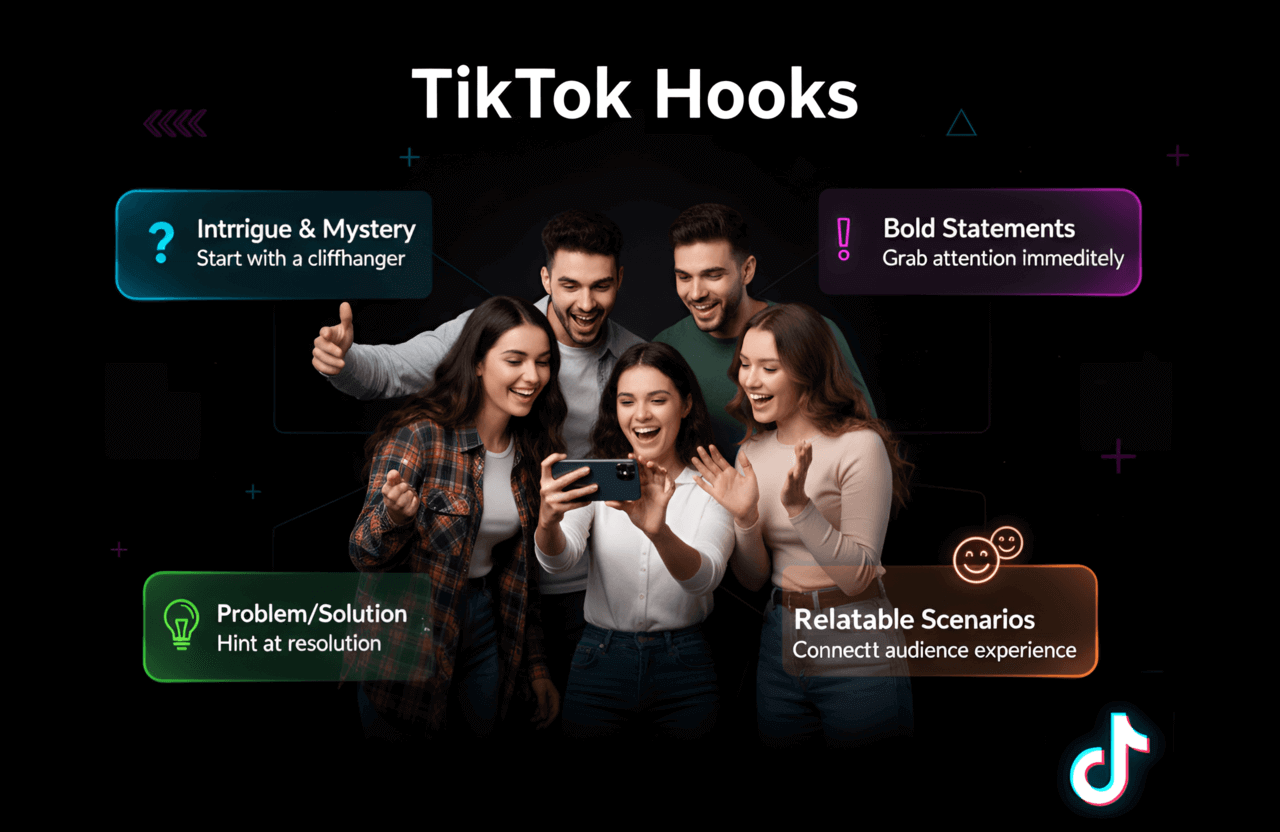
Let’s face the brutal reality. In 2026, TikTok’s algorithm is a ruthless meat grinder. It doesn't care how much you spent on your camera, how many hours you edited, or how clever you think your script is. If you fail to visually and psychologically hijack the viewer's brain within the first 1.5 seconds, they will swipe away, and your video will be buried alive.
Your "hook" isn’t just an intro; it’s the only variable that determines if you hit 500 views or 5 million. But here is the good news: going viral is no longer a guessing game. The top 1% of creators aren't getting lucky. They are systematically engineering scroll-stopping hooks using a very specific stack of AI and data-driven tools before they even hit the record button.
Consider this your private masterclass. We are going to completely tear down the exact software you need to manufacture viral TikTok hooks on command. From AI scripting engines to rapid-fire editing platforms, this is how you stop throwing random videos into the void and start manipulating the algorithm.
Want to truly dominate the FYP? Stop using these apps in a vacuum. Elite creators stack these tools—combining AI copy generation with aggressive visual editing and real-time retention analytics to build an unbeatable content machine.
Why TikTok Hooks Are a Matter of Survival in 2026
TikTok is a literal war for human attention. The For You Page (FYP) operates on a merciless mathematical equation: if a user swipes past your video before the 3-second mark, the AI flags your content as irrelevant and kills your reach instantly. Period.
- Attention spans are microscopic: You don't have 5 seconds to say "Welcome back." You have milliseconds to freeze a scrolling thumb.
- The retention graph is the only metric that matters: The algorithm feeds exclusively on "Completion Rate" and "Watch Time." If your hook fails, your entire video fails.
- Market saturation is at an all-time high: With millions of brands flooding the feed, being "good enough" is a death sentence. Your opening frame must be violently disruptive.
If you aren't actively using professional tools to split-test, refine, and engineer your opening seconds, you are basically bringing a butter knife to a gunfight.
What Actually Makes an Irresistible TikTok Hook?
Stop opening with "Hey guys..." It is the ultimate algorithm killer. A truly viral hook is a weaponized pattern interrupt. It must deploy these core mechanics immediately:
- The Visual Slap: The very first millisecond must feature aggressive movement, a jarring camera angle, or a bizarre visual anomaly that completely breaks the scrolling trance.
- The Curiosity Gap: Inject a high-stakes question into the viewer's brain that they absolutely cannot leave unanswered.
- High Emotional Voltage: Trigger immediate fear, greed, shock, or intense relatability. Neutrality is banned.
- Zero Fluff: Cut the dead air entirely. You should be speaking mid-sentence before the video even technically starts.
- Aggressive Typography: Deploy the massive, high-contrast text overlays that TikTok users are psychologically conditioned to read.
What does a weaponized hook actually sound like?
- "I will probably get sued for showing you this marketing loophole..."
- "Stop buying expensive protein powder until you watch this 60-second breakdown."
- A jarring hyper-lapse of a massive physical or monetary transformation.
- A completely out-of-context audio spike paired with an immediate camera zoom.
Now, let's dissect the exact software stack that builds these hooks.
Top 5 Tools to Engineer the Best TikTok Hooks
- CapCut: The absolute undisputed king of lightning-fast, native editing.
- InVideo: The AI factory for psychological scripting and dynamic visuals.
- Hookle: The aggressive A/B testing laboratory for text concepts.
- VEED.IO: The heavy-hitter for hard retention data and elite auto-captions.
- TikTok Creative Center: The raw, unfiltered intelligence straight from the algorithm.
CapCut
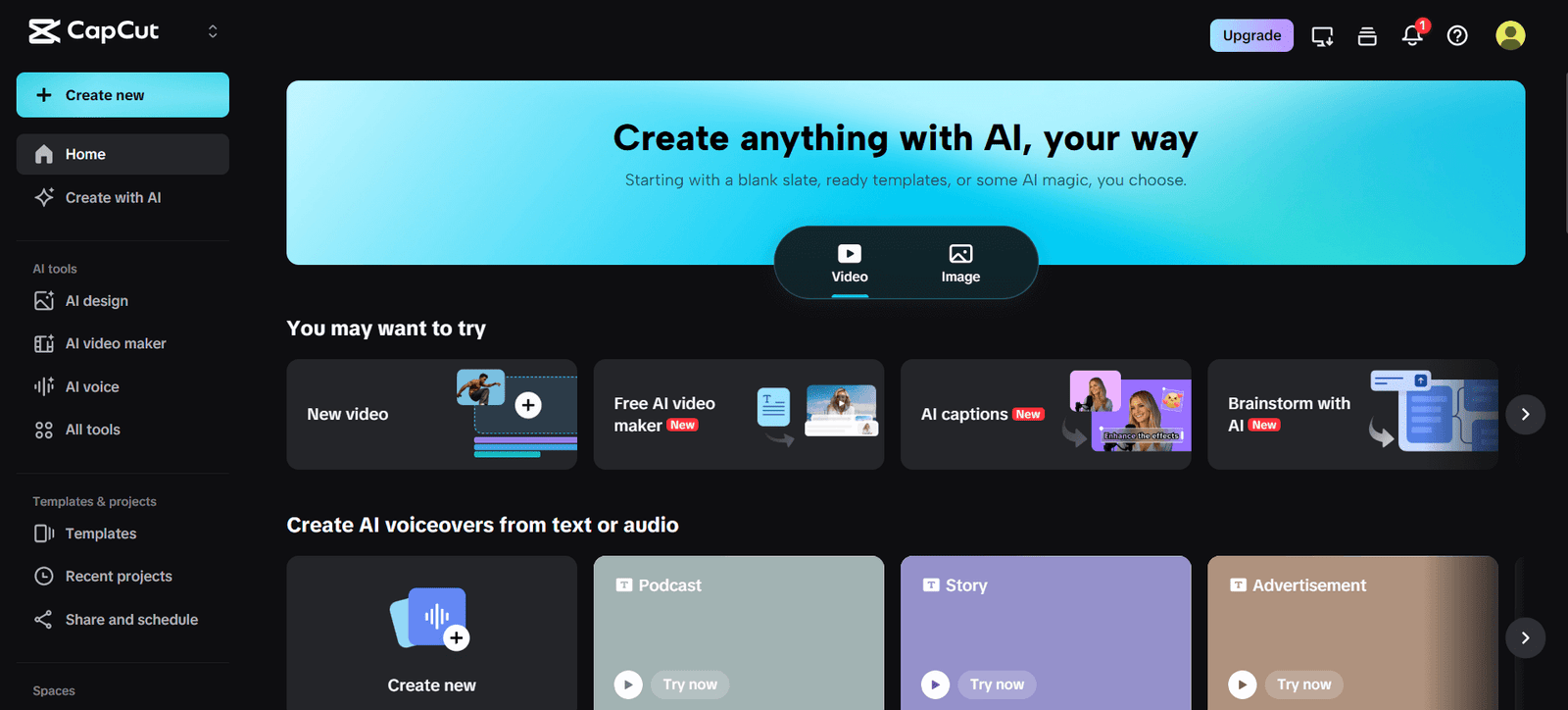
Best for: Lightning-fast native editing, aggressive effects, and hijacking viral FYP trends.
Pricing: Free (but heavily pushes you toward the Pro paywall).
CapCut is literally engineered by ByteDance—the mega-corporation that owns TikTok. If you aren't using this, you are fighting the ecosystem. It is hard-wired directly into the platform, meaning every viral transition and trending effect is born right here.
Key Features
- AI Scripting Engine: Don't know what to say? Let the AI spit out highly aggressive, scroll-stopping opening lines tailored to your exact niche.
- One-Click Viral Templates: Drag your raw footage into pre-timed, heavily edited templates mathematically proven to spike 3-second retention.
- Aggressive Auto-Captions: Deploy the dynamic, bouncing typography that keeps users engaged even when their phones are muted.
- Direct Ecosystem Pipeline: Edit natively and export straight to the FYP with zero algorithmic compression.
How to Weaponize CapCut
- Identify a template that is currently dominating the FYP and open it.
- Use the built-in AI tool to draft a hook that triggers instant FOMO (Fear Of Missing Out).
- Make your cuts brutally fast. Edit out every single breath, pause, and micro-silence.
- Slap dynamic captions and a heavy sound effect exactly at the 0.5-second mark.
- Export directly to TikTok and monitor the drop-off rate.
Pros & Cons
| Pros | Cons |
|---|---|
| Direct, flawless integration with TikTok's core algorithm | The absolute best effects are locked behind the Pro paywall |
| The auto-captions are insanely accurate and sticky | The desktop app can be surprisingly resource-heavy |
| Unmatched speed for high-volume content creation | FYP trends burn out in days; requires constant updates |
CapCut Alternative: Adobe Premiere Rush
If you are a massive snob about your color grading, use Adobe Premiere Rush. Just know it lacks the built-in, dirty viral templates that make CapCut so lethal.
InVideo
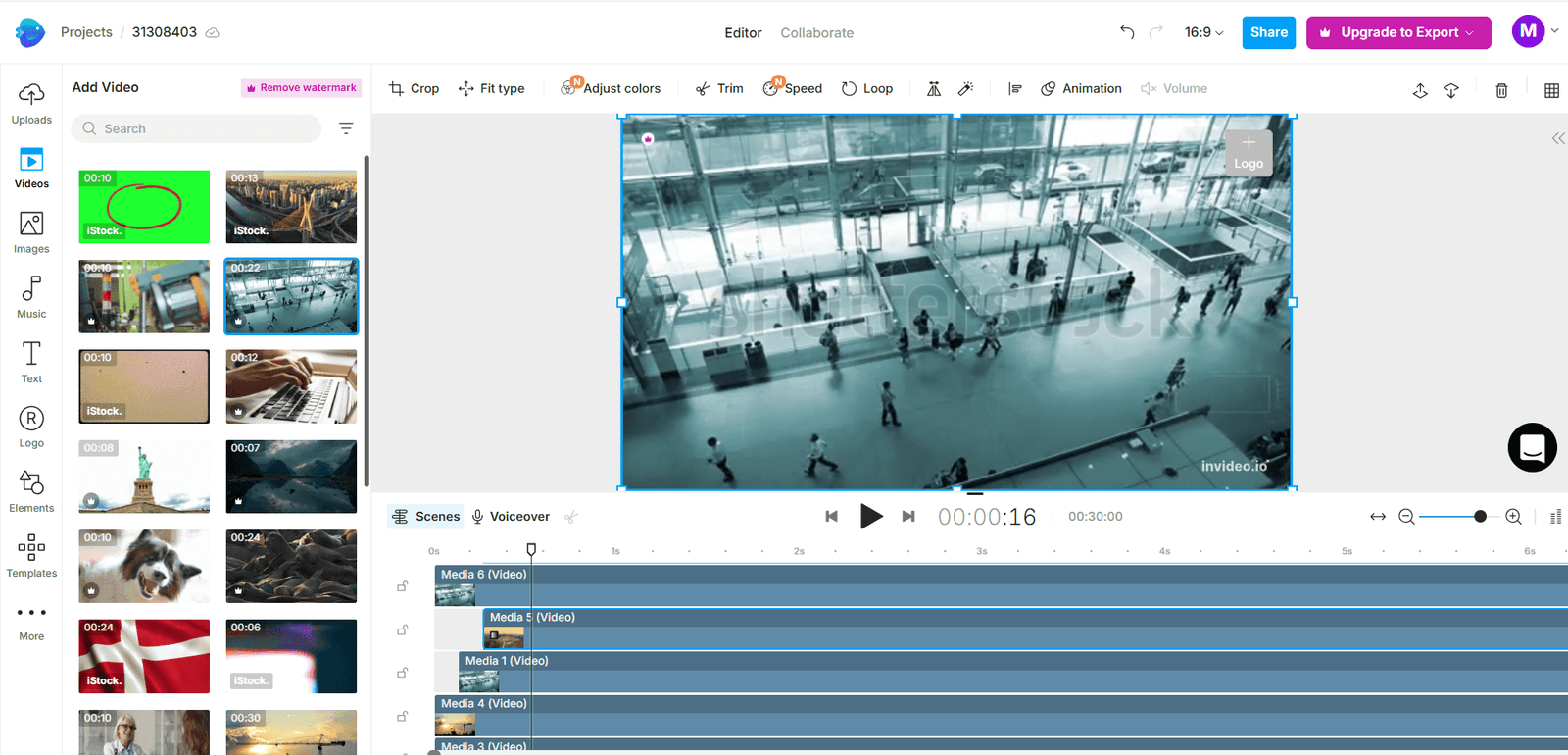
Best for: Generating high-converting psychological scripts and deploying massive, pre-built template libraries.
Pricing: Free tier exists; real firepower unlocks at $15/month.
InVideo is for marketers who refuse to stare at a blank screen. It is a massive, cloud-based factory that leverages AI to force-feed you highly engaging concepts, allowing you to bypass writer's block and start publishing instantly.
Key Features
- The Hook Generator: Feed it a boring topic, and it spits out 10 highly controversial, aggressive, or curiosity-driven opening lines.
- 5,000+ Templates: Stop editing from scratch. Deploy templates explicitly designed to hit the psychological triggers of short-form video consumers.
- Text-to-Video Engine: Drop your AI-generated script into the machine, and it automatically pulls high-end stock footage and syncs the typography.
How to Weaponize InVideo
- Feed the AI your specific niche (e.g., "SaaS marketing mistakes").
- Select the most aggressive, controversial hook from its suggestions.
- Drop the script into a high-energy, fast-paced vertical template.
- Layer massive text animations to ensure the viewer reads the hook before the audio even registers.
- Export and deploy.
Pros & Cons
| Pros | Cons |
|---|---|
| Cures writer's block instantly with data-backed AI suggestions | The web-based editor can lag significantly with 4K files |
| The text-to-video pipeline saves hours of editing | The free tier brands your video with a massive watermark |
| Perfect for scaling "faceless" TikTok channels | Audio granular control isn't as precise as CapCut |
InVideo Alternative: Canva Video
If you already pay for Canva, Canva Video works well for basic branding, but its AI scripting engine is nowhere near as aggressive as InVideo's.
Hookle
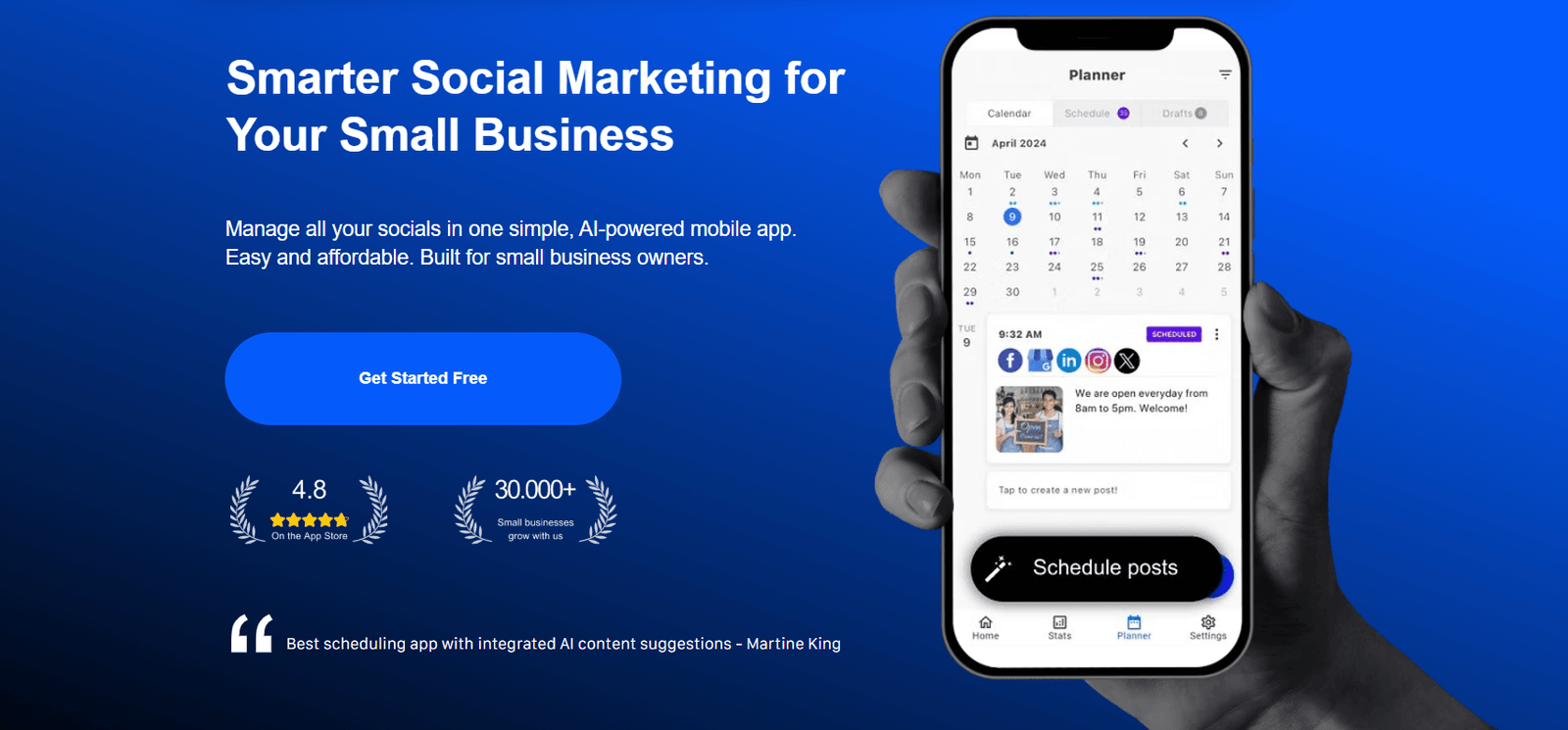
Best for: Brutal A/B testing of your copy and deploying cross-platform scheduling.
Pricing: Free basic tier; professional analytics start at $15/month.
Hookle doesn't care about your video transitions; it cares about human psychology. It is an AI assistant built specifically to engineer the exact text, captions, and phrasing required to paralyze a user's scrolling thumb.
Key Features
- The AI Copywriter: Analyzes current internet trends and writes opening lines specifically formulated to trigger immediate engagement.
- Caption Optimization: Generates the SEO-heavy captions required below the video so TikTok's algorithm knows exactly which audience to target.
- Centralized Analytics: Track exactly which text variations caused viewers to stick around, and which ones made them swipe away in disgust.
How to Weaponize Hookle
- Input your raw video concept.
- Force the AI to generate 5 completely different emotional hooks (e.g., angry, funny, mysterious, urgent).
- Film the exact same core video 5 times, changing only the first 3 seconds based on Hookle's copy.
- Analyze the data to see which emotional trigger actually converts your specific demographic.
Pros & Cons
| Pros | Cons |
|---|---|
| Forces creators to rely on proven copywriting frameworks | It is a text engine—it won't cut or edit your actual video files |
| Incredible for split-testing multiple angles of the same idea | The free plan is way too limited for serious A/B testing |
| Automates the tedious SEO caption work | You still have to deliver the on-camera charisma yourself |
Hookle Alternative: Jasper AI
If you want a heavy-duty enterprise text engine, use Jasper AI. Just know it isn't laser-focused on short-form video formatting like Hookle is.
VEED.IO
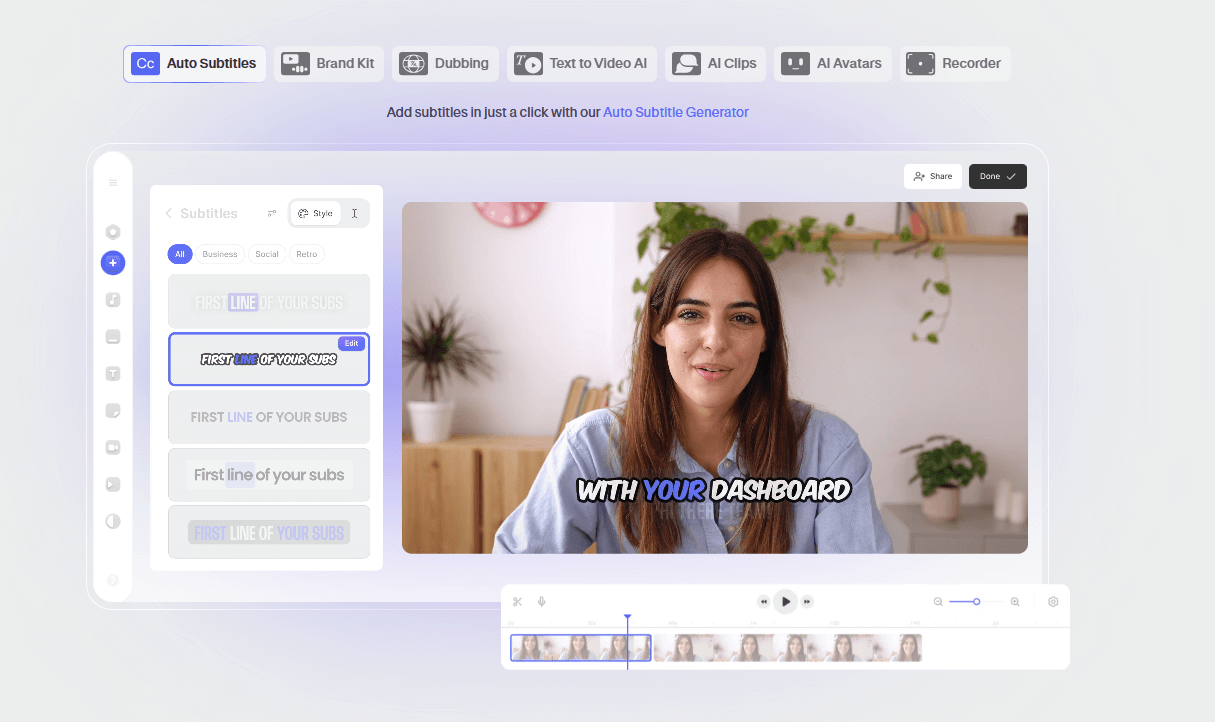
Best for: Surgical editing, flawless auto-captions, and deep-dive retention analytics.
Pricing: Free tier available; serious professional tools unlock at $12/month.
VEED.IO is the absolute secret weapon for creators who treat their content like a science experiment. It is a web-based powerhouse for adding the final layer of aggressive polish that turns a "good" hook into an undeniable viral mechanism.
Key Features
- Elite Auto-Subtitles: VEED is legendary for generating the massive, punchy, perfectly synced subtitles that mimic the biggest influencers on the platform.
- Ruthless Trimming: Their timeline makes it incredibly simple to surgically chop the dead "breathing" space out of your first 2 seconds.
- Engagement Heatmaps: Stop guessing. Look at the exact millisecond where your viewers got bored and swiped away, and fix it.
How to Weaponize VEED.IO
- Upload your raw, unedited take.
- Chop the first 0.5 seconds of dead air so the video starts violently mid-sentence.
- Apply massive, highlighted auto-captions directly over your face.
- Inject a subtle "whoosh" or "pop" sound effect exactly when the text hits the screen to trigger a dopamine spike.
- Post it, and religiously review the drop-off analytics the next morning.
Pros & Cons
| Pros | Cons |
|---|---|
| The auto-captioning engine is arguably the most engaging in the industry | Browser-based editors require a flawless, fast internet connection |
| The retention analytics actually teach you how to be a better editor | The massive watermark on the free tier renders it unusable |
| Highly professional, clutter-free interface | Lacks the deep AI script generation of its competitors |
VEED.IO Alternative: Descript
If you want to edit video by literally deleting text on a transcript, Descript is incredible, but VEED is generally faster for specifically churning out TikToks.
TikTok Creative Center
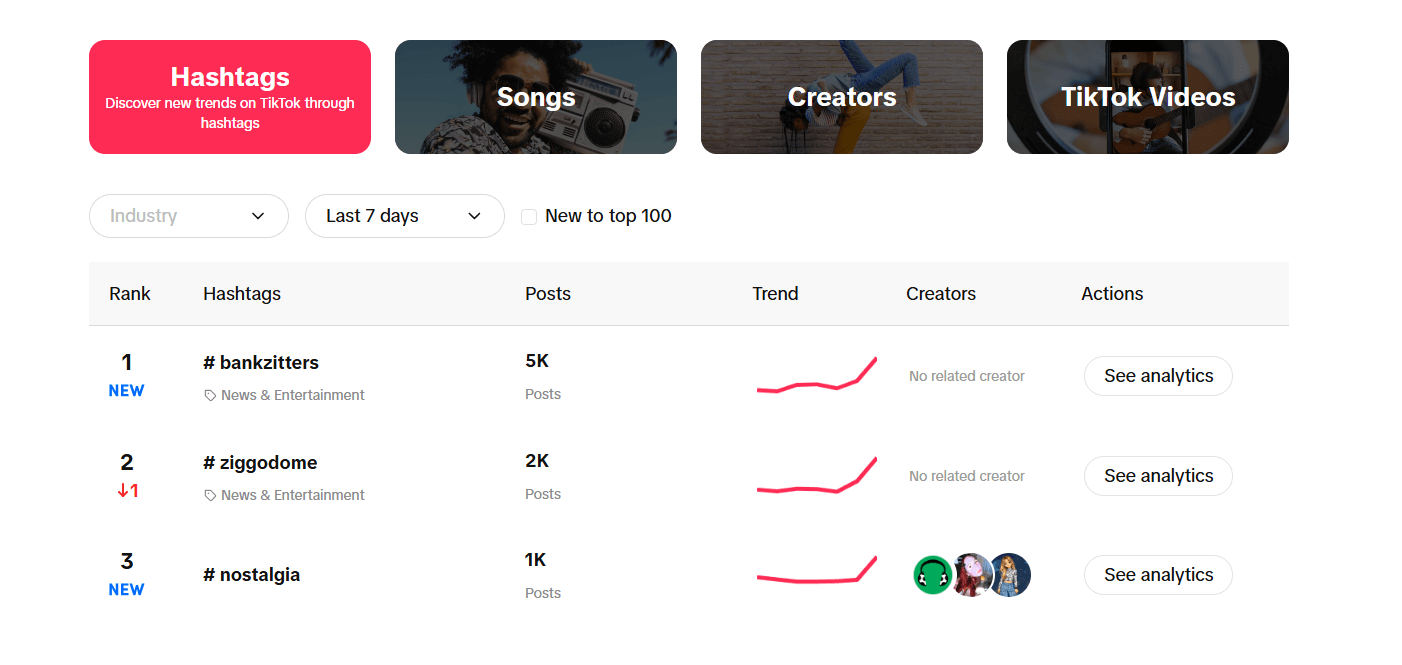
Best for: Extracting raw, unfiltered data directly from the algorithm's brain.
Pricing: 100% Free.
If you are not checking the TikTok Creative Center every single morning, you are flying completely blind. This is TikTok literally handing you the answer key. It shows you exactly what hooks, sounds, and visual formats are printing money today.
Key Features
- Trend Intelligence: See the exact audio tracks and visual hooks that are going viral in your specific country right this second.
- Competitor Teardowns: Dissect the top-performing ads and organic videos in your niche, and see exactly what they did in their crucial first 3 seconds.
- Hashtag Velocity: Track which topics are exploding in real-time so you can hijack the momentum with a targeted, hyper-relevant hook.
How to Weaponize the Creative Center
- Log in and filter the massive dashboard by your specific industry.
- Identify the top 5 videos from the last 7 days.
- Ruthlessly dissect their hooks. Are they asking a question? Doing a weird dance? Yelling at the camera?
- Do not copy them frame-for-frame. Extract the underlying psychological framework and apply it to your own original script.
Pros & Cons
| Pros | Cons |
|---|---|
| It is literal, exact data straight from TikTok's internal servers | It is purely a research tool—it will not edit your video |
| Invaluable for spotting viral trends days before they peak | The sheer volume of raw data can easily cause analysis paralysis |
| Completely free to use | You have to manually translate the analytics into an actual video concept |
TikTok Creative Center Alternative: TrendTok
If you want a lazy push-notification telling you what's trending, use TrendTok. But if you want the real, raw data, stick to the Creative Center.
The Ultimate 2026 Hook Workflow
Stop looking for a magic button. The creators pulling millions of views use a ruthless, industrialized assembly line:
- Reconnaissance: Open the TikTok Creative Center with your morning coffee. Spot a rising visual or audio trend in your niche.
- The Script: Throw that concept into InVideo or Hookle to generate 3 highly aggressive, emotionally charged opening lines.
- The Assembly: Film the clips and dump the raw footage into CapCut. Apply a brutal, fast-paced template.
- The Polish: Run the final cut through VEED.IO to slap on massive, high-retention auto-captions and dopamine-triggering sound effects.
- The Review: Check the analytics 24 hours later. If the hook failed the 3-second test, kill the format and try again.
Advanced Tips for TikTok Hook Mastery
- A/B Test Like a Maniac: Stop guessing. Film the exact same 30-second video, but swap out the first 3 seconds three different times. See which intro the algorithm actually rewards.
- Study the Drop-Off: Stare at your retention graph. If 60% of people leave at second 2, your hook is weak. If they leave at second 8, your hook was brilliant but your actual content was trash.
- Volume Wins: The algorithm demands novelty. Do not spend three days editing one hook. Batch film 15 hooks in two hours and test every single one.
Pro tip: The ultimate hook is useless if your backend SEO is trash. Make sure the algorithm knows exactly who to show your video to by dialing in your on-page optimization.
Deconstructing Real Viral Hooks
Stop reinventing the wheel. Here is what is actually printing views right now:
- The Negative Hook:"Stop doing [Common Thing] if you want to survive 2026..." (Triggers instant fear of missing out. Engineered in Hookle).
- The Visual Slap: Dropping a massive, weird object on a table the exact millisecond the video starts, paired with a loud crashing sound effect. (Edited in VEED.IO).
- The Bizarre Statement:"I literally cannot believe this legal loophole actually works..." (Pushes intense curiosity. Scripted via InVideo).
Common Mistakes Killing Your Videos
- The "YouTube Intro": Taking a deep breath and saying "Hey guys, welcome back to my channel." You just lost 90% of your audience. Cut it entirely.
- Dead Air: Starting the video with 0.5 seconds of silence before you speak. The thumb is already swiping. Start mid-word.
- Ignoring the Mute Button: 70% of people watch TikTok in bed with the volume off. If you don't use massive text captions in your hook, you are dead on arrival.
FAQ: TikTok Hooks and Tools
How do I know if my TikTok hook actually worked?
Open your analytics and look at the retention graph. If more than 50% of your viewers are still watching at the 3-second mark, you have a winning hook. If it drops to 20%, your hook is garbage. Fix it immediately.
Can I just use these exact same tools for Instagram Reels?
Absolutely. The psychology of a short-form video consumer is identical whether they are on TikTok, Instagram Reels, or YouTube Shorts. Just make sure you adjust the visual safe zones so your captions don't get covered up by the Instagram UI buttons.
Stop Scrolling and Start Engineering
Listen, going viral on TikTok in 2026 is not a lottery ticket; it is a cold, calculated math equation. If you master the first two seconds, the algorithm will do all the heavy lifting for you.
Stop trying to win on pure charm. Leverage CapCut for speed, use InVideo and Hookle to write aggressive copy, polish it in VEED.IO, and steal your data directly from the Creative Center. Build a machine, test your hooks ruthlessly, and double down on the data that actually moves the needle.
If you want to completely bulletproof your digital brand beyond just viral videos, you need to master the unsexy backend stuff too. Go read our brutal breakdowns on Keyword Research and learn exactly How To Get Backlinks For Your Website so you aren't completely at the mercy of the TikTok algorithm.