Let’s get one thing straight immediately: putting your business on a slow, garbage web server in 2026 is digital suicide. Google's algorithms aggressively penalize slow loading times, and users will literally bounce from your site before your homepage even finishes rendering.
If you are looking for maximum power on a tight budget, you are almost certainly staring down two absolute giants in the industry: Hostinger and Namecheap.
But which one actually deserves your credit card?
Consider this your unfiltered, brutal breakdown. We are going to rip apart Hostinger and Namecheap to see who actually delivers raw speed, who hides nasty renewal fees, and who will actually help you when your site crashes at 2 AM. Whether you are launching a simple personal blog or scaling a heavy ecommerce store, you will walk away knowing exactly where to put your money.
Stop guessing. Let’s dive into the hard data.
Quick tip: Both of these companies host millions of websites, but they serve entirely different masters. Your choice completely depends on whether you prioritize blistering server speed or aggressive domain portfolio management.
Hostinger vs Namecheap: The Unfiltered Overview
Hostinger and Namecheap are both budget-friendly titans, but their DNA is completely different:
- Hostinger is a ruthless performance machine. They have built their 2026 reputation on providing ridiculous speed (using premium LiteSpeed servers) for pennies on the dollar. It is the undisputed go-to for serious marketers and WordPress builders who want premium horsepower without the premium price tag.
- Namecheap is a domain registrar first, and a host second. They are absolute legends for buying cheap domains and locking down privacy. Their hosting services are incredibly cheap, but they are heavily geared toward absolute beginners who just want the cheapest possible entry ticket to the internet.
Related reading: Before you even buy hosting, make sure you aren't setting your site up for failure. Run through our brutal SEO for New Website Checklist.
Pricing and Plans: Who Hides the Fees?
Pricing is usually a trap in the hosting industry. Both are budget-friendly, but you have to watch the renewal rates.
Hostinger Pricing
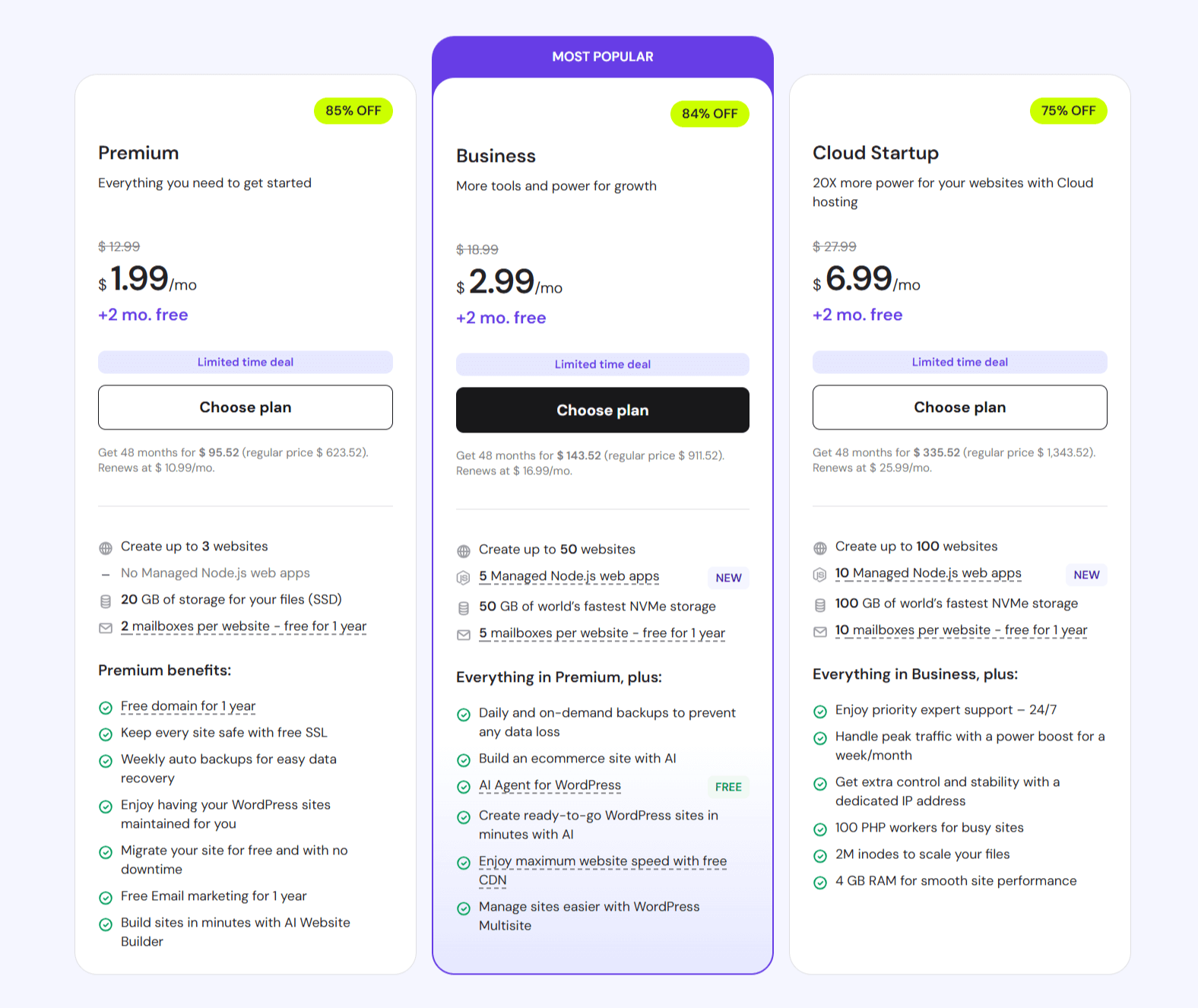
- Shared Hosting: Starts at a ridiculously low $2.99/month, but be warned: the renewal rate jumps to around $5.99/month. You are paying for speed.
- WordPress Hosting: Starts at $2.99/month. This is their sweet spot, heavily optimized with LiteSpeed caching to make WordPress fly.
- VPS Hosting: Starts at $5.99/month. Perfect if you outgrow shared servers and need dedicated RAM.
- Cloud Hosting: Starts at $9.99/month. Built for aggressive, high-traffic scaling.
Hostinger tosses in free SSLs for life, weekly (or daily) backups, and their custom, beautiful hPanel.
Namecheap Pricing
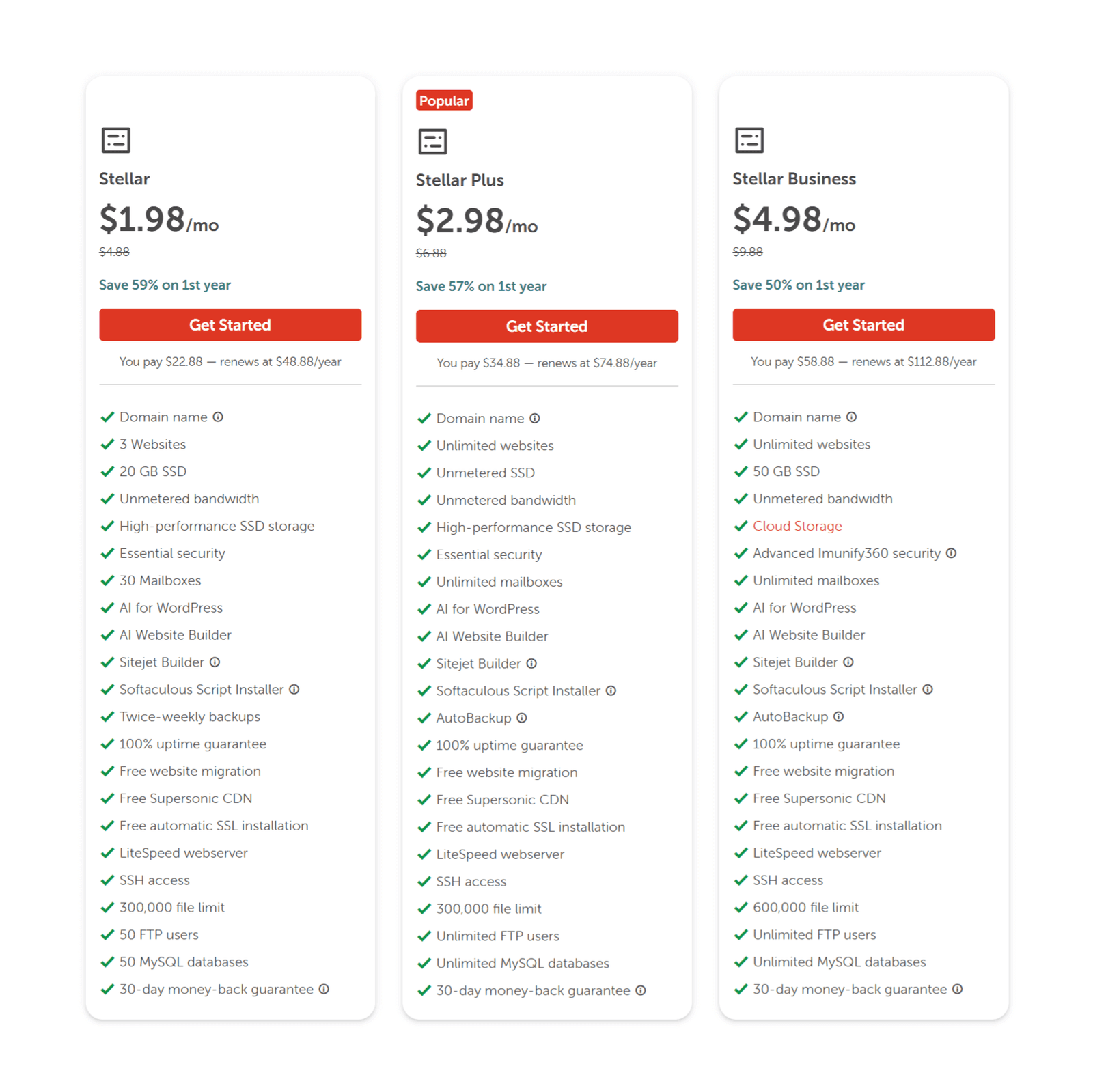
- Shared Hosting: Wins the race to the bottom starting at just $1.98/month (Stellar plan). Renews at $4.48/month.
- WordPress Hosting (EasyWP): Starts at $2.49/month. A heavily managed, walled-garden approach to WordPress.
- VPS Hosting: Starts at $6.88/month.
- Reseller Hosting: Starts at $19.88/month if you want to sell hosting to your own clients.
Namecheap gives you free domain privacy forever, standard cPanel access, and a free SSL (but usually only for the first year).
| Feature | Hostinger | Namecheap |
|---|---|---|
| Shared Hosting (entry) | $2.99/mo | $1.98/mo |
| WordPress Hosting | $2.99/mo | $2.49/mo |
| VPS Hosting | $5.99/mo | $6.88/mo |
| Free Domain | Yes (on most annual plans) | Yes (on annual plans) |
| SSL Certificate | Free (Lifetime) | Free (1st year only) |
The Brutal Truth: Namecheap is slightly cheaper on day one, but Hostinger offers exponentially more horsepower and lifetime SSLs, making it a much better value over a 3-year timeline.
Performance, Speed, and Uptime: Who Wins the Drag Race?
If your site takes 4 seconds to load in 2026, you are bleeding money. Here is the raw data.
Hostinger Performance
- The Engine: They use LiteSpeed web servers. This is a massive upgrade over ancient Apache servers, handling concurrent traffic spikes effortlessly.
- Infrastructure: Global data centers allowing you to put your server physically closer to your audience.
- The Numbers: Average load times sit around 350-450ms. Their uptime strictly hovers around 99.98%.
Namecheap Performance
- The Engine: Standard shared plans run on older Apache servers. They work, but they aren't going to win any speed tests.
- Infrastructure: Limited mostly to US and UK data centers.
- The Numbers: Average load times drag around 600-800ms on shared plans. (You have to upgrade to their EasyWP cloud to hit 400ms speeds).
Verdict: Hostinger absolutely slaughters Namecheap in raw speed. If performance and SEO rankings are your top priorities, Hostinger is the undisputed winner here.
Pro tip: Blazing fast hosting is useless if your technical SEO is garbage. Fix your backend immediately by reading SEO Onpage vs Offpage Optimization.
Features and Ease of Use: hPanel vs cPanel
How much do you hate staring at confusing server settings? Your daily workflow depends heavily on the dashboard.
Hostinger Features
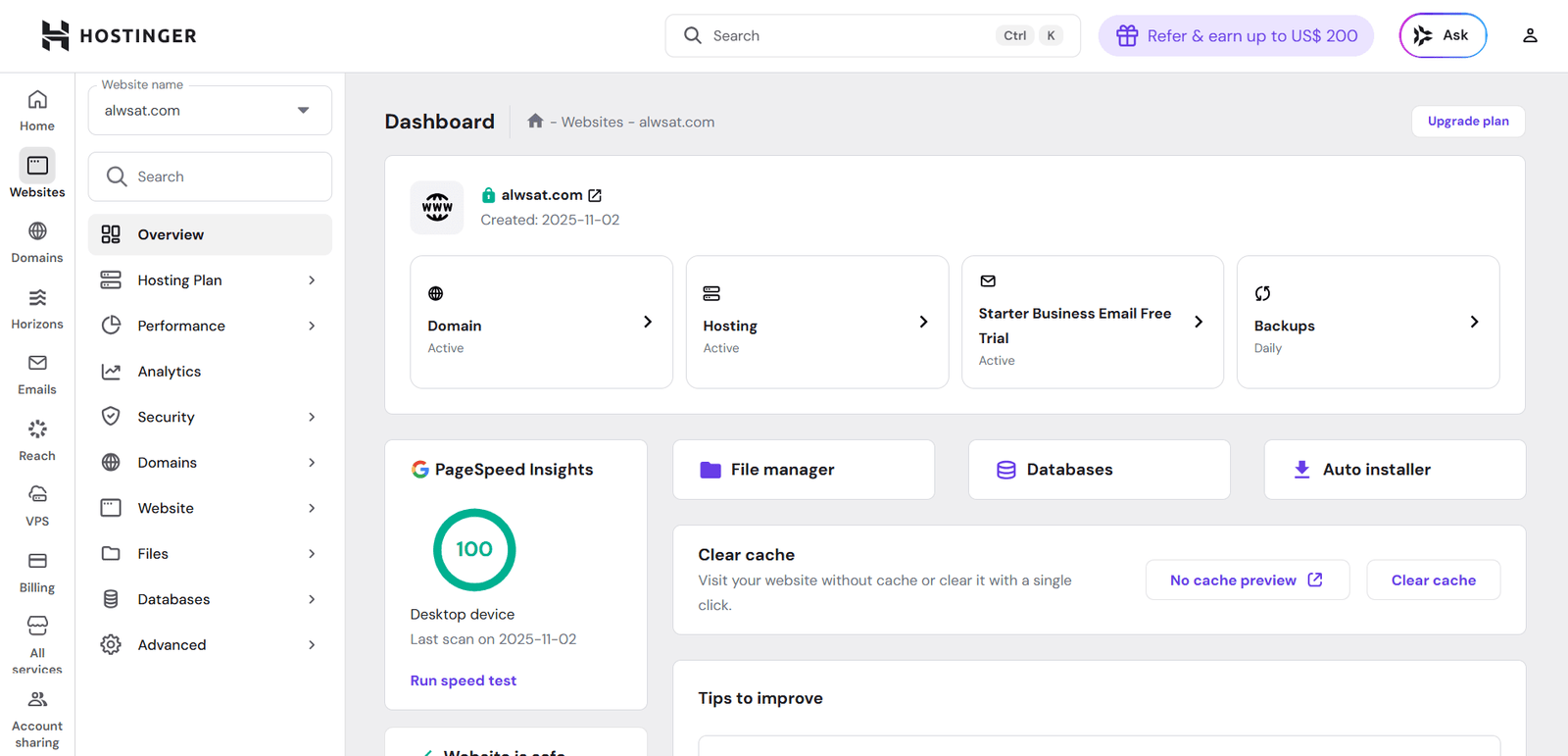
- hPanel: Hostinger built their own custom dashboard. It is gorgeous, highly intuitive, and almost impossible for a beginner to mess up.
- 1-click WordPress installation and an AI-driven setup assistant.
- Automated backups, free migrations, and built-in malware scanners.
Namecheap Features
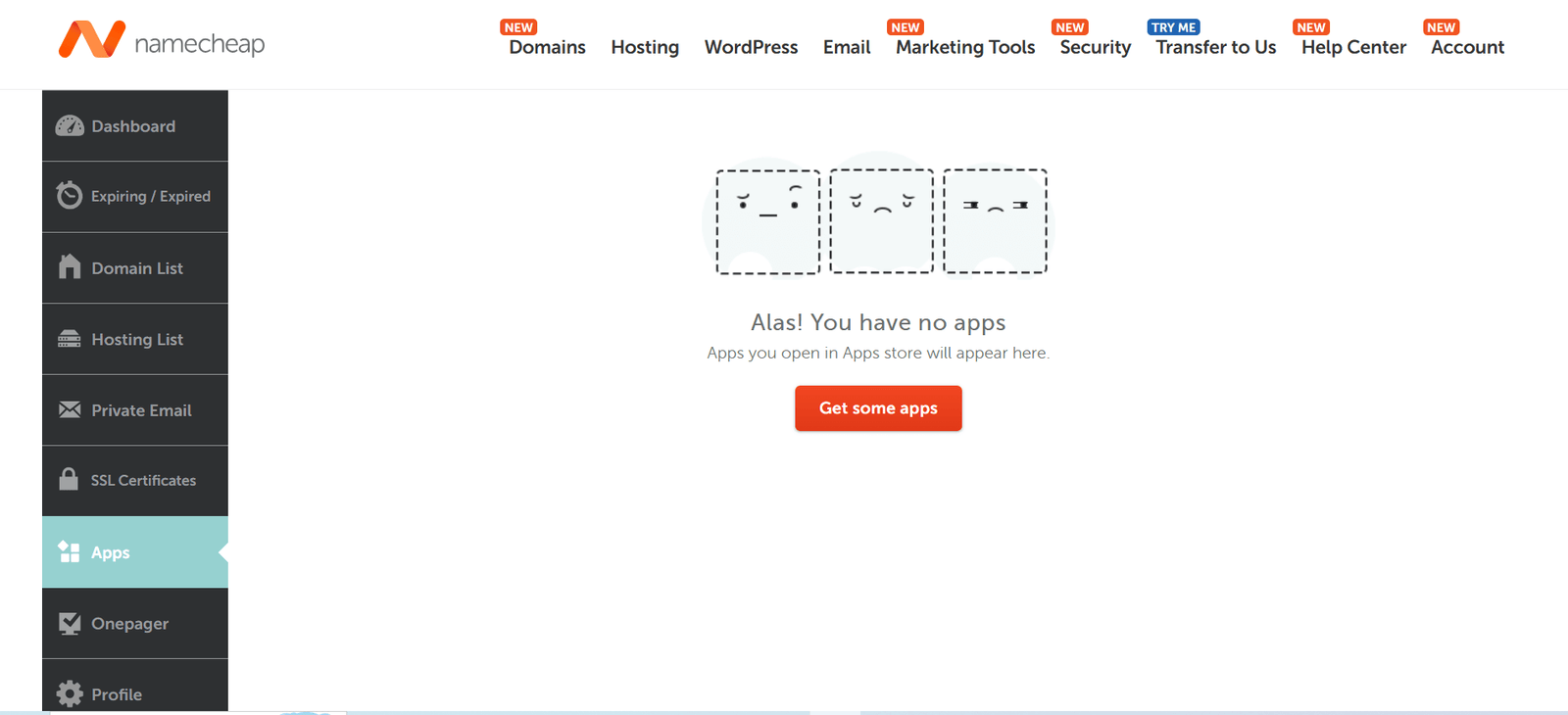
- cPanel: Namecheap relies on the ancient, industry-standard cPanel. It is powerful and familiar to veteran developers, but it looks like it was built in 2005.
- EasyWP dashboard gives you a completely separate, simplified area just for managed WordPress.
- Massive app marketplace and free domain privacy.
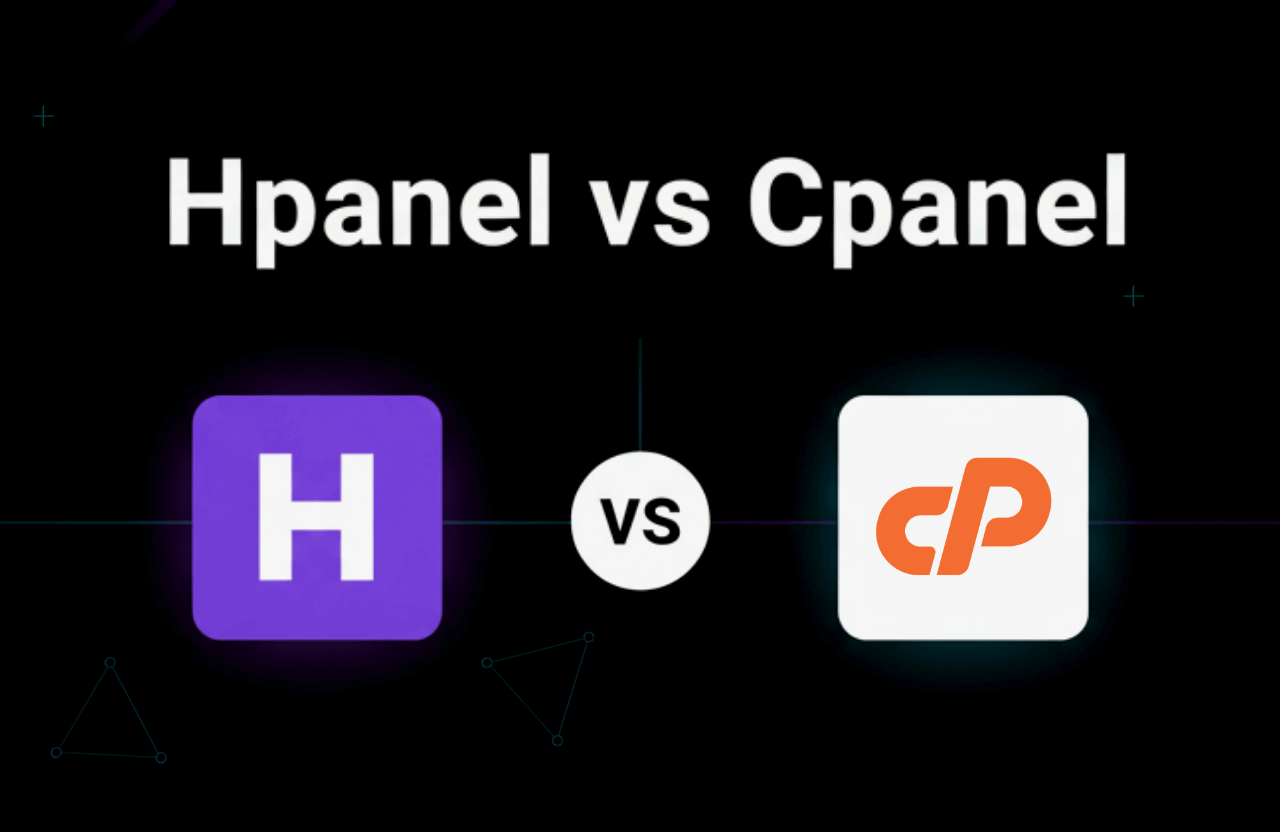
Ease of Use: If you are a beginner, Hostinger's hPanel is a joy to use. If you are a grumpy old-school developer who refuses to change, Namecheap gives you the cPanel you are used to.
Domain Registration and Management
This is where the tables turn completely.
- Namecheap: They are an absolute juggernaut here. If you buy and hoard domains, Namecheap is incredible. They offer insane bulk discounts, every weird TLD extension imaginable, and they give you WHOIS privacy protection for free, forever.
- Hostinger: They offer domains, and you usually get one free for your first year, but their renewal prices on domains are standard, and their management interface isn't built for portfolio hoarders.
If you own 50 domains, keep them at Namecheap. If you just need one domain for one business, Hostinger is perfectly fine.
WordPress Hosting: Which Is Better?
Since 40% of the internet runs on WordPress, both hosts built dedicated environments for it.
Hostinger WordPress Hosting
- The Setup: Heavily optimized with LiteSpeed Cache at the server level. It makes WordPress incredibly snappy.
- Tools: Includes an AI site builder, one-click staging (to test code before it goes live), and automatic core updates so you don't get hacked.
Namecheap EasyWP
- The Setup: EasyWP lives on Namecheap's cloud infrastructure. It completely bypasses cPanel and gives you a radically simplified dashboard.
- Tools: 1-click install and automated backups. It is incredibly cheap, but it lacks the advanced staging and caching controls that power users demand.
Verdict: Hostinger provides a drastically superior environment for serious WordPress users. Namecheap’s EasyWP is fine for a casual hobby blog, but it lacks raw firepower.
Related: Ready to look at the enterprise-level options? Read our brutal breakdown of the Best WordPress Hosting Providers.
Customer Support and Reliability
When your site crashes, you don't want to submit a ticket and wait 24 hours.
- Hostinger: Aggressive 24/7 live chat. They do not offer phone support, but their chat agents usually respond in under two minutes and actually know how to fix server issues.
- Namecheap: Offers 24/7 live chat and a highly reliable ticketing system. Their support is legendary when it comes to DNS and domain issues, but they can be a bit slower on heavy server troubleshooting.
Security Features
Security is not a perk in 2026; it is mandatory.
- Hostinger: They throw in a lifetime free SSL, advanced DDoS protection, automated backups, and a built-in malware scanner that actively hunts down bad code.
- Namecheap: You get domain privacy for free, DDoS protection, and an SSL certificate—but remember, Namecheap usually makes you pay to renew that SSL after the first year.
Hostinger wins simply by giving you a permanent free SSL and proactive malware scanning out of the box.
Pros and Cons: Hostinger vs Namecheap at a Glance
| Hostinger | Namecheap |
|---|---|
|
|
|
|
Hostinger vs Namecheap: Best for Different Use Cases
Stop overthinking it. Pick based on your actual business model:
| Use Case | Best Choice | Why |
|---|---|---|
| Personal Hobby Blog | Namecheap | It is dirt cheap, and a few milliseconds of load time won't ruin your life. |
| Real Business Website | Hostinger | Superior speed, uptime, and security are non-negotiable for real businesses. |
| Heavy WordPress Site | Hostinger | LiteSpeed caching aggressively outperforms Namecheap's shared Apache servers. |
| Domain Reseller / Hoarder | Namecheap | Unbeatable bulk management, cheap renewals, and free privacy. |
| International Audience | Hostinger | More physical server locations mean faster load times globally. |
Migrating Between Hostinger and Namecheap
Don't let a terrible host hold you hostage. Moving your site in 2026 is effortless. Both Hostinger and Namecheap offer free, white-glove migration services for new customers. Hostinger even has an automated migration plugin for WordPress that literally pulls your entire site over in three clicks with zero downtime.
Related: Did you just migrate and need to rebuild your authority? Dive into our aggressive guide on How to Get Backlinks For Your Website.
Real User Reviews and Community Feedback
Here is what the internet actually thinks in 2026:
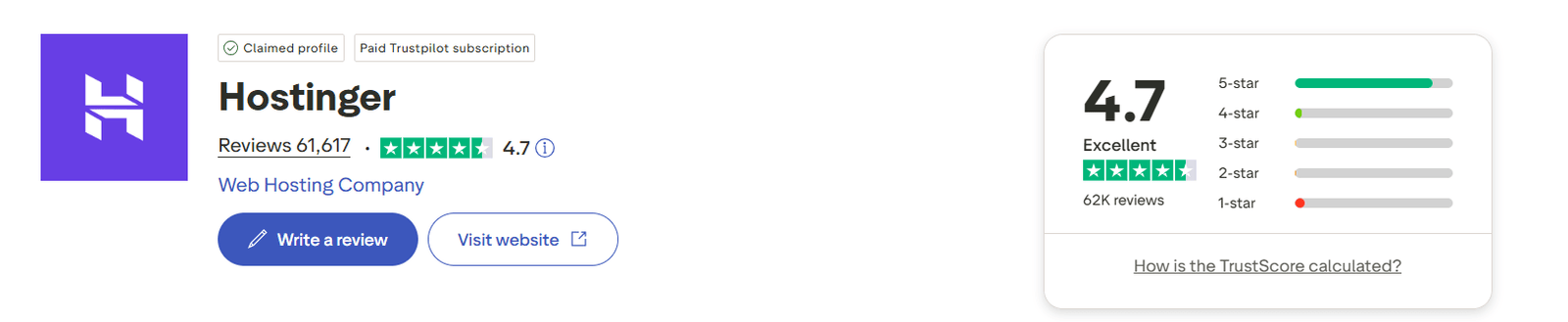
Hostinger: Power users constantly praise the raw speed for the price and the incredibly clean hPanel. The only consistent complaint is the sticker shock when the promotional pricing ends and the renewal rate kicks in.
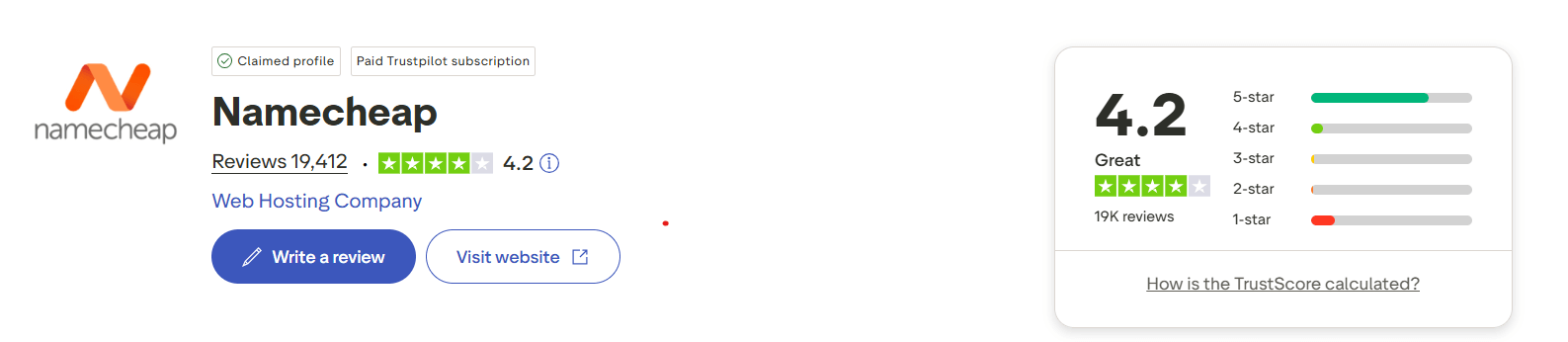
Namecheap: Users universally love them for buying domains and setting up cheap, quick landing pages. However, serious SEOs frequently complain about sluggish server response times on the cheapest shared plans.
Hostinger vs Namecheap: Frequently Asked Questions
Is Hostinger or Namecheap better for absolute beginners?
Hostinger. Their custom hPanel and AI setup wizards are wildly intuitive. Namecheap relies on the older cPanel interface, which is powerful but looks like an airplane cockpit to a first-time user.
Do I actually get a free domain?
Yes, both companies will throw in a free domain name if you commit to an annual hosting plan. However, Namecheap also gives you free WHOIS privacy, keeping your personal phone number away from telemarketers.
Which one is actually more secure?
Hostinger takes the edge for hosting. They include lifetime free SSLs and built-in malware scanners. Namecheap is secure, but they often charge you to renew your SSL certificate after the first year, which is a massive headache.
Which host is better if my traffic comes from outside the US?
Hostinger. They have data centers scattered across Europe, Asia, and South America. Namecheap is largely restricted to the US and UK.
Final Verdict: Hostinger vs Namecheap in 2026
At the end of the day, both of these companies are massive, highly reliable budget options. Your final decision just comes down to your exact priorities:
- Pull the trigger on Hostinger if you want blistering fast load times, elite WordPress optimization, and a beautifully modern dashboard. It is the undisputed choice if you care about SEO and building a real, traffic-heavy business.
- Pull the trigger on Namecheap if you are hoarding domains, launching a super basic hobby blog, or just want the absolute lowest barrier to entry possible.
Stop overthinking it. If you want a serious website, buy Hostinger for the server power, and go buy your domains separately at Namecheap to get the privacy perks. It is the ultimate 2026 setup.
Want to dominate your competitors? Check out our brutal teardown of Ahrefs vs Semrush to get your SEO on track, or see how to escape the Google bubble with the Best Search Engines Other Than Google.
Alternatives to Hostinger and Namecheap
If neither of these budget titans fits your exact vibe, you have other options:
- SiteGround: Incredible, premium-tier support and speed, but significantly more expensive renewals.
- Cloudways: Raw, dedicated cloud server power for advanced tech nerds. Zero hand-holding.
- DreamHost: Brutally honest, transparent pricing with no hidden renewal hikes and a massive focus on privacy.
- Bluehost: The classic, heavily marketed beginner host officially recommended by WordPress.
For a complete, unfiltered breakdown of the enterprise-level players, jump over to our Best WordPress Hosting Providers guide.