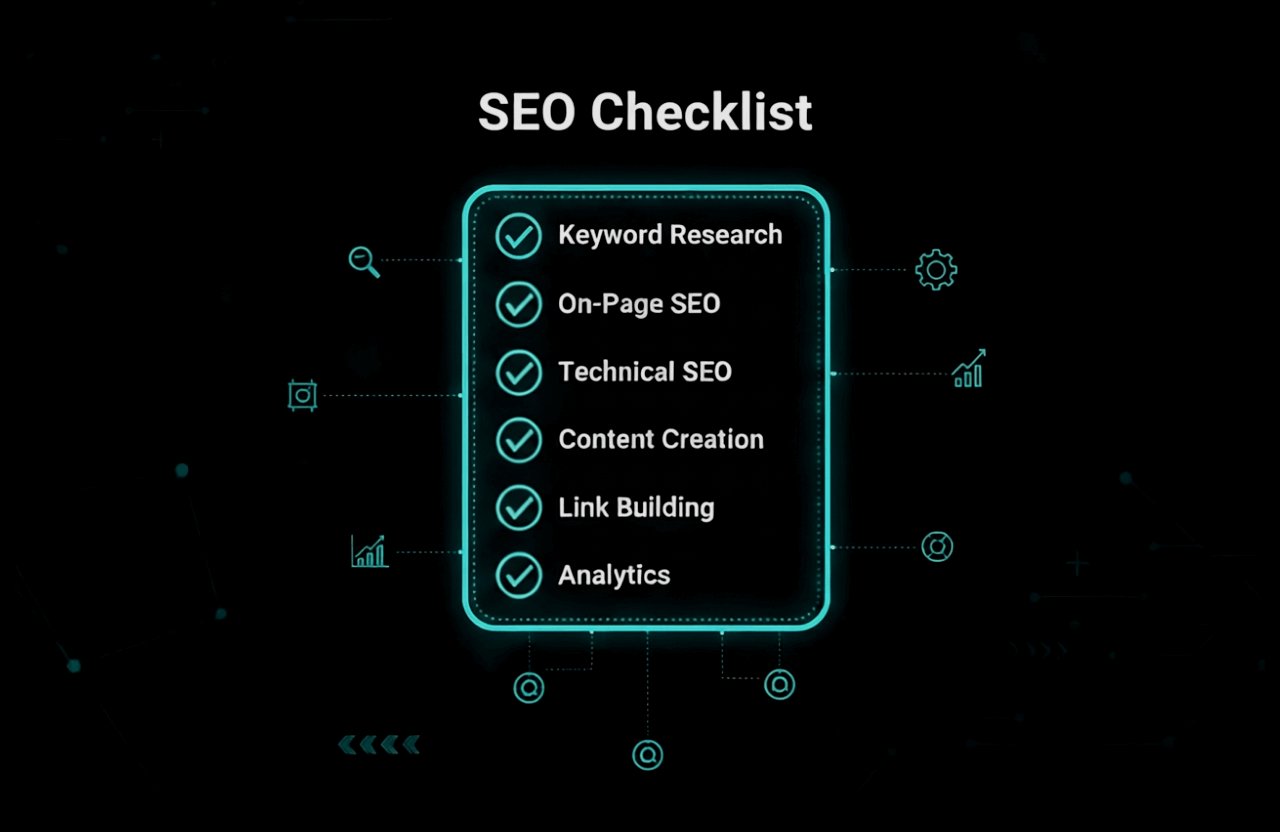
Listen. Pushing your new website live is not an accomplishment. Nobody cares that you finally bought a domain. If you launch without a hardcore SEO foundation in place, your site is just a digital ghost town. In 2026, Google's search algorithms and the terrifying new AI answer engines do not have the time to guess what your messy, unoptimized website is about. You either spoon-feed the bots exactly what they want, or you drown on page 50 of the search results.
Stop celebrating the launch and start executing. This is your brutal, unfiltered playbook for forcing Google to actually index and rank your brand new site. Whether you are a business owner or a developer, skipping these technical steps means you are literally setting your marketing budget on fire.
Let's rip through the absolute mandatory SEO checklist you need to implement today before your lazy competitors steal your traffic.
Pro tip: Do not just skim this list. Do the actual work. SEO is not a one-time button you press; it is a relentless, ongoing grind. Bookmark this page and check your math every single month.
Why SEO Matters for New Websites
Here is the harsh reality: you are starting with zero trust, zero authority, and zero organic traffic. Google actively ignores new domains until you prove you aren't a spammer.
Why do you desperately need this checklist right now?
- Visibility: If the search spiders cannot easily crawl your code, you don't exist. Period.
- Indexing: A beautiful frontend design means absolutely nothing if your URLs aren't actually stored in Google's database.
- Crushing the competition: Most beginners just hit "publish" and pray. By executing flawless technical SEO on day one, you instantly bypass 80% of your lazy rivals.
- Compounding ROI: Paid Facebook ads die the exact second your credit card declines. SEO builds a permanent, free traffic moat around your business.
Ignoring this backend work now will cost you thousands of dollars in fixes and lost revenue six months down the road. Let's lock it down.
Pre-Launch Technical SEO Checklist
Before you start bragging about your new site on Twitter, get the technical plumbing right. If your server accidentally blocks the crawler, nothing else on this page matters.
1. Set Up Google Search Console and Bing Webmaster Tools
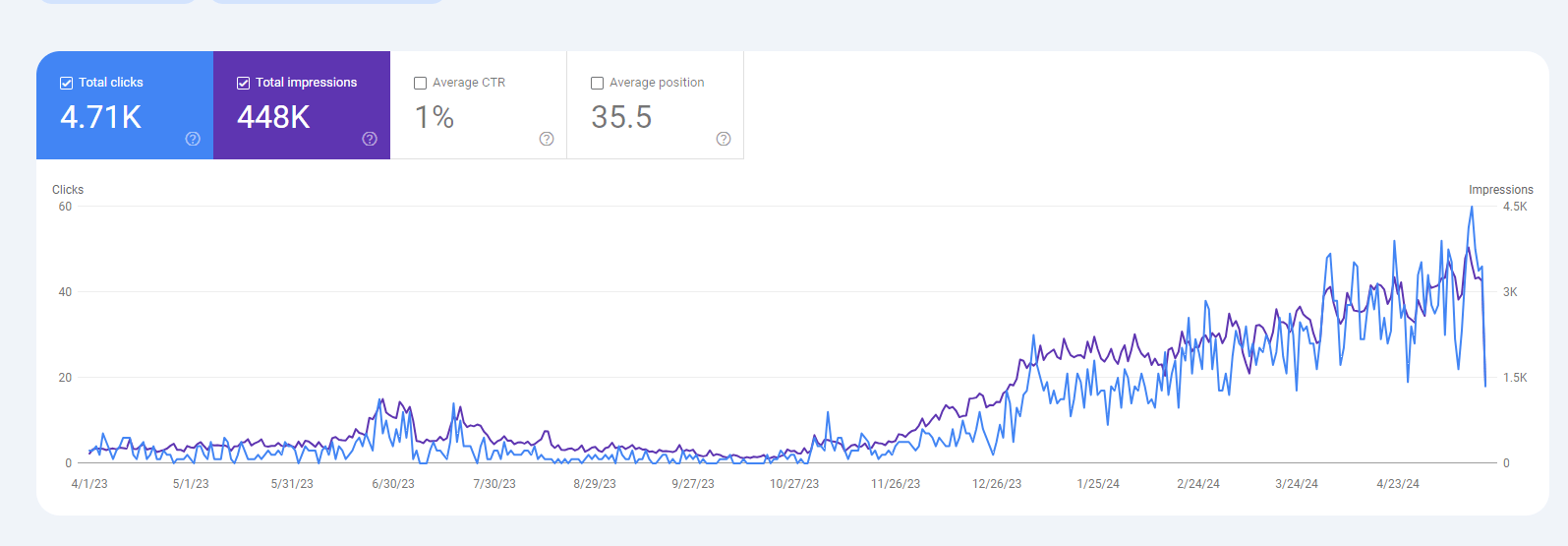
You have to register your domain directly with the search engines. Go verify your site on Google Search Console and Bing Webmaster Tools right now. This is the only way Google actually communicates with you if your site crashes or gets hacked.
- Verify your ownership using a simple DNS TXT record.
- Submit your raw XML sitemap (see the next step).
- Watch the dashboard like a hawk for critical crawl errors.
2. Create and Submit an XML Sitemap
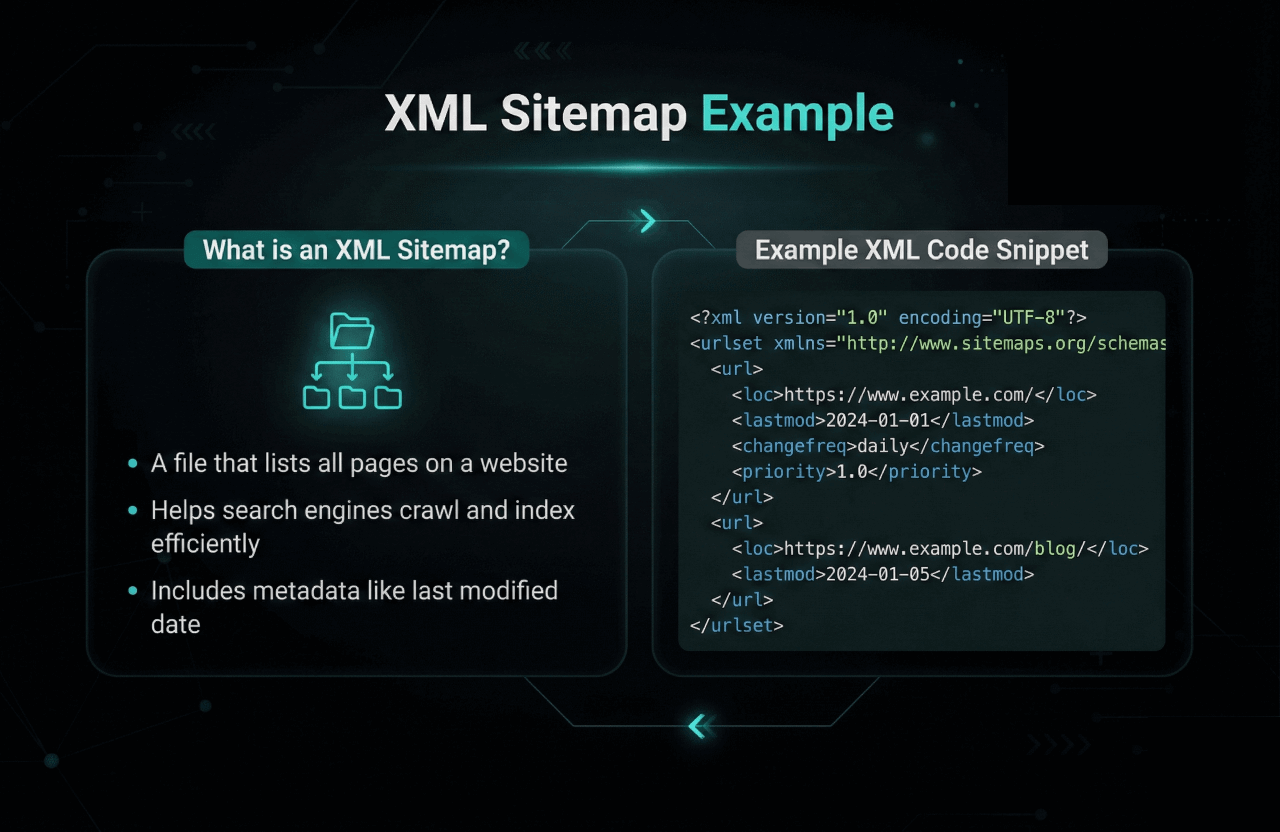
An XML sitemap is a literal map you hand to the bots so they don't get lost on your site. Don't make them guess where your money pages are. If you use WordPress, Rank Math or Yoast generates this automatically. Otherwise, use XML Sitemaps.
- Only include valuable, indexable pages. Don't put your empty tag pages in here.
- Take that sitemap URL and force-feed it directly into Search Console.
3. Optimize Robots.txt
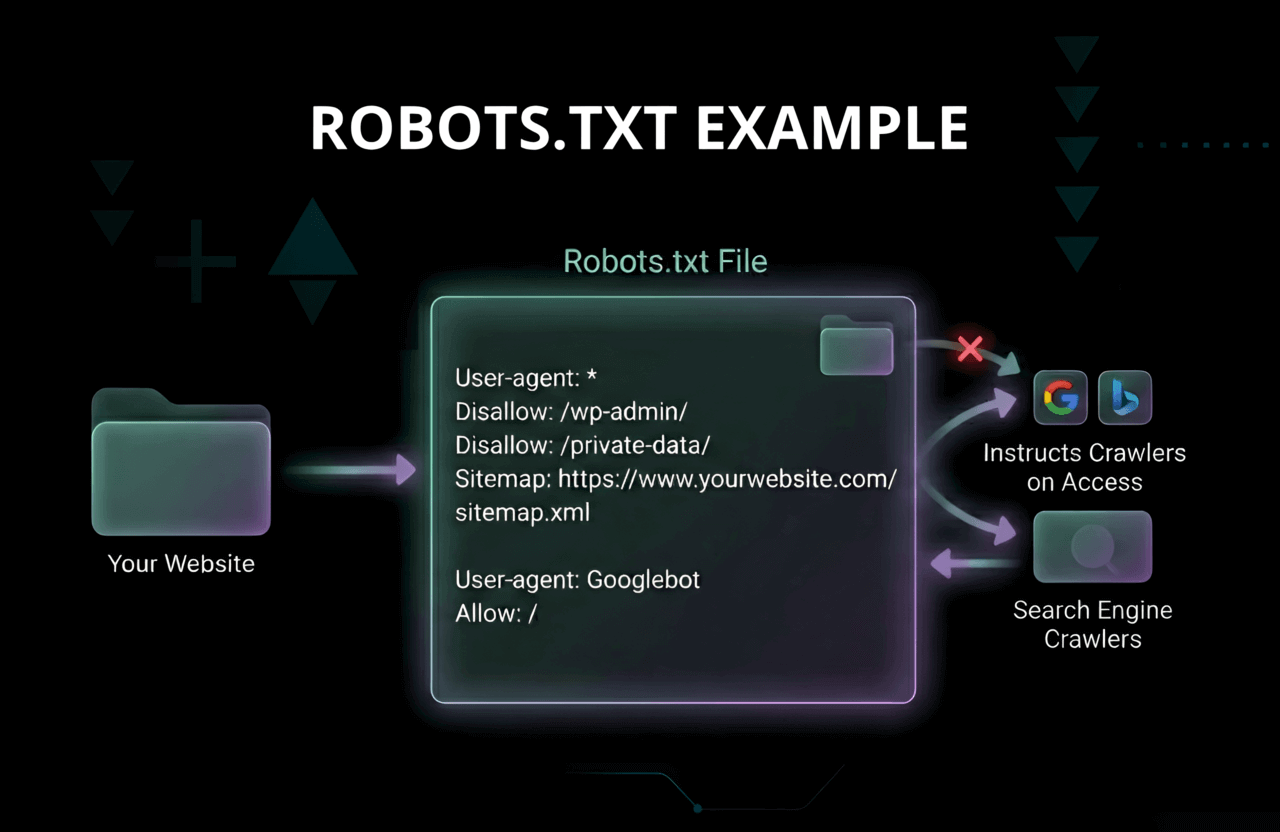
Your robots.txt file is the bouncer at the club. One stupid typo here can permanently block Google from reading your entire domain. Keep it clean.
- Explicitly allow the bots to crawl your CSS and Javascript files.
- Block them from poking around your sensitive admin login pages.
- Double-check your math using Google’s Robots Testing Tool before you walk away.
4. Ensure Site is Indexable
Look at your code right now. Did you leave a "Discourage search engines" box checked from when the site was in the staging phase? Rip it out.
- Scrub your live pages for accidental
noindextags. - Run a live test using the URL Inspection tool in Search Console to verify Google can actually see the page.
5. Use HTTPS and Secure Your Site
If your URL still says HTTP in 2026, Chrome will literally throw a massive red "UNSAFE" warning screen in your user's face. Buy the SSL certificate.
- Force a strict 301 redirect from all HTTP traffic to HTTPS.
- Make sure you don't have mixed content warnings (like loading an unsecured HTTP image on a secured page).
6. Optimize for Mobile and Speed
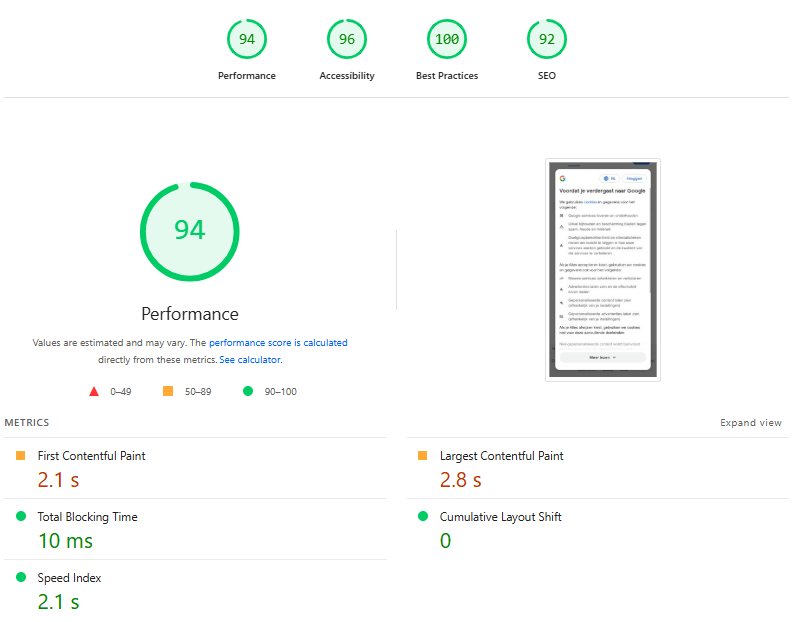
If your site takes 4 seconds to load on an iPhone, the user bounces, and Google's algorithm penalizes you heavily.
- Make sure the design actually functions on a small screen.
- Run your domain through Google’s Mobile-Friendly Test.
- Compress your massive 5MB hero images immediately. Leverage caching.
- Obsess over your scores on PageSpeed Insights.
7. Set Up Analytics and Tracking
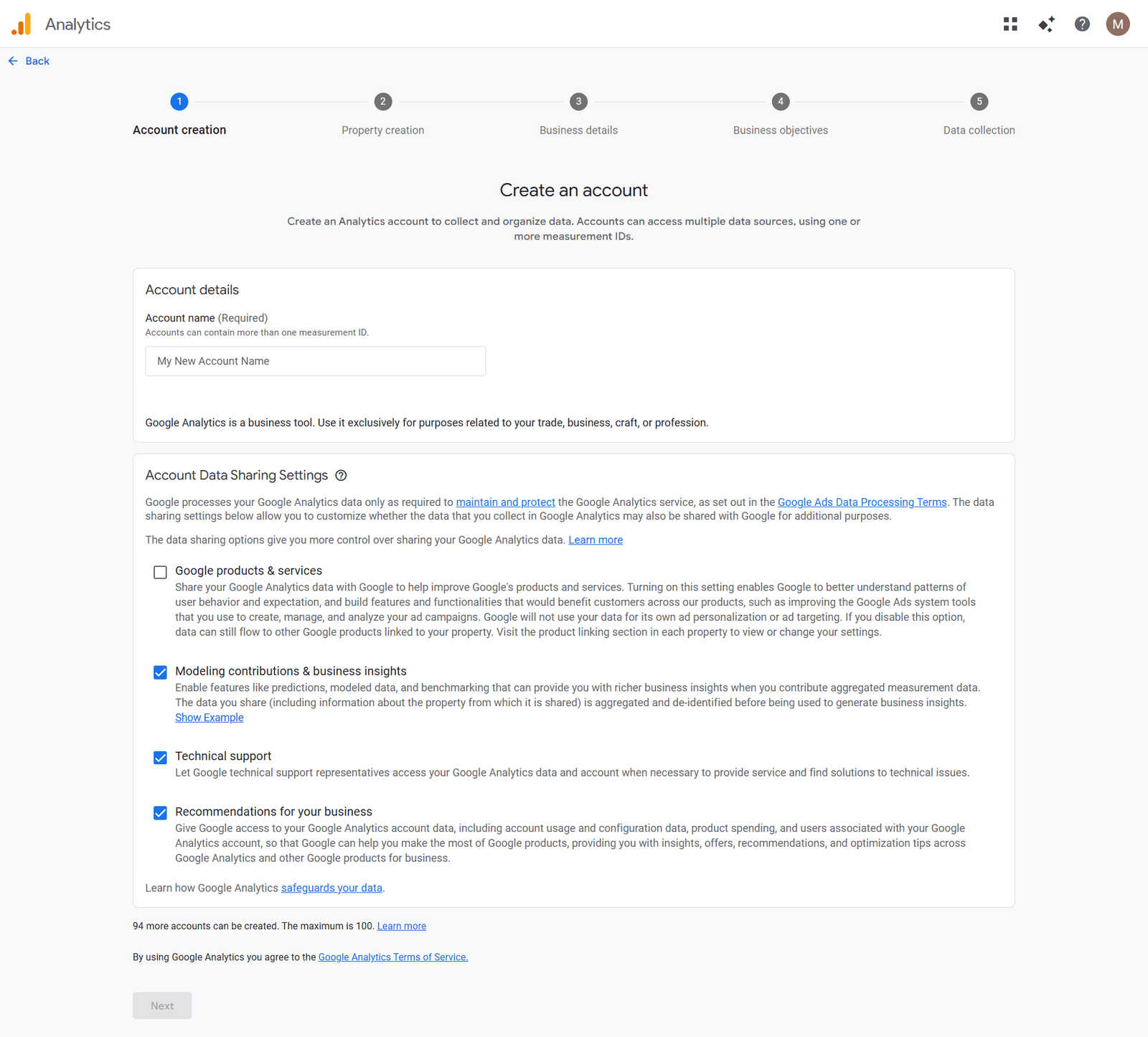
Install Google Analytics (GA4) immediately. If you are flying blind without hard traffic data, you aren't running a business; you are running a hobby.
- Verify the tracking code is actually firing on every single page.
- Set up hard conversion goals (like email signups or checkout clicks).
- Link GA4 directly with Search Console.
Keyword Research for New Websites
Writing 50 blog posts based on what you *think* people want to read is a massive waste of time. You need to know exactly what they are actively typing into the search bar.
1. Identify Your Core Topics and Audience
Who is actually paying you? What exact, painful problem are you solving for them?
- Lock down your primary service offerings.
- Stalk your competitors and see exactly which pages bring them the most traffic.
- Scrape Reddit and Quora to find the actual phrases real humans use.
2. Use Keyword Tools to Find Opportunities
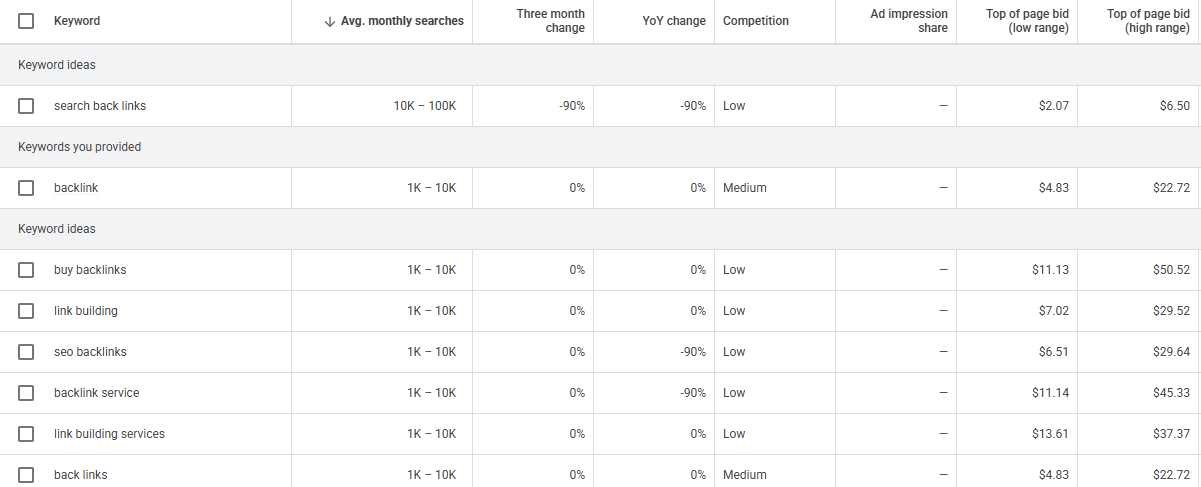
Stop guessing. Pay for real data. Fire up SEMrush, Ahrefs, or the Google Keyword Planner.
- Hunt for low-competition, long-tail questions that massive sites ignore.
- Focus strictly on search intent. Are they looking to buy, or just looking for free info?
Want a brutal breakdown of how to actually do this without wasting money? Read our aggressive Keyword Research guide.
3. Map Keywords to Pages
One page equals one primary keyword. Period. Stop cannibalizing your own traffic by writing five different blog posts targeting the exact same phrase.
- Build a spreadsheet to track which URL targets which keyword.
- Prioritize the keywords that actually bring in buyers, not just random traffic.
On-Page SEO Checklist for New Sites
This is how you format your raw text so the dumb AI bots actually understand what you are selling.
1. Write Unique, Compelling Title Tags
- Keep it under 60 characters or Google truncates it.
- Put the exact target keyword at the very front of the title.
- Write something that actually forces a human to click.
2. Craft Effective Meta Descriptions
- Keep it under 160 characters.
- Google ignores half of these anyway, but when they do show up, it acts as your ad copy. Sell the click aggressively.
3. Use Proper Heading Structure (H1, H2, H3)
- One H1 tag per page. Never break this rule.
- Use H2s and H3s to break up massive, boring walls of text so people don't bounce.
4. Optimize URLs
- Keep them insanely short. Example:
/seo-checklist. - Stop using ugly dates or random numbers in your permalinks.
- Use hyphens, never underscores.
5. Write High-Quality, Original Content
- Do not copy-paste generic garbage from ChatGPT. Answer the user's intent deeply.
- Stop keyword stuffing like an amateur from 2012.
- Run your text through plagiarism checker tools to make absolutely sure you aren't accidentally stealing content.
6. Add Internal and External Links
- Link heavily to your own stuff (internal) to pass authority around your domain.
- Link out to massive, trusted sites (external) to prove you aren't a fake news blog.
- Use exact, descriptive anchor text. Don't use "Click Here."
7. Optimize Images and Media
- Compress your files so they load instantly.
- Write actual descriptive Alt Text containing your keywords so Google Images knows what the picture is.
8. Implement Schema Markup
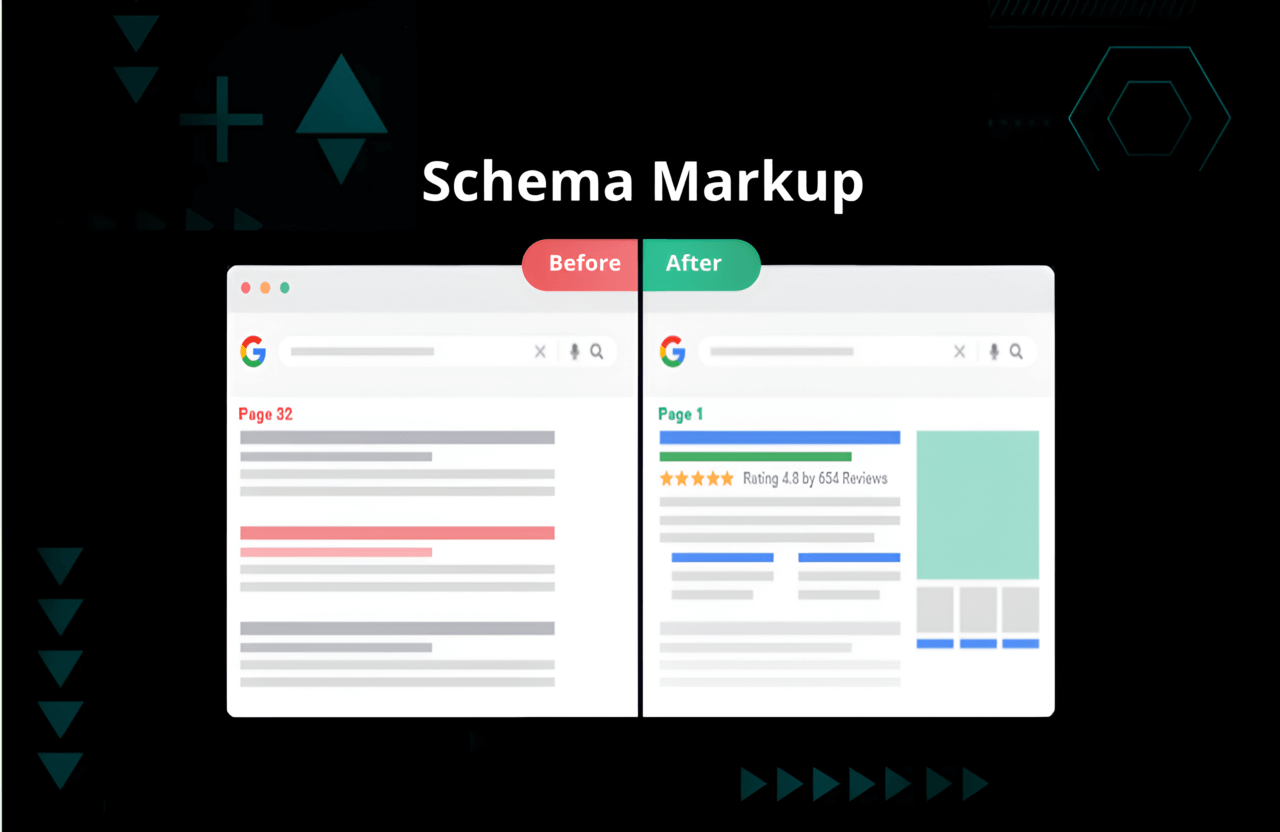
This is mandatory in 2026. Wrap your pages in structured JSON-LD code so the AI answer bots can extract your facts instantly.
- Inject WebSite, Article, or Product tags into your headers.
- Validate the code with Google’s Rich Results Test.
- Don't know the difference between tags? Dig into the hardcore technicals with Article vs BlogPosting Schema Markup.
Site Structure and User Experience
Don't make users dig for your content. If they are confused for more than three seconds, they leave.
1. Plan a Logical Hierarchy
- Three clicks max. If a user has to click four times to reach a checkout page, your architecture is completely broken.
- Group related content tightly together.
2. Create a Clear Navigation Menu
- Put your money-making pages front and center in the header.
- Stop using cute, confusing names for your services. Be brutally direct.
3. Build Internal Links Strategically
- When you publish a new post, go back to your old, powerful posts and drop a link pointing to the new one. Pass the SEO juice.
4. Improve User Experience (UX)
- Nuke the annoying, screen-covering pop-ups.
- Make the font massive and readable on mobile.
Content Strategy for New Websites
You need an actual library of assets, not just a static digital brochure.
1. Launch With Core Pages
- Homepage, About Us, dedicated Service pages, and your Privacy Policy. Get them live and polished perfectly.
2. Start a Blog or Resource Center
- This is your traffic engine. Stop talking about your company culture. Answer the exact, painful questions your buyers are googling at 2 AM.
- Publish consistently.
3. Create Linkable Assets
- Build a massive raw data study or a free calculator tool. People naturally link to heavy resources, not generic blogs.
4. Avoid Thin or Duplicate Content
- A 200-word page is useless dead weight. Google will ignore it. Give them actual depth or delete the page.
Off-Page SEO and Link Building
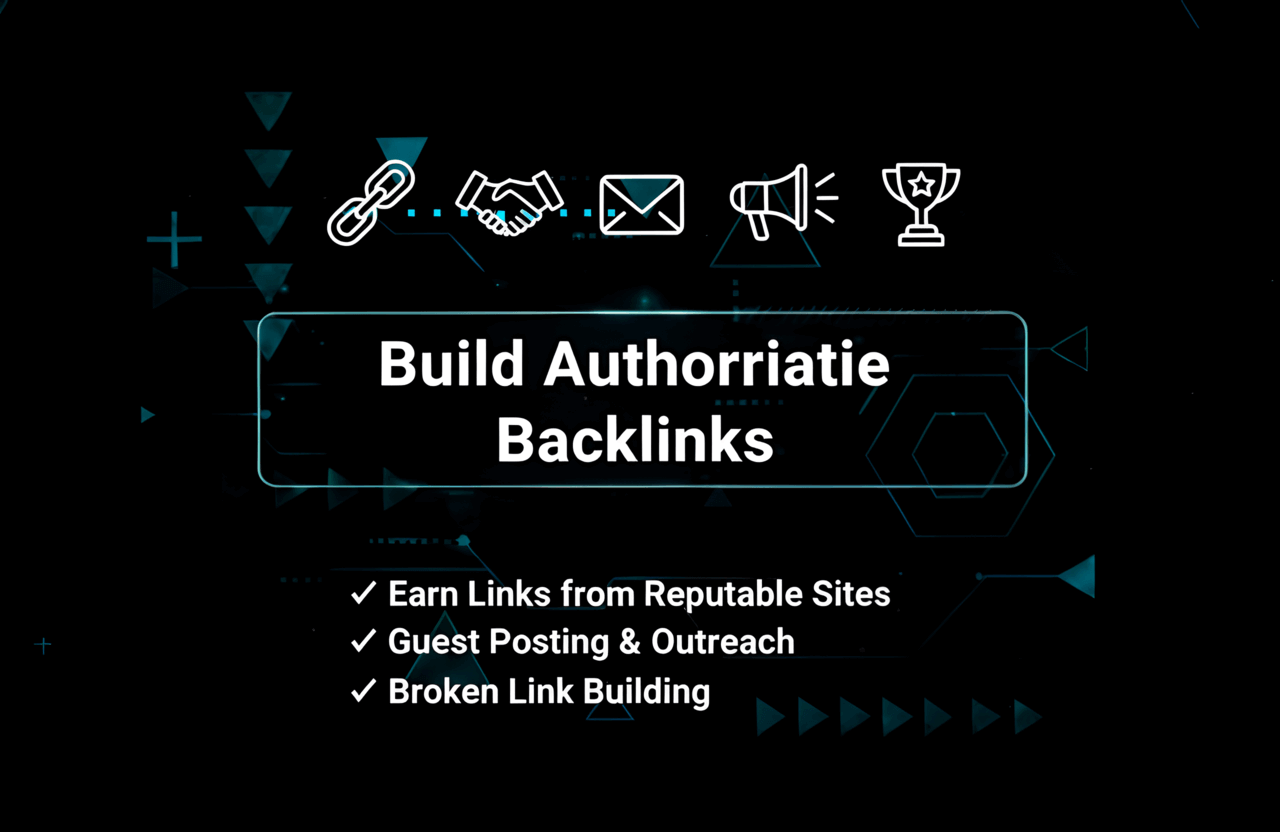
Google treats backlinks like votes. If nobody is linking to your new site, you have zero votes, and you will not rank for anything competitive.
1. Submit to Relevant Directories
- Get your Name, Address, and Phone Number (NAP) on basic local directories. Keep the spelling identical everywhere.
2. Reach Out for Backlinks
- You have to hustle. Beg for guest posts. Pitch your expertise to industry blogs. Want the brutal truth on how to actually execute this? Read How To Get Backlinks For Your Website.
3. Promote Your Content
- Stop hitting publish and going to sleep. Push the link aggressively on X, LinkedIn, and Reddit communities.
4. Monitor and Disavow Toxic Links
- If a shady bot farm hits your site with 10,000 spam links, use the Google Disavow tool to cut them off before you get manually penalized.
Local SEO Basics for New Sites
If you run a physical business or serve a specific city, do this immediately.
- Claim and verify your Google Business Profile.
- Force your happy customers to leave 5-star reviews. It is non-negotiable.
- Inject your exact city and service area into your H1 tags and meta descriptions.
Ongoing SEO Maintenance and Monitoring
You don't just "do SEO" once and walk away. It is a monthly battle.
1. Track Rankings and Traffic
- Watch your keywords drop and rise in SEMrush. Don't panic over daily fluctuations.
2. Fix Errors and Broken Links
- Look at Search Console weekly. If you delete a page and it throws a 404 error, redirect it instantly.
3. Update and Expand Content
- An article from 2024 is dead. Go back, rewrite it, add new data, update the year in the title, and push it live again.
Common SEO Mistakes to Avoid on New Websites
- Accidentally leaving the "Discourage search engines" box checked in WordPress settings.
- Writing 10 different pages targeting the exact same keyword and confusing the algorithm.
- Ignoring mobile loading speed because it looks fine on your desktop.
- Stuffing the keyword 40 times into the text like an amateur.
SEO Tools for New Websites
Stop flying blind. Arm yourself with these:
- Google Search Console & Analytics: Mandatory baseline data.
- SEMrush / Ahrefs: Grab a SEMrush Free Trial and aggressively steal your competitor's keyword data.
- Yoast SEO / Rank Math: To handle your basic on-page formatting.
- PageSpeed Insights: To yell at your developer when the site loads too slow.
- Plagiarism Checker: Run everything through free plagiarism checker tools before publishing.
SEO for New Website Checklist: Summary Table
| Step | Action | Status |
|---|---|---|
| Technical Setup | Set up Search Console, Analytics, sitemap, robots.txt, force HTTPS | ✅ |
| Keyword Research | Identify target keywords and map them ruthlessly to specific URLs | ✅ |
| On-Page SEO | Optimize titles, punchy meta descriptions, headings, and URLs | ✅ |
| Site Structure | Logical 3-click navigation, heavy internal linking, fast UX | ✅ |
| Content Creation | Publish bulletproof core pages and deep blog content | ✅ |
| Link Building | Hustle for quality external backlinks and local citations | ✅ |
| Local SEO | Lock down your Google Business Profile, farm reviews | ✅ |
| Monitoring | Track rankings weekly, fix 404 errors instantly | ✅ |
Ready to Launch Your SEO-Optimized Website?
Stop treating SEO like an afterthought. By executing this exact checklist, you force Google to respect your domain from day one, and you start stealing traffic from the lazy competitors who skipped these steps.
If you want to absolutely dominate your niche, stop reading fluff and dive into our hardcore guides on How To Get AdSense Approval, the raw mechanics of SEO Onpage VS Offpage Optimization, and the brutal reality of Dofollow vs Nofollow Backlinks.
Launch the site. Do the actual work. Own the search results.