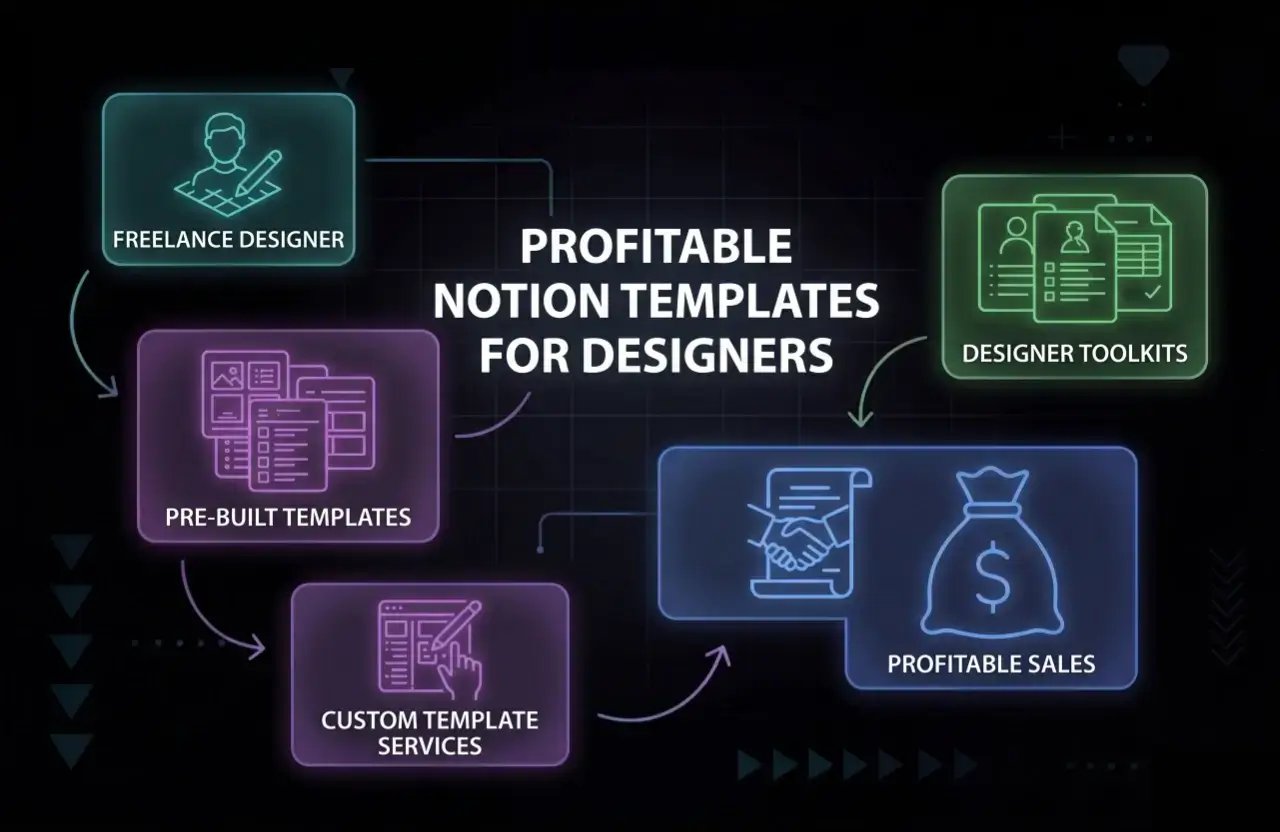
Let’s talk about the absolute gold rush happening right now. If you're a freelance designer in 2026 and you aren't selling Notion templates, you are leaving serious, highly passive money on the table.
With everyone and their mother working remotely or launching digital side hustles, the demand for clean, organized workflows is through the roof. Designers are literally perfectly positioned to cash in on this. You already know how to make things look good. You already know how to build intuitive systems. But what actually makes a template flip from "nice to have" to a wildly profitable digital product?
This guide is going to rip apart the mystery of the Notion template business. We’ll look at the exact templates that are printing money right now, the business models that actually work, and the no-BS tactics you need to build, market, and scale a storefront that pays your rent.
Quick tip: Real talk: you absolutely do not need to be some coding wizard or a "Notion certified expert" to do this. If you understand the messy reality of freelance client work and can design a layout that doesn't hurt the eyes, you've got everything you need.
Why Notion Templates Are So Profitable for Freelance Designers
Let's strip it down. Notion is essentially adult LEGOs. It's a wildly flexible workspace used by millions of burnt-out agencies, freelancers, and businesses trying to get their lives together. Because it’s so modular, it’s the ultimate playground for creating pre-packaged "life-savers" (aka templates).
For designers, launching this side hustle is basically a cheat code:
- Zero coding needed: You can literally design, test, and launch a digital product before lunch.
- Infinite scale: Build it once, sell it a million times. No shipping, no inventory nightmare.
- Desperate buyers: People are actively begging for systems that cure their disorganized chaos.
- Passive portfolio: A beautifully crafted template acts as a giant billboard for your design skills, often landing you high-paying client work entirely by accident.
- Recurring cash: Smart creators bundle their templates or charge monthly subscriptions for VIP updates.
In 2026, buyers aren't looking for a blank page with a cute emoji. They want polished, plug-and-play systems. The designers who actually understand their audience’s daily headaches are making an absolute killing right now.
Further reading: Want to dive deeper into the economics of digital products? Steal some ideas from our breakdown on how to earn $100 per day online.
What Makes a Notion Template Profitable?
Look, slapping a pastel cover photo on a basic to-do list won't make you rich. The templates that actually generate real revenue all share the exact same DNA:
- It kills a specific headache: The template fixes a real, annoying problem. (Think: tracking late invoices or managing messy client feedback).
- Stupidly easy to customize: If the buyer needs a PhD in Notion formulas to change a background color, they will ask for a refund.
- Aesthetic appeal: We are designers. It needs to look incredibly slick. People buy with their eyes first.
- Hand-holding included: The best sellers include video walkthroughs or little hover tooltips. Don't leave your buyers stranded.
- Actual market demand: It targets people who are already spending money to solve their problems (like agency owners, copywriters, or video editors).
- Modern and relevant: It reflects how people actually work in 2026, not 2019.
If your template is a complicated labyrinth, it will fail. Simple, laser-focused solutions outsell massive "life operating systems" almost every single time.
Top Profitable Notion Template Ideas for Freelance Designers
Stop guessing what to build. Based on hard marketplace data and what people are actually throwing their credit cards at right now, here are the heavy hitters:
1. Project Management Dashboards
Freelancers are drowning in deadlines and unread Slack messages. A killer project dashboard fixes this immediately. They help users:
- Track tasks without losing their minds
- Visualize the chaos using Kanban boards and Gantt timelines
- Hoard project briefs, assets, and raw files in one single, sane place
- Stop the endless "what's the status?" emails from anxious clients
These are evergreen. Build one tailored strictly for web designers or illustrators, and watch it sell.
2. Client CRM and Relationship Managers
Losing track of warm leads means losing money. A good CRM template helps freelancers:
- Keep a digital Rolodex of every client and past project
- Track exactly who owes them a signed contract
- Set automated-feeling reminders so they actually remember to follow up
- Figure out which clients are highly profitable and which are just draining their soul
Connect this CRM to an invoice database, and you can charge double for it.
3. Invoice and Payment Trackers
Chasing money is universally the worst part of freelancing. Make a template that allows users to:
- Generate clean, professional-looking invoices instantly
- Flag exactly who is 30 days late on paying them
- Visualize income trends so they know if they can make rent this month
- Set up automated reminders for those awkward "hey, pay me" conversations
If you can integrate a quick Stripe or PayPal payment link right into the layout, buyers will love you.
4. Proposal and Contract Templates
Staring at a blank Google Doc when trying to write a $5,000 proposal is agonizing. Help other designers by building a system to:
- Slap together beautiful proposals using pre-made, modular text blocks
- Easily tweak pricing and legal terms without formatting nightmares
- Track whether the client actually opened or approved the pitch
- Keep all signed legal stuff organized in one secure vault
Bundle this with an onboarding questionnaire, and it's an instant premium product.
5. Portfolio and Case Study Builders
Designers notoriously hate updating their own portfolios. Fix that friction for them.
- Organize case studies visually so they look high-end right out of the box
- Provide structured copywriting layouts for "Before/After" project breakdowns
- Track portfolio views and share links
- Give them a one-click way to export or share their work with hot leads
If it saves a designer from having to code a whole new Webflow site, they'll buy it.
6. Content Calendars and Social Media Planners
Everyone is a "content creator" now, and they are all overwhelmed. They need a place to:
- Brainstorm and schedule a month of Twitter/LinkedIn posts without panicking
- Track content ideas from rough draft to published
- Store their brand hex codes, logos, and fonts
- Analyze what actually went viral and what totally flopped
These sell like crazy to marketers and social media managers.
7. Design Asset Libraries
Where did I save that specific SVG logo file? Asset templates fix this massive headache by letting users:
- Tag and hoard fonts, color palettes, and vectors
- Keep track of weird licensing rules so they don't accidentally get sued
- Hand off brand asset files to clients looking incredibly professional
- Maintain a version history so nothing ever gets overwritten
Make it highly visual with gallery views, and it's a winner.
8. Time Tracking and Productivity Systems
Freelancers are generally terrible at tracking their actual working hours. Build something that helps them:
- Log billable hours without wanting to pull their hair out
- See exactly where they wasted three hours on a Tuesday
- Set realistic weekly goals that don't lead straight to burnout
- Identify their biggest time-sinks and optimize their daily flow
Combine this with the invoice tracker, and you have a full agency toolkit.
9. Business Finance and Expense Trackers
Staring at raw Excel spreadsheets is terrifying for most creatives. Make a Notion finance tracker that:
- Logs all those software subscriptions and coffee shop write-offs
- Preps everything perfectly for tax season so their accountant doesn't yell at them
- Visually proves whether they are actually turning a profit or bleeding cash
- Organizes digital receipts into neat little toggle menus
People will happily pay $30 for something that saves them hours during tax season.
10. Client Onboarding and Offboarding Kits
First impressions dictate the whole project. An onboarding kit template lets a freelancer:
- Send an automated welcome packet that makes them look like an expensive NYC agency
- Collect brand assets and passwords without a 40-email chain
- Outline project timelines so the client stops asking "when is this due?"
- Grab that crucial 5-star testimonial the second the project wraps up
This is pure professionalism in a box.
Pro tip: Want the real cheat code? Mash a few of these together. A "Freelance Starter Pack" that includes a CRM, an invoice tracker, and an onboarding kit will sell for triple the price of a standalone template.
Where to Sell Notion Templates for Maximum Profit
Don't just post it on Twitter and pray. Here is where the actual money is changing hands in 2026:
1. Gumroad
It’s the undisputed king of the indie hustle. It handles the raw files, takes the payments, deals with the VAT taxes, and gets out of your way. Almost every top-tier Notion creator uses this as their home base.
2. Etsy
You might think it's just for knitted scarves and vintage mugs, but Etsy's digital product market is an absolute beast. It has millions of people already typing in the search bar with credit cards in hand. Student planners and small business templates crush it here.
3. Your Own Website
If you want to play the long game, build a Shopify store or a killer custom landing page. You own the customer email list, you control the entire brand experience, and you don't lose massive chunks of your revenue to platform fees.
4. Notion Marketplaces
Sites like Notionery, Notion VIP, and Notion Everything are highly curated. If you can get your template listed on there, you're tapping into a hyper-targeted audience of Notion nerds who literally collect tools as a hobby.
5. Social Media and Communities
Build in public. Twitter (X), LinkedIn, Instagram, and niche communities like Indie Hackers or Designer News are where word-of-mouth explodes. Document your building process, and people will be begging for the link before you even finish.
Further reading: Want to drive serious organic traffic to your own storefront? Stop guessing and read up on getting backlinks for your website to crush the SEO game.
How to Create a Profitable Notion Template: Step-by-Step
Ready to build something that actually flies off the digital shelves? Here is the exact playbook:
Step 1: Find a Bleeding Neck Problem
Don't build what *you* want. Build what people are actively complaining about. Lurk on Reddit or freelance Slack channels. If you see five people whining about "losing track of client feedback emails"—boom, that's your next product.
Step 2: Map the Chaos First
Before you even open Notion, grab a piece of paper. Sketch out how a stressed-out freelancer would actually move through your system from start to finish. Keep the clicks to an absolute minimum. Keep it stupidly simple.
Step 3: Build and Beautify
Open a blank page. Build the raw databases first so the logic works. Then, put your designer hat firmly on. Add crisp minimalist icons, design custom cover images in Figma, and use clean color coding. Make it look like a premium piece of software.
Step 4: Break It (Then Fix It)
Hand the raw link to a designer friend. Just watch them try to use it. When they inevitably click the wrong button, delete a crucial formula, or get entirely lost, go back and fix your layout. Idiot-proof it.
Step 5: Write the Manual
If you don't explain how to use it, they will demand a refund. Record a quick, unedited 3-minute Loom video walking them through the initial setup. It takes zero effort and saves you dozens of angry customer support emails.
Step 6: Slap a Price Tag On It
Look at your direct competitors, then price yours slightly higher because your design is objectively better. Don't devalue your work.
Step 7: Launch and Scream
Put it on Gumroad. Tweet about it endlessly. Email your list. Post it in design groups. Don't be shy about it—you built a solution, now go sell it.
Pro tip: Add a tiny "Bonus" section. A free list of 50 freelance email swipe files thrown into your CRM dashboard makes the perceived value skyrocket.
Marketing Strategies to Maximize Template Sales
"If you build it, they will come" is the biggest lie on the internet. You have to drag them to the checkout page. Here is how the pros do it:
1. Build a Cult Following
Start posting hyper-specific Notion tips and aesthetic workspace screenshots on Twitter or Instagram. Become "the Notion person" in your specific industry circle.
2. Content is Still King
Write blog posts or film YouTube tutorials solving common freelance problems, and casually drop your template link as the ultimate, time-saving fix. Optimize for highly specific searches like "best Notion CRM for UX designers."
3. Cross-Promote with Other Creators
Find someone selling a freelance pricing guide ebook and bundle your project management template with it. Split the profits 50/50. It's essentially free distribution.
4. Farm Those Reviews
Beg your first 10 buyers for a 5-star review. Take screenshots of those glowing reviews and plaster them all over your landing page. Social proof moves the needle more than any fancy copywriting.
5. Create Ethical FOMO
"Launch special: 50% off for the next 24 hours only." Urgency makes people pull out their wallets. Just don't be sleazy or fake about it.
6. SEO Everything
Name your product what normal people are actually typing into Google. Don't call it "The Zen Workspace Odyssey." Call it "Notion Client Tracker & CRM." Be literal.
Further reading: Need help climbing those Google ranks? Steal the exact blueprint from our SEO for new website checklist.
Pricing Your Notion Templates for Profit
Stop underpricing your hard work out of fear. Here is the realistic pricing ladder for 2026:
- The Quick Fix (Single-use templates): $9–$39. Perfect for impulse buys on Twitter.
- The Systems (Template bundles): $29–$99. This is where you package a CRM, Invoice Tracker, and Portfolio into one massive "Freelance OS."
- The VIP Club (Memberships): $5–$20/month. Give them access to an ever-growing, exclusive vault of your templates and custom icons.
- The Corporate Whale (Agency licenses): $99–$499+. If a 10-person creative agency is using your system to make thousands of dollars, charge them a premium commercial rate.
Seriously, if your template saves a busy freelancer three hours a week, it's easily worth $50. Don't race to the bottom.
Pro tip: Give away an ultra-basic "Lite" version completely for free in exchange for their email address. Then, relentlessly (but politely) upsell them the premium version via an automated email sequence.
Real-World Examples of Profitable Notion Template Sellers
Think this is all just theory? Look at the people actually running the game right now:
1. Easlo
This guy is the undisputed poster child for the Notion side hustle. He pulls in massive six-figure revenue focusing heavily on minimalist, distraction-free dashboards. His secret? He treats his Twitter account like a full-time, high-octane marketing engine.
2. Red Gregory
Red is the absolute wizard of complex Notion formulas and automations. She built immense trust by dropping insane, highly technical free tutorials on her blog, which naturally funnels obsessed readers right into her premium products.
3. The Silent Marketplace Hustlers
There is a whole hidden army of designers who just upload strictly functional, beautifully designed templates to Notionery and Etsy, and quietly collect passive income notifications while they sleep.
Case study: It is shockingly common in the creator community to see designers pulling an extra $1,000 to $5,000 a month off a single, well-marketed template bundle during a solid launch week.
Common Mistakes to Avoid
Want to completely tank your sales? Do these things:
- Building a spaceship: Don't cram 50 databases and 100 linked views into one page. If it looks like a NASA control panel, buyers will panic and instantly demand a refund.
- Ghosting your buyers: If you don't include a simple "Start Here" page, you are asking for angry emails.
- Ignoring the critics: If three separate people tell you your invoice formula is broken, drop your ego and fix it immediately.
- Being a cheap copycat: Ripping off someone else's highly popular template structure is a fantastic way to destroy your reputation in the tight-knit Notion community forever.
- The $5 trap: Pricing your massive, 10-page freelance agency dashboard at five bucks makes it look cheap, broken, and spammy. Value your own work.
Future Trends: Profitable Notion Templates in 2026 and Beyond
The game is constantly evolving. Here is what people are going to be throwing their money at next:
- AI-injected workflows: Templates that hook up directly to ChatGPT or Claude APIs to automatically draft client emails or summarize meeting notes right inside the Notion page.
- Ultra-niche systems: Stop making a "Creator CRM." Make a "CRM specifically for Tech YouTubers with brand deal tracking." Niche down until it hurts.
- Agency-level collab spaces: Tools built specifically for small, remote teams of 3-5 people managing high-ticket clients with strict permission levels.
- Visual heavy dashboards: People want gorgeous charts, automated progress bars, and slick third-party widgets embedded directly into the layout.
- Mobile-first designs: A shocking number of people run their entire freelance business from the Notion phone app while commuting. If your multi-column template breaks on mobile, it's completely useless to them.
If you can stay ahead of these trends, you can easily command double the price of the older templates on the market.
FAQs: Profitable Notion Templates for Freelance Designers
What are the actual best-selling Notion templates right now?
Project trackers, client CRMs, invoice logs, and complete "Freelance Operating Systems" (which are basically just bundles of the smaller stuff). Ultimately, anything that makes a messy, stressed-out freelancer feel organized and professional will sell.
How much can I really earn selling these things?
It's wild. Some people make a cool $200 extra a month for coffee money. The heavy hitters are pulling $10,000+ a month. It all comes entirely down to how good your marketing engine is.
Do I need to be a coding genius to sell templates?
Absolutely not. You just need to know how to use Notion's basic slash commands, deeply understand how a freelancer's brain actually works, and possess a decent eye for visual hierarchy and spacing.
Can I sell the exact same template on multiple sites?
Yes, please do. Put it on Gumroad. Slap it on Etsy. Sell it on your own site. Maximize your digital footprint everywhere you possibly can.
How do I stop people from stealing my templates?
Harsh truth: You can't 100% stop piracy. But you can protect yourself by building a highly recognizable brand, hiding your true value in the community or support you offer buyers, and requiring an email address before they can grab the duplication link.
Ready to Build Your Profitable Notion Template Business?
The digital real estate market for Notion is wide open, and freelance designers have a wildly unfair advantage. You already know what looks good. You already know what painful client work feels like. You just need to build the tool that fixes the headache.
Find that one annoying administrative problem you absolutely hate dealing with every Friday. Fix it in Notion. Make it look incredibly sleek. Slap a price tag on it, and hit publish on Gumroad today.
Want to scale this up into a serious digital empire? Go dive into our guides on SEO strategies for digital products, figure out the battlefield of affiliate vs referral marketing, or even explore how to sell on Amazon to diversify your income streams this year.
Stop letting your beautiful, unused Notion pages collect digital dust. Pack them up, sell them, and let the internet pay you while you sleep.